
Overview :🧧
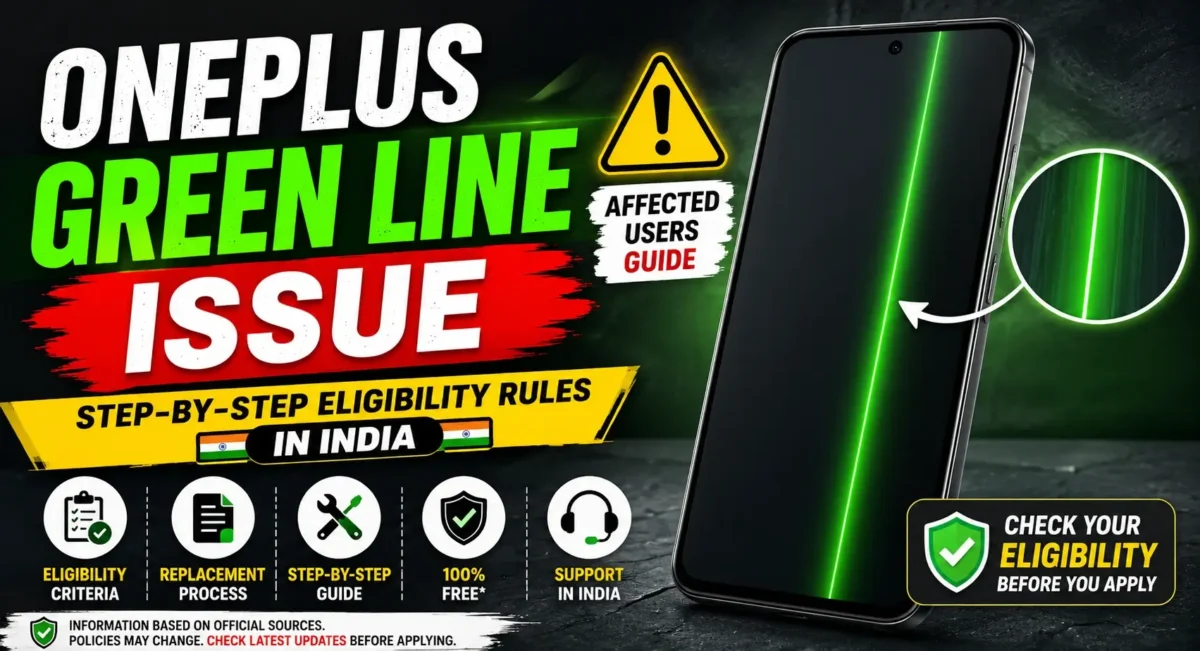
OnePlus green line issue is one of the most talked about smartphone issues in India users for the last couple of years. Several OnePlus phone users have reported a vertical green line running across their screens, usually without any physical damage, drop or exposure to water.
In response to customer worry, OnePlus rolled out dedicated support schemes and a free screen replacement for qualifying devices in India. However, a lot of users are still confused which models are covered, how to check eligibility, and what documents are needed.
In this article, we will discuss everything related to the OnePlus green line problem, what causes it, the affected devices, the eligibility for a free screen replacement, and the complete process to get your device replaced in India.
📌[Must Read] — “OnePlus Nord 5 Display issue Solve“📱
What Is the OnePlus Green Line Issue?
The green line issue is a display-related problem where a vertical green line suddenly appears on the screen.
Common Symptoms :
- Thin green vertical line
- Bright green stripe across display
- Line remains visible permanently
- Appears without physical damage
- Visible on lock screen and apps
- Does not disappear after restarting
In most cases, the issue affects AMOLED display panels.
Why Does the Green Line Appear?
Several factors may contribute to the problem.
Possible Causes :
Display Panel Defect
- A manufacturing defect inside the AMOLED display can sometimes cause permanent green lines.
Software Update Trigger
- Many users reported the issue appearing shortly after installing a system update.
Display Connector Issues
- Internal display connections may occasionally develop faults over time.
Heat and Power Management
- Overheating while charging or playing games may also impact the delicate parts of the display.
- Keep in mind that the actual reason may be different from small gadgets to large devices.
Which OnePlus Phones Have Reported Green Line Problems?
While not every unit is affected, reports have appeared across several models.
Commonly Reported Devices :
- OnePlus 8
- OnePlus 8T
- OnePlus 8 Pro
- OnePlus 9
- OnePlus 9R
- OnePlus 9 Pro
- OnePlus 10R
- OnePlus 10 Pro
- OnePlus 11R
The issue has been reported more frequently on AMOLED-display devices.
OnePlus Free Screen Replacement Program in India
To support affected users, OnePlus announced free display replacement support for eligible smartphones in India.
The company has also provided alternative compensation options for some older devices when display panels are no longer available.
However, eligibility depends on multiple conditions.
OnePlus Green Line Issue Eligibility Rules
Before visiting a service center, make sure your device meets the eligibility requirements.
Rule 1: Display Must Show a Genuine Green Line
The issue must be clearly visible on the display.
Examples include:
- Single green line
- Multiple green lines
- Pink line
- White vertical line linked to display failure
Service technicians will inspect the device before approval.
Rule 2: No Major Physical Damage
Your smartphone should not have:
- Cracked display
- Broken frame
- Bent body
- Severe impact damage
If significant physical damage is found, the free replacement request may be rejected.
Rule 3: No Water Damage
The device should not show signs of:
- Liquid intrusion
- Corrosion
- Moisture damage
Water-damaged phones may not qualify under the green line replacement program.
Rule 4: Device Verification Required
OnePlus technicians will verify:
- IMEI number
- Device model
- Display issue
- Internal condition
Approval is based on the official inspection report.
Rule 5: Service Center Assessment Is Mandatory
- Eligibility cannot be confirmed online alone.
The final decision is made after physical inspection at an authorized OnePlus service center.
📌[Also Read] — “OnePlus 13s Ghost Touch Problem Quick Fix“📱
Step-by-Step Process to Get Free Screen Replacement
Follow these steps if your OnePlus phone develops a green line.
Step 1: Backup Your Data
Before visiting a service center:
- Backup photos
- Save contacts
- Sync important files
- Store WhatsApp chats
Display repairs may require software checks or device resets.
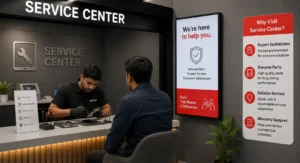
Step 2: Find an Authorized OnePlus Service Center
- Always visit an official service center. Avoid third-party repair shops because unofficial repairs may affect eligibility.
Step 3: Carry Required Documents
Bring:
- Smartphone
- Purchase invoice (if available)
- Government ID (if requested)
Although invoices are helpful, some cases may still be processed through IMEI verification.
Step 4: Explain the Green Line Problem
Show the issue clearly to the service representative.
The technician will inspect:
- Screen condition
- Device frame
- Internal damage indicators
Step 5: Wait for Inspection Results
The inspection usually includes:
- Visual assessment
- Hardware diagnosis
- Eligibility verification
If approved, the display replacement process begins.
Step 6: Screen Replacement
If spare parts are available:
- Display replacement is performed
- Device testing is completed
- Phone is returned after quality checks
Repair timelines vary by location and parts availability.
What Happens If Display Panels Are Unavailable?
In some cases, replacement displays for older OnePlus models may not be available.
When this happens, OnePlus has occasionally offered:
Upgrade Vouchers
- Users may receive a voucher that can be used toward purchasing a newer OnePlus smartphone.
Alternative Compensation Options
- The available solution depends on the specific device model and current support policies.
Always confirm the latest options with an authorized service center.
How Long Does Screen Replacement Take?
The repair time varies.
Typical Timeline
Inspection: Same day
Approval: Same day or next day
Replacement: 1–7 days depending on parts availability
Some locations may complete repairs faster if stock is available.
How to Check If Your Device Is Eligible
You can improve your chances of approval by checking the following:
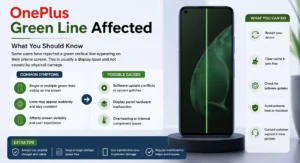
Eligible Device Checklist
- Green line visible on screen
- No display crack
- No water damage
- No severe frame damage
- Original display installed
- Device passes service-center inspection
Tips to Avoid Future Display Issues
Although not every green line issue can be prevented, these practices may help protect your display.
Best Practices :
- Use original chargers
- Avoid excessive overheating
- Install stable software updates
- Avoid physical impacts
- Keep the phone away from moisture
- Use protective cases
📌[Don’t Miss] — “OnePlus 12 Green Screen Easy Solution“📱
Final Verdict :🙌
OnePlus has been plagued with several issues in the past, with green tint being one of them, and now the OnePlus green line issue has come upon the OnePlus users. You are eligible for a free screen replacement, if your device abruptly develops a green line with no signs of physical or water damage.
Your best bet is to back up your data, head to a OnePlus authorized service center and have your device inspected. Following the eligibility requirements and understanding the process of replacement can save your time and money while fixing your smartphone.
If you have an affected device, you should avail yourself of the offer as soon as the issue begins to manifest, as service policies and parts availability may change.
🔗
📌”Official OnePlus Product Page”👈
Frequently Asked Questions — FAQ/s
Is OnePlus offering free screen replacement in India?
Yes, eligible devices affected by the green line issue may qualify for free display replacement after inspection.
Does a cracked screen qualify?
Generally, devices with major physical damage may not be eligible.
Is the invoice mandatory?
An invoice can help, but IMEI çverification may also be used in some cases.
How long does the repair take?
Most repairs are completed within a few days, depending on parts availability.
Can software updates cause green lines?
Some users reported the issue after updates, but each case requires technical inspection.
