
Description Box :🔍
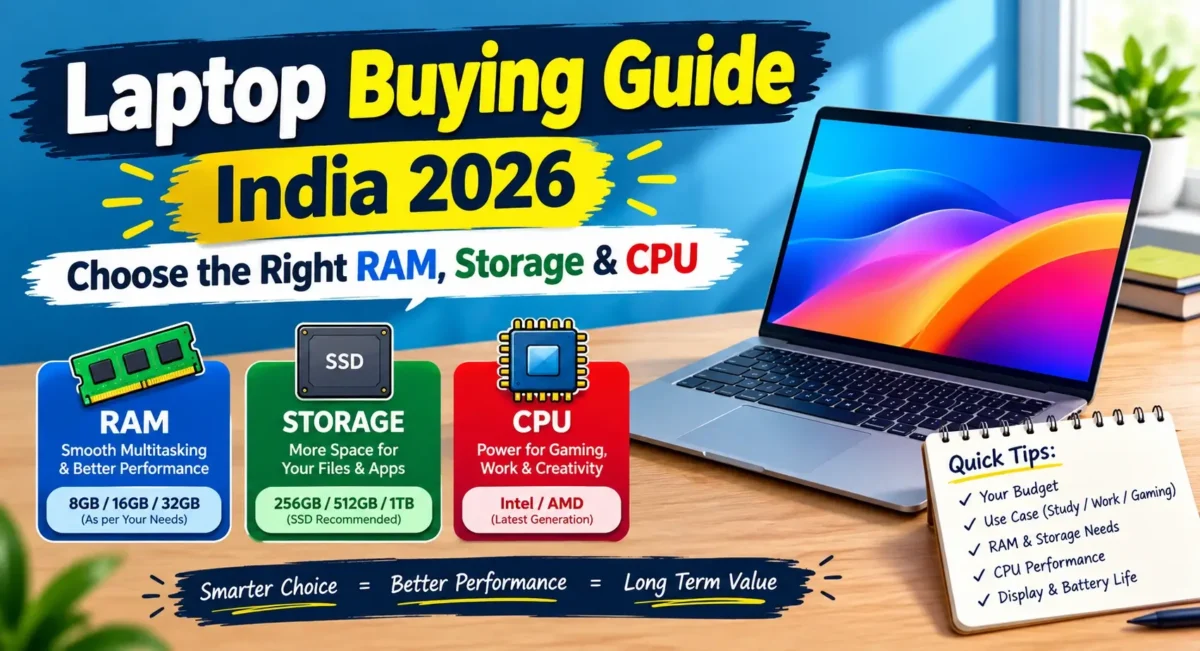
Planning to purchase a laptop in India? This ultimate guide demystifies CPU series (Intel, AMD, Apple M-Series), RAM needs, and NVMe SSD expansion limits. Contains live performance data from Indian users on Reddit and Quora, best price for models in India (INR), and a breakdown of specs.
Overview :🧧
Laptop Buying Guide India 2026 : The panorama of laptop computers procurement in India has significantly evolved in 2026. You could go into a store a few years ago, buy a new machine, and ask for an Intel Core i5 processor with 8GB of RAM, and you’d be able to run your typical work load for the next four or five years. Today that formula is completely kaput. Basic hardware requirements are significantly higher than they used to be, thanks to Windows 11 updates, background AI tools, resource-intensive web browsers, and resource-heavy applications.
Beyond that, there are situations that a standard tech review simply doesn’t discuss that Indian buyers deal with. Compact laptops can thermal throttle rapidly when it gets hot in Indian summers. But outside of that, value-conscious shoppers often end up using non-expandable soldered RAM or unimpressive displays that make outdoor work a chore.
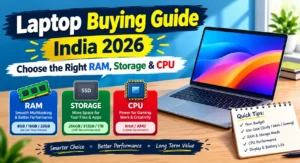
This extensive guide combines the feedback from tech forums such as Reddit and Quora, along with official brand specifications and the market price in India. From students to software developers, office workers to hobbyists, this guide will cover everything you need to know to select the perfect CPU, RAM, and Storage in 2026 through a complete best laptops real world performance review.
1. Decoding the Brain: Selecting the Right CPU
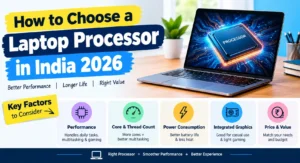
The Central Processing Unit (CPU) works as the brain to control your laptop’s data processing speed, program launching and multitasking capabilities. The laptop market in 2026 is divided among three top chip designers: Intel, AMD, and Apple Silicon.
Understanding Intel Processors (Core Ultra & Core Series)
Intel no longer uses its old naming conventions such as Intel i3, Intel i5, Intel i7 for its processor lines, instead, it is adopting the Intel Core and the Intel Core Ultra series.
-
U-Series (Power Efficiency): These series of processors (such as Core Ultra 5 125U) are designed to be efficient in power usage and for standard, everyday tasks. They are less powerful and cooler, which makes them suitable for videos, docs in office, and browsing the web.
-
H-Series (Performance): Heavy workload processors are those that end in “H” (i.e. Core Ultra 5 125H, Core Ultra 7 155H). They are faster and have better built-in graphics.
Community Feedback from Reddit/Quora: Users from India (tech forums) say that the U-series computer is used for heavy excel work and coding or light video editing but when multiple apps are used together on a single computer, it slows down. It’s a well-established fact that if you want to go beyond the casual browsing, you should go with an H-series processor.
Understanding AMD Processors (Ryzen 7000, 8000 & 9000 Series)
AMD is still providing good efficiency and multi-core performance in India.
-
Ryzen 5 & Ryzen 7 H/HS-Series: AMD’s H-series processors are popular among sub-₹70,000 laptops due to their better battery efficiency than the older Intel processors.
-
Integrated Graphics (Radeon 780M/880M): AMD’s integrated graphics units, like Radeon 780M and 880M, offer strong graphics capabilities for budget gamers and casual videographers without the need for a power-hungry discrete graphics card that drains the battery.
Apple M-Series Silicon
The battery life and battery-powered performance of the custom chips (M2, M3, M4) continue to lead the way in the world of Apple. MacBook has no loss of processing power when using its battery power as compared to AC-powered Windows laptops.
Paragraph Verdict: Don’t only go for a processor because of their marketing. Choose Intel H-series and AMD Ryzen H/HS-series CPUs if you’re purchasing a Windows laptop for multitasking or productivity. When it comes to all-day battery life and quiet operation, Apple Silicon is the undisputed king according to any detailed laptop battery life and thermal review.
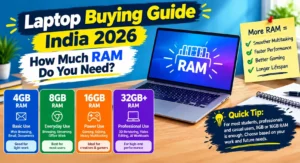
2. RAM Demands in 2026: Why 8GB Is Officially Obsolete
Random Access Memory (RAM) is like your computer’s short-term memory. It stores apps, browsing tabs and system services that are in use.
The 8GB RAM Trap
8GB RAM is not enough for a seamless Windows experience in 2026. There are background services that consume about 3.5GB to 4GB of memory just in Windows 11. Google Chrome can easily use up the memory, if it is opened alongside another application such as Microsoft Teams or WhatsApp Web with 10 to 12 tabs. When the RAM runs out of space, the laptop will use the SSD as virtual memory (paging) that will result in subtle freezes, input delay, and stuttering. Any comprehensive best laptops real world performance review highlights how severely 8GB RAM restricts system speeds today.
Soldered vs. Expandable RAM
Laptops are available in two memory options:
-
LPDDR5 / LPDDR5X (Soldered): Fast memory that’s soldered directly to the motherboard. Later upgrades are not possible. Purchasing an 8GB soldered laptop will mean permanent 8GB.
-
DDR5 SO-DIMM (Expandable): Laptop models that have memory slots can accept additional memory sticks later.
Community Feedback from Reddit/Quora: Dozens of threads on r/IndianTechCentral caution buyers to buy a sleek thin and light laptop that has 8GB of non-upgradable RAM. After 12 months of use, users complain that it cannot perform simple multitasking. Users state that within 12 months of use the machine can’t perform basic multitasking.
Ideal RAM Sizing for 2026:
-
8GB RAM: For very basic use like reading and consuming media, or for strict budget constraints (under ₹35,000), 8GB RAM is the only option. Should be expandable with a slot.
-
16GB RAM: Minimum requirement for students, office users, coders and more common users.
-
32GB RAM: For heavy software developers, 4K video editors, virtual machine users and heavy gamers, 32GB RAM is recommended.
Paragraph Verdict: In 2026, don’t forget to make the 16GB RAM standard. In the case of an 8GB version, check the specification sheet on the brand’s official website to make sure that there is an open SO-DIMM slot for future expansion.
3. Storage Decoded: NVMe Gen 4, Gen 5 & Expansion Realities
Mechanical hard drives (HDDs) are now a thing of the past and replaced with a complete replacement of Solid State Drives (SSDs). But the speed and reliability can vary by SSD.
NVMe PCIe Gen 3 vs. Gen 4 vs. Gen 5
-
PCIe Gen 3 NVMe: This is an older technology with speeds of 2,000 to 3,500 MB/s. Even in cheaper budget laptops are available in sub-₹40,000.
-
PCIe Gen 4 NVMe: The most recent industry standard that can reach speeds of up to 5,000 MB/s to 7,500 MB/s. It guarantees quick boot time, instant loading of apps, and swift file transfers.
-
PCIe Gen 5 NVMe: Very high performance (10,000+ MB/s), yet hot. It’s typically used in high-end gaming laptops and workstations. Every modern laptop battery life and thermal review notes that high-speed Gen 5 drives require robust cooling to perform reliably.
Storage Capacity Guidance
-
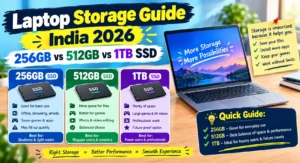
256GB SSD: Not recommended in 2026. In no time at all, Windows updates and temporary files consume 100GB of disk space and you have little room for your user data.
-
512GB SSD: This is the minimum size for most Indian users. Contains the OS, necessary software and personal files.
-
1TB SSD: There are also 1TB SSDs, which are highly recommended for gamers, media creators and professionals who have to store large project files locally.
Dual M.2 Slots
If purchasing a laptop, verify that the motherboard has a second M.2 socket. Two slots enable you to install a second 1TB SSD drive in the future without replacing the existing drive with Windows installed.
Paragraph Verdict: For 2026, the minimum amount of NVMe PCIe Gen 4 SSD to consider for a laptop purchase is 512GB. Always confirm with the user manual or manufacturer’s specifications whether an additional M.2 storage expansion slot is present.
4. Real-World Tested Models in India :💪
To assist you in reaching up to the right choice, listed below are 4 best-recommended laptops across various budgets in India for 2026, curated from an in-depth best laptops real world performance review.
Model 1: ASUS Vivobook S 15 OLED
-
Primary Target: Students, content consumers, and office professionals looking for an optimum display.
-
Key Specs: Intel Core Ultra 5 / Core i5 H-Series processor, 16GB LPDDR5X RAM memory, 512GB Gen 4 SSD, 15.6-inch 3K OLED Display (120Hz, 600 nits peak brightness).
-
Real-World Experience: Media and Photo Editing: Vibrant visuals and deep blacks from the 3K OLED display provide a real-world experience. But when operated at maximum brightness, OLED panels use more power. Any comprehensive laptop battery life and thermal review confirms that bright OLED displays do drain power slightly quicker under sustained outdoor use.
-
Genuine Market Price: About ₹74,990 to ₹78,990 in India.
Model 2: Apple MacBook Air M3
-
Primary Target: Programmers, travellers, students and working professionals who care about battery life and durability.
-
Key Specs: Apple M3 Chip (8-Core CPU / 8-Core or 10-Core GPU), 16GB Unified Memory, 512GB SSD, 13.6-inch Liquid Retina Display (500 nits).
-
Real-World Experience: Provides 14-16 hours of real world battery life on a single charge with ease. Silent design – no fan. As shown in almost every laptop battery life and thermal review, fanless designs excel in fan noise reduction while keeping heat levels well controlled under light-to-medium workflows. The biggest issue is the RAM and storage are completely built together and can’t be upgraded after purchase.
-
Genuine Market Price: Approximately ₹1,14,900 (Base 16GB/256GB) to ₹1,24,900 (16GB/512GB) in India.
Model 3: Lenovo IdeaPad Slim 5
-
Primary Target: Budget-conscious buyers that require a balance of performance, keyboard comfort, and durability.
-
Key Specs: AMD Ryzen 7 7730U / Intel Core i5 13th Gen, 16GB DDR5 RAM, 512GB/1TB NVMe SSD, 14-inch/16-inch WUXGA IPS/OLED Display.
-
Real-World Experience: Lenovo’s IdeaPad brand offers comfortable keyboards and good thermal management. According to our latest best laptops real world performance review, it handles office productivity flawlessly. Average speakers and a hard top cover of aluminium.
-
Genuine Market Price: Starts from around ₹54,990 to ₹69,999 in India.
Model 4: HP Pavilion Plus 14
-
Primary Target: Working professionals and creators that need good build quality and high-resolution display.
-
Key Specs: Intel Core Ultra 5 125H, 16GB LPDDR5X RAM, 512GB Gen 4 SSD, 14-inch 2.8K OLED / 2.2K IPS Display (300-400 nits).
-
Real-World Experience: Compact form factor, great port selection (Thunderbolt 4, USB-A, HDMI). The high-resolution screen gives moderate battery life, up to 5 or 6 hours when actively used.
-
Genuine Market Price: In India, the range is between ₹77,990 and ₹84,999.
Paragraph Verdict: For displays, the ASUS Vivobook S 15 OLED is great value if that’s a key consideration. If you want the best battery life and processing power, the Apple MacBook Air M3 is the way to go. The Lenovo IdeaPad Slim 5 and HP Pavilion Plus 14 are good options if you need reliable productivity for everyday use.
5. Specification & Price Comparison Table
Let’s take a side-by-side comparison of the most recommended products for each channel that comes into the picture in India based on user data and every detailed best laptops real world performance review:
| Model Name | Processor (CPU) | RAM & Type | Storage | Display Specs | Real Battery Life | Official INR Price (Approx) |
|---|---|---|---|---|---|---|
| ASUS Vivobook S 15 OLED | Intel Core Ultra 5 / i5 13500H | 16GB LPDDR5X | 512GB Gen 4 SSD | 15.6" 3K OLED, 120Hz, 600 nits | 6 – 7 Hours | ₹74,990 – ₹78,990 |
| Apple MacBook Air M3 | Apple M3 Chip (8-Core) | 16GB Unified | 512GB SSD | 13.6" Liquid Retina, 500 nits | 14 – 16 Hours | ₹1,14,900 – ₹1,24,900 |
| Lenovo IdeaPad Slim 5 | AMD Ryzen 7 / Intel Core i5 | 16GB DDR5 | 512GB / 1TB SSD | 14"/16" WUXGA IPS/OLED | 7 – 8 Hours | ₹54,990 – ₹69,999 |
| HP Pavilion Plus 14 | Intel Core Ultra 5 125H | 16GB LPDDR5X | 512GB Gen 4 SSD | 14" 2.8K OLED / 2.2K IPS | 5 – 6 Hours | ₹77,990 – ₹84,999 |
Paragraph Verdict: Cross reference the price-to-spec ratios carefully in Paragraph Verdict. If these high end processors are being sold with a low end 250-nit screen and 8GB of memory, don’t pay any more for this processor than you would for a less powerful one with a higher end 1080p screen and 16GB of ram.
6. Real-World Pros & Cons
After reading about it from a variety of Tech forums on the Internet and the long-term feedback from users, here are the actual advantages and disadvantages of purchasing a laptop in the Indian market today.
✔Pros
- Higher Standard Memory: Most brands in India now have 16GB as their standard starting from the ₹50,000 tier.
- Vibrant OLED Panels: The quality OLED displays with 100% color gamut in DCI-P3 are available under ₹75,000.
- Faster Charging Standards: The Type-C Power Delivery (PD charging) standard is pretty common, allowing you to use the same charging cable for both phones and laptops.
- Efficient Integrated Graphics: Light gaming and 1080p video rendering is handled by the efficient integrated graphics, with modern iGPUs (Intel Arc, AMD Radeon 780M) doing the job.
❌Cons
- Soldered RAM Limitations: Some thin and light laptops have soldered RAM which means it cannot be upgraded.
- Low Display Brightness on Budget Laptops: Budget Laptops of less than ₹45,000 are usually equipped with anti-glare screens with a 250-nit rating that appear dull when visible from a bright room or near a window.
- Thermal Throttling in Indian Heat: Single Fan Thermal Design: The lightweight laptops get hot in Indian summers (85°C-90°C), resulting in a drop in performance and noise. A thorough laptop battery life and thermal review will often point out that ambient heat can significantly hamper single-fan configurations.
- Varying After-Sales Service Quality: The service quality of the brand will differ widely, based on whether you live in Tier-1 metro city or Tier-2/Tier-3 town.
Paragraph Verdict: In the real world, consider these advantages and disadvantages in relation to how you use it. Consider hardware specs such as long-term upgrades, display, and thermals over gimmicky marketing.
7. Crucial Buying Checklist for Indian Buyers
Before you click the “Buy” button on Amazon, Flipkart or the official brand’s store, here is the check list based on user experiences and our best laptops real world performance review:
1. Display Quality & Brightness (300 Nits Minimum)
If you plan to work long hours, never purchase a laptop with less than 300 nits of brightness and 100% sRGB colour accuracy. Such budget screens with 250 nits brightness and 45 % NTSC color gamut headaches and make colours dull.
2. Thermal Management & Fan Design
During summer, the ambient temperature in India is high and this puts a strain on the laptop cooling systems. Search for laptops that have a dual heat pipe and a dual exhaust fan. Single fan thin metal laptops tend to slow down when under load. It is crucial to check an independent laptop battery life and thermal review to ensure your system won’t overheat.
3. Battery Capacity (Watt-Hours)
Avoid battery life warranty from manufacturers that is excessive (such as “up to 10 hours”). Rather, look at the actual Battery Capacity given in Watt-hours (Wh):
-
45Wh or below: 3-4 hours of real-world use with a 45Wh or less battery.
-
55Wh to 65Wh: Can be used for 6 to 8 hours of moderate productivity.
-
70Wh to 90Wh: Provides all day use from the battery.
4. After-Sales Service & City Reach
Accessibility of service centres is different in India depending on their geographical location. Based on Consumer Feedback:
-
Lenovo & ASUS: Excellent service network in Tier-1, Tier-2 cities and Tier-3 cities with easy access to extended warranty options.
-
HP & Dell: Good onsite service coverage in most pincodes of India.
-
Apple: Excellent service quality, in metro cities; out-of-warranty repairs can be expensive; Apple may not be available in smaller cities. Excellent service quality in major metro cities; out of warranty repairs may be expensive without AppleCare+; Apple may not be available in smaller cities.
Paragraph Verdict: Consider a bright screen (300+ nits), a battery capacity of 55Wh and more, and local service support that you can access, more important than a mere slight advantage in CPU performance.
8. Final Verdict & Summary
In 2026, picking the best laptop in India isn’t about marketing buzzwords but about ensuring the device’s features align with your everyday tasks:
-
For Students & Casual Users: They should opt for a laptop that supports a 16GB RAM, 512GB SSD and has a screen brightness of at least 300 nits, powered by the AMD Ryzen 5 or Intel Core i5/Ultra 5 chipset. The Lenovo IdeaPad Slim 5 is a good option for this segment.
-
For Media Creators & Display Enthusiasts: Choose machines with OLED display panels with 100% DCI-P3 coverage, like ASUS Vivobook S 15 OLED or ASUS HP Pavilion Plus 14.
-
For Road Warriors & Programmers: The Apple MacBook Air M3 is the best option for battery life, quiet performance, and resale value.
Before buying, always ensure that the RAM and storage can be expanded on official brand websites, and consider an extended warranty or Accidental Damage Protection (ADP) for protection of the purchase.
🔗
📌”ASUS India — Official Product Page”👈
