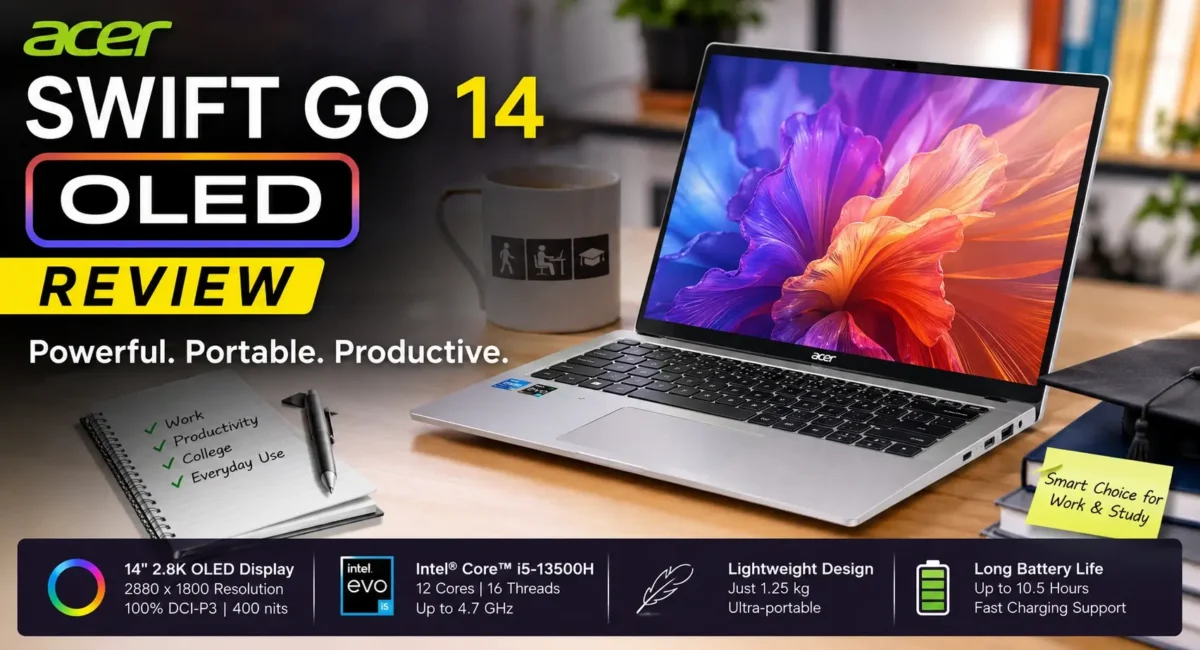
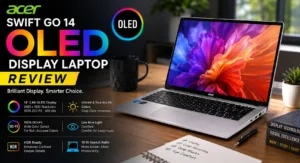
Acer Swift Go 14 Review: The laptop segment in India has seen a lot of transformation in the last couple of years. Students and working professionals don’t just want a laptop with good performance, they want a premium-looking laptop that is lightweight, has a great display, and can easily run daily chores. Here, the Acer Swift Go 14 is a winner.
The laptop offers a thin form factor, powerful processors and an OLED display, which is one of the biggest highlights. For those who spend long hours reading documents, attending live classes, editing photos, watching videos or making slides, display quality has gained importance.
But the real question is:
Is the Acer Swift Go 14 the best OLED screen laptop for work and college users?
Let’s find out in this detailed review. 👇
Acer Swift Go 14 Overview :
The Acer Swift Go 14 is designed for users who want a balance between portability and performance.
It targets:
- College students
- Office professionals
- Creators
- Business users
- Everyday productivity users
Unlike gaming laptops, the Swift Go 14 focuses on:
- Lightweight design
- Battery efficiency
- Premium display
- Smooth daily performance
Acer Swift Go 14 Price in India :
The Acer Swift Go 14 is available in multiple configurations in India.
Pricing generally depends on:
- Processor variant
- RAM
- Storage
- Display configuration
The laptop usually falls in the premium mid-range segment.
Expected price range:
Around ₹60,000 – ₹80,000* (Approx Price) depending on the model. Higher-end OLED variants cost more because of the display and upgraded hardware.
Design and Build Quality :💪
The first thing you notice about the Acer Swift Go 14 is its premium-looking design.
It comes with:
- Slim aluminium-style body
- Lightweight construction
- Minimal professional design
- Compact form factor
The laptop is easy to carry, making it suitable for:
- College bags
- Office travel
- Meetings
- Daily commuting
At around the 14-inch category, it offers a good balance between screen size and portability.
Display: The Biggest Highlight 📱
The main attraction of the Acer Swift Go 14 is its OLED display. Most laptops in this price segment still use LCD panels, so OLED gives the Swift Go 14 a noticeable advantage.
The display offers:
- Deep blacks
- High contrast
- Rich colours
- Sharp text
- Better viewing experience
For:
- Netflix
- YouTube
- Presentations
- Reading
- Photo editing
the OLED panel feels much more premium.
Why OLED Matters for Students and Professionals?
A good display reduces eye strain during long working hours.
OLED provides:
Better Contrast
- Black areas look truly black instead of grey.
Better Colours
- Images and videos appear more vibrant.
Better Viewing Experience :
Useful for:
- Designing
- Content creation
- Presentations
For college students who spend hours on PDFs and online classes, the difference is noticeable.
Performance and Processor :🔥
The Acer Swift Go 14 comes with different processor options depending on the model.
Common configurations include:
- Intel Core Ultra processors
- Intel Core i5/i7 variants
The newer processor lineup focuses on:
- Better efficiency
- AI features
- Improved multitasking
For daily usage, it handles:
- Chrome tabs
- MS Office
- Coding
- Online meetings
- Research work
- Media consumption
- smoothly.
Is Acer Swift Go 14 Good for Coding?
Yes, it is a good option for coding students.
It can easily handle:
- VS Code
- Python
- Java
- C++
- Web development
- Database practice
With enough RAM, multitasking becomes easier.
Recommended configuration:
- 16GB RAM
- 512GB SSD
This combination will stay useful for years.
RAM and Storage Options :
The laptop comes with different configurations.
Recommended:
- RAM
- 16GB is ideal.
Why?
Coding and productivity involve:
- Browser tabs
- IDE
- Background apps
More RAM keeps everything smooth.
Storage
512GB SSD is recommended.
Benefits:
- Faster boot
- Quick app opening
- Faster file transfer
Keyboard and Trackpad Experience :
For students and office users, keyboard quality matters.
The Swift Go 14 offers:
- Comfortable key travel
- Good typing experience
- Backlit keyboard (depending on variant)
It works well for:
- Assignments
- Coding
- Long documents
- Emails
The trackpad is also spacious enough for daily use.
Battery Life :🔋
Battery performance depends on:
- Processor
- Brightness
- Usage
For normal work:
- Browsing
- Documents
- Videos
- Coding
it can deliver a full working session.
OLED displays can consume more power compared to basic LCD panels, especially at high brightness. However, modern processors help improve efficiency.
Connectivity Options :⚡
The Acer Swift Go 14 provides useful connectivity.
Depending on model, you get:
- USB Type-C
- USB Type-A
- HDMI
- Audio jack
USB-C support is especially useful for:
- External displays
- Fast accessories
- Modern peripherals
Webcam and Online Meetings :
For students and professionals, webcam quality matters.
The laptop includes:
- Webcam
- Microphone setup
AI-based improvements (depending on configuration)
Useful for:
- Online classes
- Work meetings
- Video calls
Acer Swift Go 14 for College Students
For college users, this laptop checks many important boxes.
Good for:
- Programming
- Assignments
- Presentations
- Research work
- Online classes
- Entertainment
Its biggest advantages are:
- Lightweight design
- Excellent display
- Good battery balance
Acer Swift Go 14 for Work Professionals
Office users will like:
- Premium design
- Fast performance
- Portable size
- Comfortable keyboard
It is suitable for:
- Excel work
- Presentations
- Emails
- Browsing
- Meetings
Limitations of Acer Swift Go 14
- No laptop is perfect.
- Not a Gaming Laptop
It is not designed for:
- High-end gaming
- Heavy GPU workloads
Dedicated graphics are better for gamers.
OLED Burn-In Possibility :
OLED panels can theoretically face burn-in after long-term static content. Normal usage is usually fine, but avoid keeping:
Fixed images
- Same screen for extremely long periods
Premium Variants Are Expensive
- The best OLED configurations can move into higher price ranges.
Acer Swift Go 14 vs Regular IPS Laptops :
Compared to normal IPS laptops:
Acer Swift Go 14 OLED advantages:
- Better colours
- Better contrast
- Premium viewing experience
IPS advantages:
- Usually cheaper
- Sometimes better battery efficiency
For people who value display quality, OLED wins.
Should You Buy Acer Swift Go 14?
Buy it if you want:
- Best display experience
- Lightweight laptop
- Premium design
- College and office performance
- Long-term productivity machine
Avoid it if you need:
- Dedicated gaming GPU
- Heavy video editing performance
- Lowest possible price
Final Verdict :🙌
The Acer Swift Go 14 is one of the strongest choices for users looking for a premium work and college laptop with an excellent OLED display.
Its biggest strengths are:
- Beautiful OLED screen
- Portable design
- Strong everyday performance
- Comfortable keyboard
- Modern features
For students, professionals, and creators who spend hours looking at a screen, the display alone makes it stand out.
So, is it the best OLED screen laptop for work and college?
It is definitely one of the top options in its category especially for users who want a laptop that feels premium, performs smoothly, and is easy to carry every day.
🔗
📌”Acer Swift Go 14 — Official Product page”👈
