
Introduction :🧧
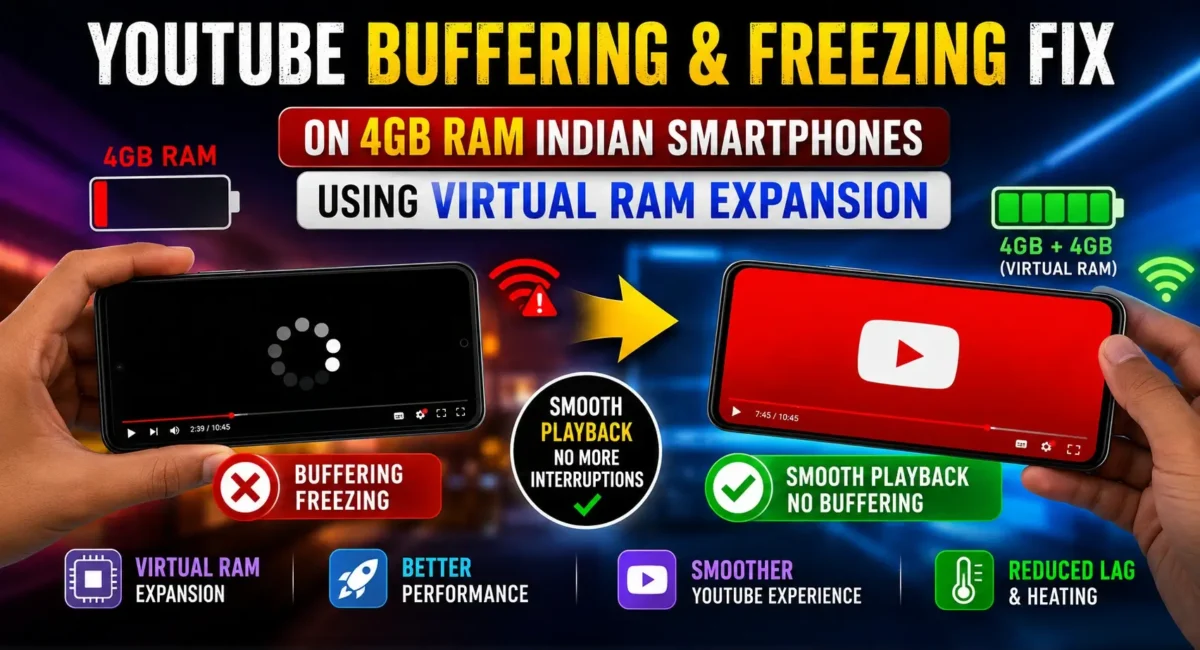
Virtual RAM: YouTube is one of the most used apps in India. Whether it is watching online classes, entertainment videos, gaming streams, music, or news, millions of users spend hours on the platform every day.
But many budget smartphone users face a common problem:
- YouTube videos keep buffering
- App freezes suddenly
- Video playback becomes laggy
- Scrolling becomes slow
- YouTube closes in the background
This issue is especially common on budget Indian smartphones with 4GB RAM.
Many users think the internet connection is the only reason, but that is not always true. Sometimes the real problem is limited RAM, background apps, storage pressure, or poor memory management.
In this guide, we will explain why YouTube App Buffering or Freezing on 4GB RAM phones and whether Real RAM Expansion (Virtual RAM) actually helps.

Why Does YouTube Buffer or Freeze on 4GB RAM Phones?
A common misunderstanding is:
More RAM only matters for gaming. That is not true. Modern apps like YouTube use more memory than before because they include:
- High-resolution video processing
- Recommendations
- Shorts feed
- Comments
- Background services
- Ads
- AI features
On a phone with 4GB RAM, the system has limited space to manage everything.
1. Too Many Background Apps Running
Even if you are watching YouTube, many apps may continue running:
Examples:
- Chrome
- Shopping apps
- Games
These apps consume RAM.
When RAM becomes full, Android starts closing or reloading apps.
You may notice:
- Video pauses
- App restarts
- Lag while scrolling
2. YouTube Cache Becomes Too Large
YouTube stores temporary files to improve performance.
Over time, cache can become:
- Large
- Corrupted
- Slow to load
This can cause:
- Freezing
- Slow opening
- Playback issues
3. Low Internal Storage
Many budget phones have:
- 64GB storage
- 128GB storage
If storage is almost full, performance drops.
Android needs free storage for:
- Temporary files
- App operations
- Virtual RAM
Keep at least 10–15% storage free.
4. Weak Processor + 4GB RAM Combination
RAM is not the only factor.
A phone with:
- 4GB RAM
- Entry-level processor
will struggle more compared to:
- 4GB RAM
- Better chipset
Video decoding depends heavily on the processor.
What Is Real RAM Expansion (Virtual RAM)?
Many smartphone brands advertise:
- RAM Expansion
- Extended RAM
- Dynamic RAM
- Virtual RAM
This feature uses internal storage as additional memory.
Example:
A phone with:
- 4GB RAM + 4GB Virtual RAM
may show:
- 8GB RAM
But it does not mean you get true 8GB performance.
How Does Virtual RAM Work?
Normal RAM:
- Extremely fast
- Used for active apps
Virtual RAM:
- Uses storage space
- Much slower than physical RAM
When real RAM becomes full, Android moves less-used data to storage. This is called memory swapping.

Does Virtual RAM Fix YouTube Buffering?
The answer is Sometimes, but not always. Virtual RAM can help with:
- Keeping more apps open
- Reducing app reloads
- Better multitasking
But it cannot fix:
- Slow internet
- Weak processor
- Poor network signal
- High temperature
Best Virtual RAM Settings for 4GB RAM Phones :
Many Indian brands provide RAM expansion options.
Examples:
- Realme UI
- ColorOS
- MIUI/HyperOS
- Funtouch OS
For a 4GB RAM phone:
Recommended:
Virtual RAM:
- 2GB–4GB
Do not always select maximum.
Why?
Because excessive virtual RAM uses storage continuously and may not improve speed.
How to Enable RAM Expansion :
General steps: 👇
1. Open Settings
2. Go to:
- About Device / Device Information
3. Open:
- RAM or Memory
4. Enable:
- RAM Expansion / Extended RAM
5. Restart the phone
- (Options differ by brand.)
Fix YouTube Freezing Without Buying a New Phone :
Try these solutions. 👇
Method 1: Clear YouTube Cache
This is the safest fix.
Steps:
- Settings → Apps → YouTube → Storage
Tap:
- Clear Cache
- Do not select:
- Clear Data
unless you want to reset the app.
Method 2: Reduce Video Quality
Higher quality uses more processing power.
On budget phones try:
- 720p
- 1080p (if supported smoothly)
Avoid unnecessary 4K playback.
Method 3: Turn Off Battery Restrictions for YouTube
Battery-saving modes can limit performance.
Go to:
- Settings → Apps → YouTube → Battery
Select:
- Allow background activity
Method 4: Disable Auto-Download Features
YouTube may download content in the background.
Disable:
- Smart downloads
- Offline suggestions
This reduces background load.
Method 5: Restart Your Phone Regularly
Budget phones often benefit from restarting.
It clears:
- Memory leaks
- Stuck background processes
Restart once every few days.
Method 6: Remove Heavy Apps
Apps like:
- Large games
- Cleaner apps
- Social media apps
- can consume RAM.
Remove apps you rarely use.
Method 7: Update YouTube and System Software
Updates may improve:
- Playback stability
- Memory management
- Bug fixes
Update:
- YouTube
- Google Play Services
- Android system
Should You Buy More RAM Instead?
If you frequently do:
- Gaming
- Video editing
- Heavy multitasking
then 8GB RAM is better.
For basic usage:
- 4GB RAM can still work with optimization.
Real RAM vs Virtual RAM Comparison :
| Feature | Real RAM | Virtual RAM |
|---|---|---|
| Speed | Very Fast | Slower |
| Hardware | Physical memory | Storage-based |
| Multitasking | Excellent | Moderate help |
| Gaming | Better | Limited impact |
| YouTube | Helps performance | Small improvement |
Best Settings for Budget 4GB RAM Smartphones :
For smoother YouTube:
- Keep 10GB+ storage free
- Enable 2–4GB RAM expansion
- Clear cache regularly
- Avoid too many background apps
- Use stable Wi-Fi/5G
- Keep apps updated
Common Myths About Virtual RAM :
Myth: 4GB + 4GB Virtual RAM equals 8GB RAM
False. Virtual RAM is not equal to physical RAM.
Myth: More Virtual RAM always makes phone faster
Not always. Sometimes it increases storage usage without a major improvement.
Myth: YouTube buffering is always because of RAM
Wrong. Network quality is often the main reason.

When Is It a Hardware Problem?
If YouTube still freezes after:
- Clearing cache
- Freeing storage
- Updating software
the issue may be due to:
- Weak processor
- Aging storage chip
- Low-quality memory management
Final Verdict :🙌
For budget Indian smartphones with 4GB RAM, YouTube App buffering or freezing are usually caused by a combination of:
- Limited RAM
- Background apps
- Storage issues
- Processor limitations
Real RAM Expansion (Virtual RAM) can improve multitasking and reduce app reloads, but it is not a magic solution.
The best approach is:
1. Enable moderate virtual RAM
2. Keep storage free
3. Clear YouTube cache
4. Reduce background apps
5. Keep software updated
With the right settings, even a 4GB RAM smartphone can deliver a much smoother YouTube experience.
🔗
📌”Oppo India — Official Page”👈

Very good post! We will be linking to this particularly great
content on our website. Keep up the great writing.
Thanks.