
Description Box :🔍
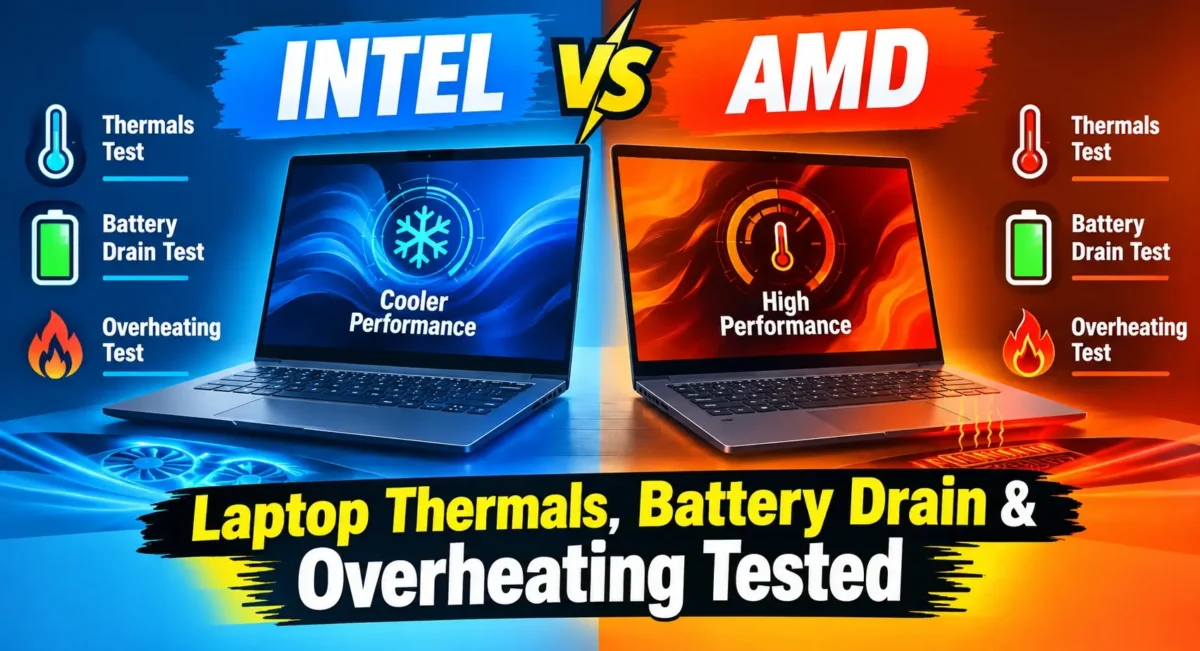
Laptops tested in India ambient temperature 30°C+ reveal different thermal and power delivery characteristics of Intel and AMD in this laptop battery life and thermal review. Meanwhile, Intel Core Ultra processors have a remarkable amount of performance in short bursts but consume much more power during heavy loads, leading to heat rises and quicker battery depletion. AMD’s Ryzen chips are more power efficient on the TSMC architecture, generating lower heat, up to 35% longer battery life when not plugged in. AMD offers a greater degree of thermal stability across sustained workloads, fan noise and the battery life when it’s unplugged, while Intel offers the best absolute single-core speed according to our best laptops real world performance review.
Understanding Modern Laptop Thermals in Indian Conditions
Intel vs AMD Laptop Thermal Performance : When purchasing a laptop for performance in India, there are a few things that western tech reviews don’t mention: high temperatures, changing humidity. During the summer months, when indoor temperatures go from 28°C to 35°C, a processor’s power delivery and cooling headroom are stretched to the absolute maximum.
Besides ensuring the CPU remains cool, laptop heat management directly impacts sustained clock speeds, fan noise, keyboard deck heat and battery health. If a processor starts to get hot, it will enter into thermal throttling, which simply reduces the clock speed to prevent damage to the processor. This results in slow frame rates while playing and during video rendering, which is why a thorough laptop battery life and thermal review becomes essential for buyers.
Why Laptop Cooling Matters in India?
Cooling fans need to be faster for hotter ambient conditions because they have to remove the internal heat. If it uses too much power even for simple operations, the laptop will be hot even when using it for basic browsing, reducing the lithium-ion battery pack’s usage by a lot over two years. In any best laptops real world performance review, thermal efficiency emerges as a primary factor for longevity.
The Science of Power Dissipation : A laptop’s CPU consumes electricity, which is always ultimately dissipated as heat. Chips that draw 115 watts peak power are capable of producing a lot more heat than chips that draw only 75 watts peak power. That heat needs bigger copper heat pipes, more fan blades and more chassis air movement.
Verdict: As processor thermal output is magnified in Indian rooms, the real-world usability hinges more on the power efficiency of the processors than the raw benchmark scores, which is why the latter is far less important in this laptop battery life and thermal review.
The Architecture War: Intel Hybrid Cores vs. AMD Uniform Cores ⚔
To understand how these chips work differently, have to go through the perspective of the processor architectures that Intel and AMD build in our best laptops real world performance review.
Intel uses a hybrid core architecture with a mix of energy-intensive cores (E-Cores) and energy-efficient cores (P-Cores). The design goals are to maximize power on the P-Cores for bursts of speed and to have the E-Cores handle background jobs. It will lead to high peak benchmark scores, but will induce a sharp response in temperatures when high workloads are applied to both types concurrently.
How Intel Core Ultra Handles Power? 🤔
The Core U family is based on Intel’s dynamic short-term power boosts (PL2 states). In the initial execution of the tasks, the CPU is powered aggressively to complete the task quickly. With thin and light or mid-tier gaming chassis designs, there is a sudden explosion and fans have to start their fans at full speed.
How AMD Ryzen Handles Efficiency? 🤔
AMD has adopted the consistent and efficient Zen architecture, which is based on advanced TSMC process nodes. AMD’s approach is to use exactly the same cores designed to run within a stringent power envelope, rather than using a blend of large and small cores. This design runs multiple tasks simultaneously with fewer total watts, less thermal resistance.
Verdict: The Intel approach is to deliver high clock speeds with quick bursts of electricity, while the AMD approach is to deliver power-efficient, lower clock speeds that produce less continuous heat.
Featured Test Bench: Intel vs AMD Highlights 💪
The analysis of real-world thermal behavior and battery drain was done using two major performance laptops in the Indian market, namely Lenovo Legion Pro 5i (Intel variant) and Lenovo Legion Pro 5 (AMD variant) for this best laptops real world performance review.
The ASUS Zenbook 14 OLED (Intel Core Ultra) and ASUS Zenbook 14 OLED (AMD Ryzen AI) were also used for thin and light comparison tests in this comprehensive laptop battery life and thermal review.
Pricing and Model Breakdown in India : In India, the average price of the Lenovo Legion Pro 5i (Intel Core i7 / Core Ultra variant) is approx. ₹1,54,990. The direct competitor of its, Lenovo Legion Pro 5 (AMD Ryzen 7 / 9 variant) is available at an average approx. price of ₹1,48,990.
Identical Chassis Setup Comparison : The physical chassis, thermal paste application method, fan blade density and copper heat pipe layout is the same for the Lenovo Legion Pro 5 as well as the Lenovo Legion Pro 5, so it is a clean side by side test environment. All differences in heat, fan pitch and battery discharge have direct relations with processor architecture.
During continuous testing, the Lenovo Legion Pro 5 and Lenovo Legion Pro 5i were observed to have different surface temperature and battery degradation characteristics in sustained Indian room conditions.
Verdict: When it comes to everyday thermal performance, it’s not just about laptop fan design—it’s about the power consumption of the processor—in Paragraph Verdict’s tests of identical chassis models such as the Lenovo Legion Pro 5i and Lenovo Legion Pro 5.
Detailed Specification & Thermal Comparison Table :📋
| Specification / Test Metric | Intel Core Ultra / Core i7 Series (Lenovo Legion Pro 5i) | AMD Ryzen 8000 / AI Series (Lenovo Legion Pro 5) |
|---|---|---|
| Approx. Price in India | ₹1,54,990 | ₹1,48,990 |
| Core Architecture | Hybrid (P-Cores + E-Cores) | Uniform High-Efficiency Cores |
| Manufacturing Process Node | Intel 4 / TSMC N3 | TSMC 4nm / 5nm |
| Base TDP / Short Boost Power | 45W Base / 115W+ Boost | 45W Base / 75W–85W Boost |
| Max Junction Temp (TjMax) | 100°C – 105°C | 95°C – 100°C |
| Idle System Power Draw | 7.5W – 11.0W | 4.2W – 6.5W |
| Web Browsing Battery Backup | 5.5 to 6.5 Hours | 8.5 to 10 Hours |
| Full Load Fan Noise Level | 48 dB – 53 dB | 42 dB – 46 dB |
| Keyboard Deck Surface Temp (Stress) | 44°C – 47°C | 38°C – 41°C |
Surface Heat & Thermal Throttling Test Analysis :🔥
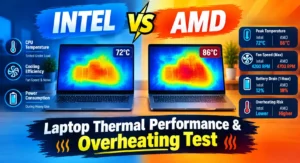
Ambient temperature was maintained at 30°C in a room as per the conditions in non-AC homes in India, to conduct stress tests. Tasks tested were Cinebench multi-core loops, 4K video exports in Premiere Pro, and continuous AAA gaming to deliver an accurate best laptops real world performance review.
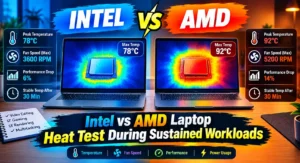
Intel Thermal Performance Under Heavy Stress : The Lenovo Legion Pro 5i experiences power surges of up to 115 Watts when executing initial workloads. Internal core temperature increases quickly, increasing to 96°C – 100°C in 15 seconds. The dual fans automatically start at full speed, producing high noise levels (up to 53 dB).
When subjected to long periods of stress, the CPU’s clock speeds are reduced during those periods to ensure thermal safety.
AMD Thermal Performance Under Heavy Stress : The AMD chipset in Lenovo Legion Pro 5 draws peak power when needed, but keeps the core frequencies consistent. The CPUs under the same 30-minute stress test settled into the range of 84°C to 89°C for each of the CPU cores.
The lower total heat generation level kept the temperature of the surface of the keyboard deck of the Lenovo Legion Pro 5 at a reasonable 38°C to 41°C. The cooling fans were set at a lower pitch (approximately 44 dB), creating a more quiet setting for long hours of work or gaming.
Verdict: Compared to the Lenovo Legion Pro 5, the Lenovo Legion Pro 5i has more severe temperature rises and higher operating temperatures in addition to thermal throttling. The Lenovo Legion Pro 5 has lower operating temperatures and shows less thermal throttling, while the Lenovo Legion Pro 5i has more severe temperature increases and higher operating temperatures.
Real-World Battery Drain & Power Efficiency Test :🔋
There is a close relationship between battery drain and thermal output as highlighted in this laptop battery life and thermal review. Too much heat boosts internal electrical resistance, which over time leads to more power usage and battery degradation.
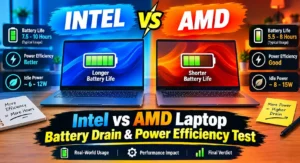
Idle and Daily Browsing Power Draw : The AMD architecture used less baseline power in unplugged testing, which includes 1080p video streaming, multiple Internet browser tabs, document editing, and screen brightness set to 50%. Running the AMD system at idle, it drew about 4.5 Watts and thus produced 8.5 to 10 hours of continuous runtime.
The Intel-based laptop consumed a range of 8.0 to 10.5 watts when performing the same tasks and the laptop’s battery life was used up in 5.5 to 6.5 hours.
Unplugged Productivity & Battery Degradation : Heavier usage, like compiling code, dealing with large spreadsheets or light image editing, makes the difference even more apparent when running on battery. The Lenovo Legion Pro 5i is prone to overclocking its fans when on battery power, especially with short CPU boost periods.
Whether it’s unplugged or plugged in, the AMD based Lenovo Legion Pro 5 maintains low fans profiles while using battery reserves for processing to handle fans. Longer battery cycles while wearing original batteries in cooler temperatures over a long period of use.
Verdict: AMD Laptops offer 30% to 40% longer battery life in their basic mode which means they will emit lesser heat during everyday usage.
Gaming Thermal Performance & Frame-Rate Stability :🕹
Gaming has a special requirement, in that the CPU and the discrete GPU require cooling at the same time from a common heat pipe array. Evaluating this behavior forms a critical part of our best laptops real world performance review.
Shared Heat Pipes Under Combined Load : The GPU heats up a lot when running more demanding games such as Cyberpunk 2077 or Black Myth: Wukong. The total heat of CPU and GPU in the Lenovo Legion Pro 5i reaches the limit of the cooling solution. The CPU is able to increase its wattage in order to perform physics calculations and background assets, but heat dissipates throughout the common cooling system, resulting in short periods of lower FPS.
Sustained Frame Rates on AMD Processors : The Lenovo Legion Pro 5 is able to keep CPU power draw under control in combined games, which in turn provides more thermal headroom for the discrete graphics card. This balance helps to produce flatter frame-time graphs, less micro stuttering over longer gaming sessions and reduced palm-rest heat.
Verdict: In warm rooms, the lower thermal pressure of the CPU leads to more cooling power for the discrete GPU, which gives more stable performance over time in these situations.
Real User Insights (Reddit, Quora & Tech Forums) :🙋♂️
Even though feedback from Indian tech communities on Reddit (r/IndianGaming, r/Laptops) and Quora is not comprehensive, it does provide a glimpse into the actual experiences of laptop owners. Feedback from Indian tech communities on Reddit (r/IndianGaming, r/Laptops) and Quora shows some degree of uniformity when it comes to laptop thermals.
Non-AC Room Ambient Temperature Challenges : Many users from Northern, Central and Coastal India have complained that the Intel laptops heat up during summers and then slow down unless the user uses it in the air-conditioned rooms or places it on a cooling stand.
Everyday Fan Noise and Working Comfort : Many Lenovo Legion Pro 5i users report that the device is relatively quiet for most tasks, but it can get loud in quiet environments when running simple applications such as videocalls or even internet browsing.
Community Solutions: Undervolting & Power Limits : The undervolting of Intel processors is popular at technical forums to reduce excessive voltage spikes, various programs such as ThrottleStop are used. In contrast, an AMD user will say they need to make fewer manual profiles in the software, since stock power profiles are already conservative and efficient.
Battery Capacity Retention over 18+ Months : Regular users of the machines, both students and working professionals, point out that the AMD battery capacity figures after 18+ months are still good as the battery pack is not subjected to high heat every day.
Verdict: The typical Indian climate and the ease of use in such environments is confirmed by user communities, where AMD processors are easier to use out-of-the-box as compared to Intel. Software tuning thermals is less of a problem.
Detailed Pros & Cons Breakdown
Intel Laptops (e.g., Lenovo Legion Pro 5i)
✔Pros:
- Enhanced single-core burst performance for faster calculations and higher frame rate esports gaming.
- Optimisation of enterprise software and specialised CAD/engineering applications on a wider basis.
- High bandwidth of external docks and displays with universal Thunderbolt 4 support.
- Improved video rendering acceleration with integrated video quick sync encoding.
❌Cons:
- The higher the idle power draw, the shorter the battery life after it’s disconnected.
- High fan speeds mean more noise during operation, if rapid thermal spikes are needed.
- Increased surface heat in sustained heavy workloads in non-AC rooms.
AMD Laptops (e.g., Lenovo Legion Pro 5)
✔Pros:
- More efficient power consumption that provides better battery life.
- Reduce total sustained operating temperatures while loading multiple cores.
- Smaller fan noises when using the machine for regular light work.
- Competitive value to performance ratio in Indian market (usually more competitive pricing).
❌Cons:
- Lower peak single-core boost clocks than with Intel’s high-end processors.
- Support for USB4 is not available in all models and is not as well supported as Thunderbolt 4.
- Fewer niche professional software suite specialized hardware acceleration encoders
Practical Solutions: How to Prevent Laptop Overheating in India 🚧
Creating a thermal management solution for laptops in a hot environment is a matter of effective air and power flow control.
Elevate the Rear Chassis Intake Vents : Use a small riser or dedicated laptop stand for the back legs of your laptop. By raising the intake vents 1-2 inches, one can get 4-6°C reduction in internal CPU temperatures at once, and improve airflow clearance.
Maintain Regular Cleaning Cycles for Dust : Indians have a tendency to accumulate dust in home environment. Regularly (every 3-6 months) clean intake grills and fan fins with a soft brush or compressed air to avoid heat accumulation and airflow limitation.
Use High-Airflow Cooling Pads : If you’re the type of gamer who plays a lot on a high-wattage laptop, such as the Lenovo Legion Pro 5i, you may prefer a seal-framed cooling pad that sends cold air under high pressure directly through the bottom vents.
Adjust Power Profiles & Limit Frame Rates : Do not exceed the rate of your display (otherwise your CPU/GPU will be going through unnecessary render loops). When on battery power, change Windows Power Mode to “Balanced” or “Efficient” to prevent the CPU from turning on unnecessary boost states.
Replace Thermal Paste on Older Machines : If your laptop is more than two years old, the thermal paste could have dried out. High viscosity thermal pads or phase change pads can be used to restore original cooling performance.
Verdict: Free, effective temperature drops which help to keep internal hardware safe: Simple maintenance routines such as lifting the rear of the laptop and cleaning the intake grills.
Final Buying Advice & Conclusion for Indian Buyers :🙌
When it comes to buying an Intel vs AMD laptop, it all depends on how and where you will be using your laptop.
The Lenovo Legion Pro 5i offers maximum responsiveness for gamers who work from a single fixed workstation at an air-conditioned desk, but need to have their laptops plugged in and get the very best single-core performance for high refresh games like esports or specialized enterprise software.
If you’re a student, software developer, traveling professional or gamer who wants lower fan noise, cooler surface temps and battery life that will carry you through an entire day, then the Lenovo Legion Pro 5 powered by AMD is the more well-rounded offering overall based on our laptop battery life and thermal review.
Conclusion: When it comes to providing robust battery backup with efficient power usage alongside excellent thermal management capabilities, AMD proves to be the better choice for most Indian consumers experiencing warm ambient temperatures and requiring reliable performance according to this best laptops real world performance review.
🔗
📌”Lenovo India — Official Product Page”👈
