
Overview :🧧
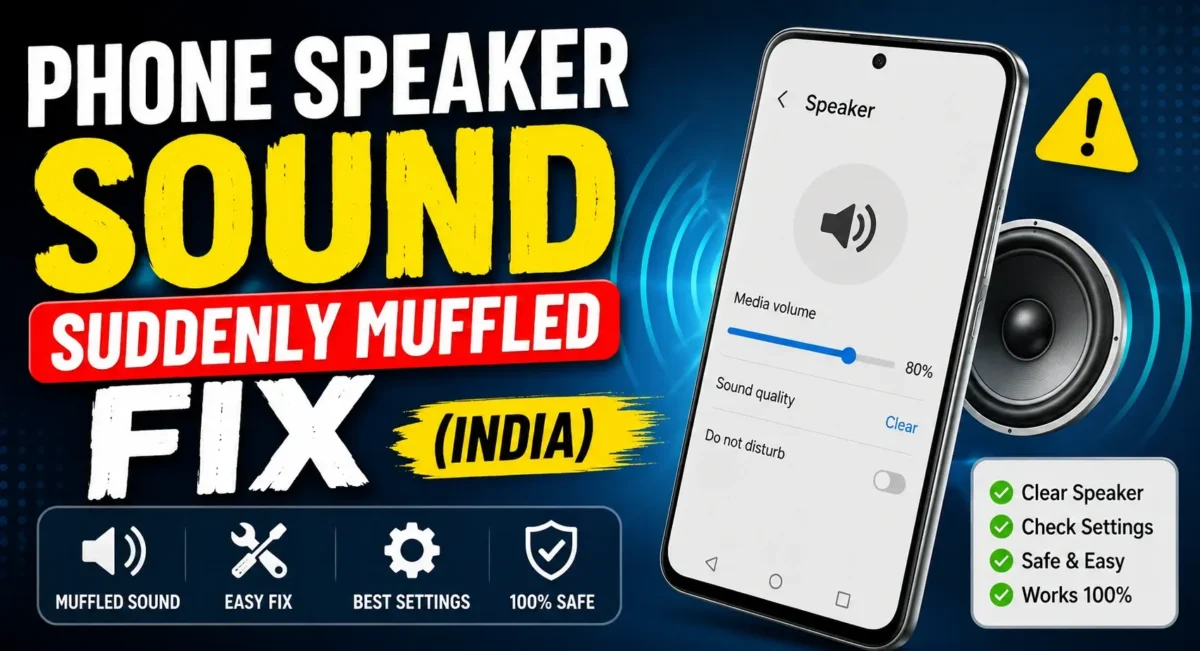
Phone Speaker Low Sound : Has the speaker on your phone recently become muffled? Perhaps it’s more difficult to hear when you’re on the phone, your YouTube videos aren’t as loud, or your ringtone isn’t as loud as it once was. Before you jump the gun on a new speaker or run to a service center, there’s good news: many instances of poor speaker sound are due to something a lot simpler dust, pocket lint, moisture, or tiny particles obstructing the speaker grille.
It afflicts smartphones from Samsung, Xiaomi, OnePlus, Vivo, OPPO, realme, Motorola, Nothing and even high-end flagship devices. Phones spend the majority of their time in pockets, bags or on that’s covered in dust workbenches, so it’s not like grime doesn’t build up.
Phone Speaker Dust Cleaning : Fortunately, you can often restore your speaker’s sound quality at home without opening the phone. Along with safe physical cleaning, free sound frequency apps can help push out fine dust and moisture using specially generated sound waves.
If you regularly read articles about the best mobile phones under budget india, you’ll notice that speaker quality is one of the most overlooked buying factors. Likewise, every smartphone buying gudie india should also consider long-term durability and ease of maintenance—not just processor speed or camera quality.
In this guide, we’ll explain why your phone speaker becomes muffled, how sound frequency apps work, and the safest ways to improve audio without damaging your device.
Why Does a Phone Speaker Suddenly Sound Muffled?
A muffled speaker doesn’t always mean the hardware has failed. In most situations, one or more of these causes are responsible:
- Dust trapped inside the speaker mesh
- Pocket lint blocking the earpiece
- Water droplets after rain or accidental splashes
- Dirt accumulated over several months
- Phone case covering part of the speaker
- Bluetooth audio routing glitches
- Software bugs after an Android update
- Speaker mesh clogged with skin oils or makeup
Before assuming the speaker needs replacement, it’s worth checking these common issues first.
Signs That Your Speaker Needs Cleaning :🔊
Watch for these symptoms:
- Music sounds quieter than usual.
- Voice calls are difficult to hear.
- Notification sounds are faint.
- Audio becomes distorted at higher volumes.
- One speaker sounds louder than the other.
- Crackling noises appear during playback.
If your phone was working normally a few days ago and suddenly developed these symptoms, dust buildup is a likely cause.
How Do Sound Frequency Apps Work?
Sound frequency apps generate high-frequency vibrations through the phone’s speakers.
These vibrations can help:
- Shake loose fine dust particles.
- Push out tiny water droplets.
- Improve airflow through the speaker mesh.
- Restore normal sound volume in mild cases.
It’s important to understand that these apps cannot repair damaged speakers. They are useful only when the issue is caused by dust, moisture, or debris.
Many apps offer frequencies ranging from 100Hz to over 1,000Hz. For most smartphones, preset cleaning modes are safer than manually experimenting with maximum frequencies.
Step 1: Remove the Phone Case
Before using any cleaning method, remove the protective case. Some rugged or thick cases partially block the speaker openings and reduce audio volume. Dirt also tends to collect between the case and the speaker grille.
After removing the case:
- Inspect the speaker openings under bright light.
- Check for lint or visible dust.
- Wipe the surrounding area with a clean microfiber cloth.
Sometimes this simple step noticeably improves sound quality.
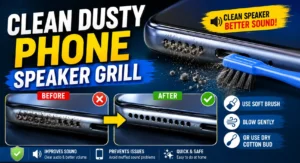
Step 2: Use a Soft Brush
A clean, soft-bristled brush is one of the safest cleaning tools.
Gently brush across the speaker grille instead of pushing directly into it.
Avoid:
- Hard metal brushes
- Sewing needles
- Safety pins
- Toothpicks
- Sharp objects
These can permanently damage the delicate speaker mesh. Short, gentle strokes are much safer than applying pressure.
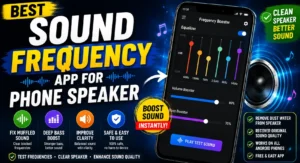
Step 3: Try a Free Sound Frequency App
Once visible dust has been removed, open a trusted speaker-cleaning app that plays cleaning frequencies.
Most apps provide:
- Dust removal mode
- Water ejection mode
- Speaker testing
- Stereo balance check
When the cleaning sound is playing, put the phone on a flat surface with the speaker facing down. Clean a bit. A cleaning cycle of two to three minutes is usually sufficient.
If the problem is dust or moisture that is loosely in the ear canal, you will often notice an immediate improvement.
Step 4: Clean the Earpiece Carefully
The receiver on your phone is more fragile than the main speaker. Dust inside the small mesh can make voice calls sound abnormally low.
Use:
- A dry microfiber cloth
- A soft anti-static brush
- Gentle bursts from a manual air blower
Avoid using compressed air cans at close range because excessive pressure can force dust deeper into the phone.
Step 5: Restart Your Phone
Sometimes the problem isn’t physical. After Bluetooth headphones, Android Auto or wireless speakers disconnect, Android may erroneously keep routing audio. Restarting the phone reinitializes the audio hardware and in many cases fixes the speaker output.
Step 6: Check Bluetooth Connections
Many users think their speaker has stopped working when the phone is actually connected to:
- Wireless earbuds
- Smartwatch
- Car stereo
- Bluetooth speaker
Open Bluetooth settings and disconnect all paired devices before testing the speaker again.
Step 7: Test the Speaker
Play audio from different sources:
- YouTube
- Spotify
- Phone ringtone
- Voice recording
- Loudspeaker call
If every source sounds muffled, the issue is likely hardware-related or caused by dust. If only one app has poor audio, reinstall or update that application.
What You Should Never Do :✋
Many online videos recommend risky cleaning methods.
Avoid these completely:
- Blowing forcefully into the speaker
- Using sewing needles
- Spraying water directly
- Applying alcohol inside the speaker grille
- Using a vacuum cleaner
- Pushing cotton buds deep into the mesh
These methods can permanently damage the speaker or reduce water resistance.
Can Water Cause Muffled Audio?
Yes. Even water-resistant phones can temporarily produce muffled sound after:
- Heavy rain
- Washing the phone
- Pool splashes
- Humid environments
In these situations:
- Dry the phone naturally.
- Keep it upright.
- Use a speaker-cleaning frequency app.
Wait several hours before assuming permanent damage.
When Should You Visit a Service Centre?
Home cleaning won’t fix every issue.
Seek professional assistance if:
- The speaker produces no sound.
- Audio crackles continuously.
- The phone was dropped recently.
- Water entered a non-water-resistant device.
- Speaker volume remains extremely low after cleaning.
- Distortion continues at every volume level.
These symptoms may indicate damaged speaker hardware.
Tips to Keep Your Speakers Clean :🚀
Preventive care is much easier than repairs.
Follow these simple habits:
- Clean your phone once every two weeks.
- Avoid dusty pockets whenever possible.
- Store your phone in a clean case.
- Keep speaker openings free from lint.
- Avoid exposing the phone to sand or construction dust.
- Update your phone regularly to avoid software-related audio bugs.
Small maintenance steps can significantly extend your speaker’s lifespan.
Final Verdict :🙌
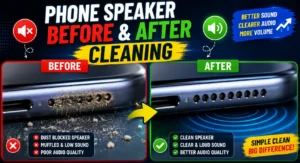
A muffled phone speaker can be frustrating but generally does not mean your phone is broken. Dust, lint, moisture, malfunctioning software or blocked speaker grilles are a few culprits and it is very rarely a hardware issue.
When you are unsure, err on the side of simple troubleshooting rather than cost on repairs. Remove the case of your phone, look at the speaker mesh and gently brush it clean with a soft brush, reboot your device and then run some trusted speaker-cleaning frequency app. These simple procedures can normalize the sound without disassembling the phone.
If after the cleaning and software verifications the problem still persists, visit an authorized service center, do not perform risky repairs. And one more thing: When you think about a smartphone’s camera or processor, keep in mind that its sound quality is just as critical.
If you are searching for best mobile phones under budget india or going through a smartphone buying guide india, then do check for speaker output and build quality. A good speakerphone can make for a better everyday experience whether you’re on the phone, listening to music, watching videos or playing games.
🔗
📌”Nothing India — Official Product Page”👈
Frequently Asked Questions — FAQ/s
Do speaker-cleaning apps really work?
Yes, but only if dust, moisture, or fine debris is causing the problem. They cannot repair physically damaged speakers.
Can high-frequency sounds damage my phone?
Trusted apps using safe preset frequencies are generally safe. Avoid apps that recommend excessively loud or prolonged frequency playback.
Why does my phone sound muffled after getting wet?
Water droplets can temporarily block the speaker mesh. Once the moisture evaporates—or is expelled using a speaker-cleaning frequency—the sound usually returns to normal.
Can I clean my phone speaker with a toothbrush?
Yes, provided it’s a clean, soft-bristled toothbrush used gently. Never press hard or insert the bristles into the speaker opening.

whoah this weblog is fantastic i like studying your articles. Stay up the good work! You understand, a lot of individuals are searching around for this info, you could aid them greatly.
Thanks…