

Introduction :🧧
Galaxy S25 FE Battery Drain : The Samsung Galaxy S25 FE (US) features a high-capacity battery and Samsung’s tailored One UI, both built to provide dependable battery life from morning until night. As a member of the Fan Edition series, Galaxy S25 FE promises to deliver solid performance, smooth AMOLED display and long battery life for routine jobs such as web surfing, social networking, movie watching, gaming and multitasking.
The Galaxy S25 FE battery life seems strong on paper. But a lot of people complain about battery issues after using it for a while. Such problems are fast battery drain, drops in battery percentage, heating while charging, slow charging speed, reduced screen-on time, overnight battery drain and worsening battery performance after software updates.
These battery issues do not imply that the battery is faulty. Usually it’s software-related or due to background activities, display settings, network usage or charging habits.
This blog explains the most common Samsung Galaxy S25 FE battery problems, why they occur, and how users can fix or significantly reduce them.


Common Samsung Galaxy S25 FE Battery Issues Users Report :⚠
Galaxy S25 FE users frequently report the following battery-related issues:
- Fast battery drain during normal usage.
- Battery drains quickly even on standby.
- Phone heats up while charging.
- Sudden battery percentage drops.
- Reduced screen-on time.
- Battery drain after software updates.
- Battery drains faster on mobile data.
- Gaming causes excessive battery loss.
- Inconsistent battery performance.
- Slow charging or charging interruptions.
These issues depend on usage patterns, network conditions, enabled features, and One UI software version.
Why Battery Issues Occur On Samsung Galaxy S25 FE :🤔
Even smartphones with large batteries can experience power-related issues under certain conditions.
1. High Refresh Rate AMOLED Display
- The Galaxy S25 FE’s AMOLED display with a high refresh rate is one of the biggest battery consumers. Higher refresh rates, high brightness levels, HDR content, and prolonged screen usage significantly increase battery drain.
2. One UI Background Services
Samsung’s One UI includes multiple system services such as:
- background app optimization
- Samsung Cloud syncing
- device health monitoring
- AI-based battery management
While useful, these services increase background battery usage, especially after updates.
3. Network Signal Strength And 5G Usage
- Being on 5G or in a low signal area makes the phone perpetually hunt for a stable network. This leads to increased power usage and battery drain.
4. Software Updates And Optimization Processes
After One UI or Android updates, the phone runs background tasks such as:
- app re-indexing
- system optimization
- cache rebuilding
These processes temporarily increase battery consumption for a few days.
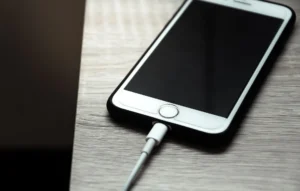
5. Charging Habits And Heat
- Fast charging frequently, using phone on charging, charging device overnight or using third party chargers may produce additional heat and lead to degradation of battery capacity.
[Don’t Miss] — “Galaxy S25 FE Screen issue Solve“📱
Detailed Samsung Galaxy S25 FE Battery Problems Explained :🔥
1. Fast Battery Drain During Normal Use :
Users notice battery dropping quickly during browsing, social media, or video streaming.
Why It Happens :
- high screen brightness
- high refresh rate
- background apps
Fix :
- Reduce screen brightness
- Set refresh rate to standard if needed
- Close unused background apps
2. Battery Drains Quickly On Standby :
Battery percentage drops significantly overnight or while idle.
Why It Happens :
- background syncing
- notifications
- Always-on services
Fix :
- Enable Power Saving mode at night
- Restrict background app activity
- Disable unnecessary notifications
3. Phone Heats Up While Charging :
Device becomes warm or hot during charging.
Why It Happens :
- fast charging
- phone usage during charging
- thick phone cases
Fix :
- Avoid using the phone while charging
- Remove phone case
- Use Samsung-certified charger and cable
4. Sudden Battery Percentage Drops :
Battery drops from high to low unexpectedly.
Why It Happens :
- battery calibration issues
- software bugs
Fix :
- Perform a full charge cycle
- Restart the phone regularly
- Keep One UI updated
5. Reduced Screen-On Time :
Users get fewer hours of screen usage than expected.
Why It Happens :
- AMOLED brightness levels
- high refresh rate
- HDR video playback
Fix :
- Enable Dark Mode
- Reduce refresh rate
- Limit HDR content usage
6. Battery Drain After Software Updates :
Battery life worsens after updates.
Why It Happens :
- background system optimization
- app compatibility adjustments
Fix :
- Wait 2–3 days after update
- Update all apps
- Clear cache partition
7. Gaming Causes Heavy Battery Drain :
Battery drops rapidly during gaming sessions.
Why It Happens :
- sustained CPU and GPU load
- high refresh rate
- heat buildup
Fix :
- Lower in-game graphics
- Avoid gaming while charging
- Play in a cooler environment
8. Battery Drains Faster On Mobile Data :
Battery drains more quickly on cellular networks.
Why It Happens :
- 5G usage
- weak network signal
Fix :
- Switch to LTE in low-signal areas
- Use Wi-Fi whenever possible
- Disable 5G when not needed
9. Inconsistent Battery Performance :
Battery behaves differently throughout the day.
Why It Happens :
- adaptive battery management
- varying app usage and temperature
Fix :
- Restart phone weekly
- Monitor battery usage statistics
- Restrict power-hungry apps
Best Settings To Improve Battery Life On Galaxy S25 FE :🚧
- Enable Power Saving Mode when needed.
- Reduce screen brightness.
- Enable Dark Mode.
- Set refresh rate to standard.
- Restrict Background App Usage.
- Set Location access to While using app.
- Disable unused Samsung services.
- Turn off Bluetooth and GPS when not needed.
[Must Read] — “Galaxy Z Fold 6 Battery Drop Problem Fix“🔋 ⇒ “Galaxy Z Flip 7 Charging Sudden Drop Solve“🔋
Battery Care Tips For Long-Term Health :🚀
- Avoid heavy gaming while charging.
- Do not charge overnight daily.
- Keep the phone cool.
- Use original or certified chargers.
- Avoid extreme temperatures.
- Restart the phone weekly.
🤔Is This A Battery Hardware Problem?
In most cases, NO, Samsung Galaxy S25 FE battery issues usually come from:
- software optimization.
- background services.
- display power usage.
- network conditions.
- charging habits
Actual battery hardware failure is rare, especially in newer devices.

When To Contact Samsung Support :🕵️♂️
Contact Samsung Support if :
- battery drains extremely fast.
- phone overheats frequently.
- battery percentage fluctuates abnormally.
- device shuts down unexpectedly.
- battery life remains poor after factory reset.
Samsung service centers can perform diagnostics to check battery health and performance.
Conclusion :🙌
The Samsung Galaxy S25 FE Battery Drain is due to the software behavior, Display power, and background services, not because the battery is weak. Although the phone is engineered to last all day with a single charge, battery life may vary depending on usage, refresh rate, and network environment.
The Galaxy S25 FE can provide a steady, efficient, and dependable daily battery life for everyday use, gaming, and entertainment with right settings, good charging habits and regular software updates.
🔗
”Click on Samsung Galaxy S25 FE (US) to see more details about this Samsung Smartphone.” 
“FAQ/s”😄
1 Q. Is the Samsung Galaxy S25 FE battery drain issue common?
Ans. Yes, many Samsung Galaxy S25 FE users have reported fast battery drain, especially after heavy multitasking or extended 5G usage.
2 Q. Why does the Samsung Galaxy S25 FE lose battery so quickly?
Ans. The Samsung Galaxy S25 FE drains fast mainly because of background apps, high refresh rate, 5G standby usage, and software-level power management bugs.
3 Q. How can I fix the battery drain problem on the Samsung Galaxy S25 FE?
Ans. You can fix Samsung Galaxy S25 FE battery drain by updating the software, turning off unused background apps, lowering refresh rate, and using adaptive power mode.
4 Q. Does the Samsung Galaxy S25 FE overheat while draining battery?
Ans. The Samsung Galaxy S25 FE generally stays cool, but during gaming or long camera use, mild heating is normal and can increase battery drain temporarily.
