

Introduction :🧧
Realme P4 Pro Processor Issue : Realme P4 Pro ek aisa smartphone hai jise users ne isliye pasand kiya kyunki iska processor power-packed, smooth aur high-performance usage ke liye design kiya gaya tha.😀
Realme ne is model ko gaming-friendly chipset, AI-enhanced multitasking aur better heat management ke sath launch kiya tha. Shuru ke dino me phone bilkul waise hi behave bhi karta hai—fast app loading, smooth transitions, lag-free performance aur daily usage me ekdum stable experience.😄
Lekin kuch mahine baad kai users ko ek common problem notice hone lagti hai: phone ka processor slow hona, app crashes, gaming me lag, scrolling me stutter, aur sabse bada issue—overheating, jo performance ko aur zyada downgrade kar deta hai.😲
Realme P4 Pro Processor Problem : Ye blog unhi issues ki step-by-step story explain karta hai—kaise processor problem start hoti hai, kis tarah symptoms dikhte hain, aur kaise aap in problems ko effectively solve kar sakte ho.😀
📌[Also Read] — “Realme P4 Pro 5G Honest Review“🔥
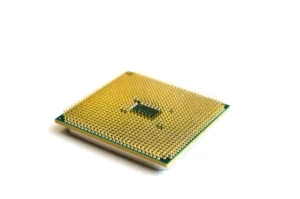
🤔Jab Realme P4 Pro Ka Processor Dheere-Dheere Power Lose Karna Start Karta Hai :
Processor issue ekdum se nahi aata, balki dheere-dheere shuru hota hai. Pehle users ko chote-chote signals milne lagte hain—jaise kisi app ko open karne me thoda extra time lagna, phone ka kabhi-kabhi freeze ho jaana, ya UI me small stutters feel hona. Ye initially lagta hai ki ek normal bug hoga, par time ke sath ye problem aur badh jati hai.
Shuruat me phone ka smoothness clearly noticeable hota hai. Scrolling butter-smooth, apps instantly open, aur multitasking ekdum stable. Lekin 2–3 mahine baad performance me halki si roughness feel hone lagti hai. Ye small roughness hi baad me lag aur throttling me convert hoti hai.
Realme P4 Pro ka biggest issue ye hi hai ki software updates ke baad kabhi-kabhi processor optimization perfect nahi hota, jiski wajah se phone time ke sath thoda slow behave karne lagta hai.
Heating – Processor Performance Ka Sabse Dangerous Enemy :😲
Realme P4 Pro ka processor issue ka core reason heating hi hai. Jab phone heat hota hai, processor apni clock speed automatically kam kar deta hai taaki temperature stable rahe. Isko thermal throttling kaha jata hai.
Thermal throttling ke baad processor apni full performance par kaam nahi karta — aur yehi wajah hoti hai:
- Phone slow feel hona
- Gaming me frame drop
- Multitasking me struggle
- Apps ka crash hona
- UI ka stutter karna
Users ne ye heating specially notice kiya hai:
- BGMI / COD Mobile gaming ke time
- High brightness par outdoor use karte waqt
- Charging ke time phone use karne par
- Camera 4K video recording me
- Hotspot + Mobile data ek sath on hone par
Heat jitni zyada, processor utna hi slowwork krta hai.
⚡Lag, Stutter & Touch Delay – Processor Load Ko Handle Nahi Kar Pata :
Heat ke sath-sath processor load bhi performance ko impact karta hai. Kai logon ne report kiya hai ki Realme P4 Pro me kuch apps use karte waqt phone:
- Scroll karne me ruk-ruck jata hai
- Touch response late deta hai
- Home screen animations stuck ho jate hain
- Video editing me lag dikhata hai
Heavy apps jaise Instagram, Snapchat, YouTube, aur Chrome specially processor load ko increase kar dete hain, aur phone thoda time baad slow behave karne lagta hai.
Gaming apps to kabhi-kabhi bina warning ke crash ho jate hain — jo clearly processor overload ka sign hota hai.
📌[Don’t Miss] — “Realme P4 Pro Display Problem Fix“📱 ⇒ “Realme P4 Pro Battery Drain Fix“🔋
Background Running Apps – Realme UI Ki Biggest Problem :🙄
Realme UI me ek major issue hai background app management ka. Phone automatically apps ko force stop kar deta hai ya unhe restrict kar deta hai, jiski wajah se processor ka behavior unstable ho jata hai.
Background apps jab zyada number me idle hote hain to CPU usage continuous high hota hai.
Users ko pata bhi nahi hota ki phone ka processor background me 50–60% busy hai, jiski wajah se front-end tasks ko handle karne me issue hota hai.

😲Long-Term Usage Me Processor Performance Aur Drop Hota Hai :
6–8 months ke usage ke baad processor issue aur zyada visible ho jata hai. Ye generally permanent hardware issue nahi hota, par:
- Too many installed apps
- Internal storage > 85% full
- Cache build-up
- Background services
- Software glitches
Ye sab milkar phone ke performance ko degrade kar dete hain. Phone ka smoothness dheere-dheere break hona shuru hota hai, aur ek time aata hai jab phone clearly slow feel hota hai.
Even simple tasks jaise WhatsApp open karna ya YouTube scroll karna bhi thoda heavy lagne lagta hai.
Solutions :🔥
1. Cache Clear Karo – Processor Ke Load Ko Turant Kam Karta Hai :
Phone me build-up cache processor ko slow bana deta hai. Cache clear karne se phone ki base performance immediately improve hoti hai.
2. Background Apps Ko Limit Karo :
- Unnecessary apps ko background me run hone se stop karo.
- Ye processor load ko 40% tak reduce karta hai.
3. Heat Control Measures :
- Charging ke time phone avoid karo
- Gaming sessions me 2–3 minute ka break lo
- Thick covers hatakar use karo
- Outdoor high brightness 80–90% avoid karo
- Heat kam hogi → Processor speed stable rahegi.
4. Software Updates Jaroor Install Karo :
- Realme har update me performance patches add karta rehta hai.
- Processor issues kaafi had tak fix ho jate hain.
5. Storage 70% Se Upar Mat Jaane Do :
- Full storage processor ko unnecessary load deta hai.
6. Extreme Lag Ho To Factory Reset Best Solution :
- Ye processor performance ko 80% tak improve kar deta hai.
✔️ 7. Service Center Visit (Agar Hardware Level Heating Ho) :
Agar phone :
- Charge ke time bohot heat ho.
- Games instantly crash kare.
- Touch response extreme slow ho.
- To thermal paste ya chipset testing required hoti hai.

📌[Must Read] — “Realme P4 Pro 5G vs Realme 15 5G Shocking Comparison“⚡
Final Conclusion :🙌
Realme P4 Pro ka processor issue hardware defect nahi hota, balki software optimization, heat build-up, background apps, aur storage pressure ka combination hota hai.Time ke sath phone slow feel hone lagta hai, gaming unstable ho jati hai, aur processor throttling ki wajah se performance drop hota hai.
Lekin achhi baat ye hai ki in problems ka solution aam tor par simple steps se ho jata hai—cache cleaning, heat control, app management, updates & optimization.
Agar aap, ye steps follow karte ho to Realme P4 Pro ka processor fir se smooth, stable aur lag-free feel karega.
🔗
📌”Realme ke is model ki aur jaankari ke liye Realme P4 Pro 5G pe Click Krein”👈
“FAQ/s — Saawal Apke – Jaawab Hamare”😀
1 Q. Realme P4 Pro me processor issue kaisa hai?
Ans. Realme P4 Pro me kuch users ne overheating aur occasional lag report kiya hai. Mostly heavy gaming ya long usage me CPU throttle hota hai, jo performance ko temporarily slow kar deta hai.
2 Q. Realme P4 Pro processor issue ka solution kya hai?
Ans. Realme P4 Pro ke liye recommended hai, latest software update install karein, background apps close karein aur phone ko heavy usage ke dauran cool rakhne ki koshish karein.
3 Q. Realme P4 Pro ka processor daily use me affect karega?
Ans. Normal day-to-day tasks me Realme P4 Pro ka processor stable hai. Issue sirf heavy gaming ya high-performance apps me notice hota hai.
4 Q. Kya Realme P4 Pro India me safe aur reliable phone hai despite processor issue?
Ans. Ji haan, Realme P4 Pro overall performance aur features ke hisaab se India me reliable mid-range option hai. Processor issue sirf specific high-load scenarios tak limited hai.

1 thought on “Realme P4 Pro Processor Issue – Full Story Finally Revealed! 🔥”