
Introduction :🧧
OnePlus Nord CE 5 Display Glitching : OnePlus Nord CE 5 5G ek lightweight aur performance-centric smartphone ke roop me kaafi popular hua, lekin time ke saath users ne ek aur major issue notice karna shuru kiya—display problems.😲
Starting me display kaafi smooth, bright aur responsive feel hota hai, lekin kuch mahine baad users ko sudden screen flickering, touch delay, color shifting, brightness inconsistency aur green-tint jaise problems face hone lagte hain.🙄
Ye issues kabhi software se, kabhi panel ke deterioration se aur kabhi heavy usage ki wajah se develop hote hain. Ye blog isi real-world experience par based hai, jisme hum discuss karenge ki display problems kaise start hote hain,aur users inko kaise handle ya fix kar sakte hain without replacing entire display.😀
📌[Also Read] — “OnePlus Nord CE 5 5G Honest Review“🔥 ⇒ “OnePlus 13R Display Lag Fix“📱

🤔Display Problem Kaise Start Hota Hai?
Nord CE 5 5G me display issues usually minor symptoms ke saath start hote hain. Kabhi-kabhi screen ke lower part me halka flicker dikhta hai, kabhi low brightness par greenish tint appear hota hai, aur kabhi touch response slightly slow ho jata hai.
Ye symptoms shuruaat me itne subtle hote hain ki users unhe ignore kar dete hain, lekin dheere-dheere ye noticeable banne lagte hain. Mostly, high refresh rate, continuous app switching, heat exposure ya accidental minor drops ke baad display behavior change hota hai. Is stage par user ko lagta hai ki problem temporary hai, lekin asal me pani yahin se garam hona shuru hota hai.
Green Tint & Color Shift — Sabse Common Issue :📱
Bohot saare Nord CE 5 5G users ka common complaint ye hi hai ki low brightness par display halka green tint show karta hai. Ye problem AMOLED panels me common hoti hai, lekin Nord CE me ye slightly visible ho jati hai. Jab user dark room me phone use karta hai, tab colors uneven lagte hain, black areas me patchy green effect aata hai, aur pure black images me halka faded texture dikhta hai.
Ye issue jyadatar hardware-level hota hai, par kuch cases me software tuning se partially improve ho sakta hai. Green tint long-term usage ke baad zyada noticeable hota hai—especially jab device heat ho jaye.
Screen Flickering — Heat Aur Brightness Changing Ka Effect :😨
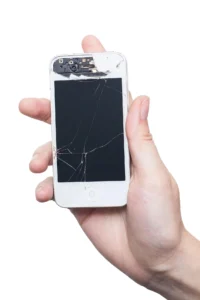
Flickering issue mostly tab trigger hota hai jab phone overheated ho ya heavy apps chal rahe ho. Users often notice karte hain ki scrolling ke waqt screen ki brightness slightly jump kar rahi hai, ya kuch frames skip ho rahe hain. Kabhi-kabhi auto-brightness on hone par display rapid dim-bright cycles bhi dikhata hai.
Ye flicker effect panel stress, overheating aur PWM dimming ki wajah se aata hai. Kai logon ko lagta hai phone switch off ho raha hai, jabki asal me sirf panel unstable ho jata hai.
📌[Must Read] — “OnePlus Nord CE 5 5G Proccesor issue Fix“🔥 ⇒ “OnePlus Nord CE 5 5G Battery Problem Fix” 🔋
Touch Response Slow Hone Ka Reason?🕵️♂️
Aksar users complain karte hain ki thodi der heavy usage ke baad phone ki touch response sluggish feel hoti hai. Screen par swipe smooth nahi lagta, taps delayed register hote hain, aur gaming me literal input lag aata hai.
Ye issue do reasons se hota hai—ya to device ka CPU thermal throttling kar raha hota hai, ya screen ka digitizer heat ki wajah se temporarily unstable ho jaata hai. Iska worst part ye hai ki user ko lagta hai phone lagging hai, jabki issue actually screen se hota hai.

Brightness Stability Issues — Achanak Dim Ya Over-Bright Ho Jana :😲
Nord CE 5 5G me brightness fluctuations kaafi users face karte hain. Kabhi phone bahut dim ho jata hai, chahe surrounding light zyada ho, aur kabhi ekdum se brightness spike ho jati hai. Ye sensor glitch + software calibration mismatch ka combined effect hota hai. Overheating bhi is problem ko aur zyada worsen kar deti hai.
Solutions for OnePlus Nord CE 5 5G Display Problems :🔥
Display issues frustrating zaroor lagte hain, lekin inme se kaafi problems effective steps follow karke solve ya kaafi had tak reduce ki ja sakti hain. Sabse pehle, screen ke overheating triggers ko avoid karna important hai—jaise gaming ke baad phone instantly charge karna, direct sunlight me phone use karna, ya heavy apps ko continuously run karna.
Low brightness par green tint notice hota ho to manual brightness 30–40% se neeche mat rakho, kyunki AMOLED panels is range me unstable behave karte hain. Flickering reduce karne ke liye adaptive brightness off rakhna helpful hota hai, kyunki phone jab continuous light sensor readings change karta rehta hai, tab flicker zyada hota hai.
Touch delay ka solution often simple hota hai—phone ko cool hone dena. Jab device heated hota hai, tab digitizer unstable ho jata hai; 3–4 minute ka cooldown touch response ko normal la deta hai. Software update mandatory hai, kyunki OnePlus display calibration updates frequently push karta rehta hai.
Agar phir bhi green tint ya flickering high level par visible ho, to display diagnose karwana hi best solution rahta hai, kyunki mushkil se 20–30% cases me issue hardware-level hota hai.
📌[Don’t Miss] — “Redmi Note 14 SE Display Problem Fix“📱 ⇒ “OnePlus 13 Green Screen issue Killer Solution“📱

Final Conclusion :🙌
OnePlus Nord CE 5 5G ek achha balanced smartphone hai, lekin display problems is smartphone ki long-term experience ko weak kar dete hain. Green tint, flickering, touch issues aur brightness fluctuations jaise problems user ko lagataar disturb karte hain, aur unhe lagta hai phone purana pad raha hai.
Achhi baat ye hai ki inme se majority issues software optimization, heat management aur manual calibration se kaafi had tak improve ho jaate hain. Lekin jab problem panel-level ho, to replacement hi long-term reliable option hota hai.
Overall, Nord CE 5 5G tab best feel hota hai jab user display care lightly follow kare aur device ko unnecessary stress na de. Is tarah phone ka display fir se stable, bright aur responsive feel karta hai—exactly jaisa OnePlus ne originally promise kiya tha.
🔗
📌”OnePlus ke ye model ki aur jaankari ke liye OnePlus Nord CE 5 5G pe Click Krein”👈
Last Updated: February 2026
“FAQ/s — Saawal Apke – Jaawab Hamare”😄
1 Q. OnePlus Nord CE 5 display glitching ka common reason kya hai?
Ans. OnePlus Nord CE 5 me mostly software bug ya display refresh conflict hota hai. Adaptive refresh rate ya auto brightness bhi glitch create kar sakte hain. Persistent issue ho toh hardware fault ho sakta hai.
2 Q. Agar OnePlus Nord CE 5 ka screen glitch ho raha hai, toh kya fix hai?
Ans. OnePlus Nord CE 5 ko latest update pe upgrade karo, refresh rate fix karo (60/120 Hz). Agar glitch continue kare, service center pe display check karwana best hai.
3 Q. Kya OnePlus Nord CE 5 ke display issues software ya hardware ki wajah se hote hain?
Ans. OnePlus Nord CE 5 me dono reasons ho sakte hain. Lines, flickering ya color distortion software reset se fix na ho toh hardware defect ho sakta hai.
4 Q. OnePlus Nord CE 5 kharidne se pehle display glitch risk kaise check karein?
Ans. OnePlus Nord CE 5 ko unbox karke screen brightness aur scrolling test karo, refresh rate change karo. Flicker ya spots mile toh defect report karo. Warranty ke saath hi buy karo.
5 Q. OnePlus Nord CE 5 display glitch permanently kaise fix karein?
Ans. Agar software update, refresh rate fix aur basic troubleshooting se problem solve na ho, to authorized OnePlus service center me genuine display replacement hi permanent solution hai.
