

Introduction :🧧
Vivo X200 FE Battery Problem : Vivo ka compact flagship Vivo X200 FE powerful performance, premium cameras aur long battery life ke promise ke saath launch hua tha😎. Company ne is phone me large battery capacity, fast charging support aur smart power management ka combination diya hai jisse daily usage me full-day backup mil sake.💪
Paper specifications ke according battery kaafi strong lagti hai aur initial usage me bhi phone ka backup impressive feel hota hai.🔥
Lekin real-life daily usage me kuch users ne battery related noticeable issues report kiye hain😲. Ye problems har unit me nahi hoti, lekin kuch users ke experience me battery drain, standby consumption, heating ke saath fast drop aur charging behavior jaise issues notice kiye gaye hain.😨
Ye issues mostly software optimization, background apps aur usage pattern ki wajah se appear hote hain.🙄
Is detailed blog post me hum Vivo X200 FE battery problems, unke real-life symptoms, possible reasons aur practical solutions ko clear Hinglish me detail me samjhenge.😄

 ⇒ “Vivo V60 Battery Problem Solve“🔋
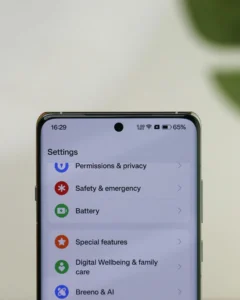
Problems Start Aise Hoti Hain :⚠
1. Initial Battery Backup Achha — Phir Gradual Drain Notice Hona
Jab phone naya hota hai tab Vivo X200 FE ka battery performance kaafi impressive lagta hai. Normal usage jaise calls, WhatsApp, social media aur YouTube ke saath phone easily full day backup de deta hai. Screen-on time bhi decent feel hota hai aur users ko battery reliability strong lagti hai.
Lekin kuch weeks ke baad kai users notice karte hain ki same usage pattern me battery thodi jaldi drain hone lagti hai. Jo phone pehle evening tak 30-35% battery bachata tha, wo ab afternoon tak recharge demand karne lagta hai. Screen-on time bhi thoda kam feel hone lagta hai. Ye sudden problem nahi hoti, balki gradually noticeable hoti hai.
2. Standby Or Idle Battery Drain
Kuch users ne ye bhi notice kiya ki phone use na karne par bhi battery slow-slow drop hoti rehti hai. Ye issue specially tab noticeable hota hai jab phone overnight idle state me ho.
Common symptoms:
- Overnight 8–10% battery drop
- Screen off hone ke bawajood drain
- Phone idle hone par bhi battery percentage girna
Ye issue mostly background services, sync processes aur network activity ki wajah se hota hai. Agar multiple apps background me active ho to phone continuously power consume karta rehta hai.
3. AMOLED Display Aur High Refresh Rate Ka Impact
Vivo X200 FE me high-quality AMOLED display aur 120Hz refresh rate diya gaya hai jo scrolling aur animations ko extremely smooth banata hai. Lekin ye premium display technology battery consumption ko bhi increase kar sakti hai.
Real-life usage me users notice karte hain:
- 120Hz refresh rate par battery faster drain hoti hai
- High brightness par battery percentage jaldi drop hota hai
- Video streaming aur long scrolling sessions me battery consumption increase hota hai
Ye normal behaviour hai kyunki high refresh rate display zyada power consume karta hai.
4. Heating Ke Saath Fast Battery Drop
Heavy usage situations me Vivo X200 FE ka phone slightly warm ho sakta hai. Example scenarios:
- Gaming sessions
- Long video recording
- Navigation apps use karna
- Video calls
Jab phone heat hone lagta hai tab battery percentage faster drop hota hua feel hota hai. Heat battery efficiency temporarily reduce kar deta hai aur system thermal protection activate ho jata hai. Is situation me phone performance aur battery backup dono thode weak feel ho sakte hain.

5. Fast Charging Behaviour Inconsistency
- Vivo X200 FE fast charging support ke saath aata hai jisse battery quickly charge ho sakti hai. Lekin kuch users ne charging behaviour me slight inconsistency notice ki hai.
Examples:
- 0–50% charging extremely fast hoti hai
- 60% ke baad charging speed slow ho jati hai
- Kabhi-kabhi charging uneven feel hoti hai
Ye issue actual problem nahi hota, balki battery protection system ki wajah se hota hai. Phone high percentage par charging speed reduce kar deta hai taaki battery health long-term safe rahe.
6. Battery Percentage Jump Ya Calibration Issue
Kuch users ne ye bhi notice kiya hai ki kabhi-kabhi battery percentage slightly inaccurate feel hota hai.
Common examples:
- Battery suddenly 70% se 60% par jump karna
- Last 10% battery quickly drain ho jana
- Charging ke time percentage stuck lagna
Ye usually battery calibration issue hota hai jo software estimation ki wajah se hota hai.
7. Background Apps Aur Network Drain
Battery drain ka ek major reason hota hai background apps aur continuous network activity. Vivo X200 FE me agar multiple apps background me active ho to battery consumption noticeably increase ho sakta hai.
High battery drain sources:
- Instagram / Facebook background activity
- Location services continuously ON
- Bluetooth scanning
- Cloud sync aur email push
Agar network signal weak ho to phone constantly signal search karta hai jisse battery aur fast drain hoti hai.
[Don’t Miss] — “Vivo T4x Screen Charging issue Fix“🔋 ⇒ “Vivo X200 FE Display Defect Fix“📱
8. Software Updates Ke Baad Battery Behaviour Change
Smartphones me software updates ke baad battery behaviour change hona normal hota hai. Vivo X200 FE me bhi kuch users ne update ke baad battery pattern me difference notice kiya.
Examples:
- Kuch updates ke baad battery backup improve ho jata hai
- Kabhi-kabhi temporary drain increase ho jata hai
- Background optimization reset ho jata hai
Usually update ke baad system ko 1–2 din ka optimization time chahiye hota hai.
Why Vivo X200 FE Battery Problems Happen :🤔
Battery issues usually hardware fault ki wajah se nahi hote. Most cases me ye multiple factors ke combination ki wajah se appear hote hain.
Common reasons:
- High refresh rate AMOLED display.
- Background apps aur wakelocks.
- Location aur connectivity services.
- Thermal heating impact.
- Battery calibration issue.
- Software optimization changes.
- Weak network signal.
In sab factors ka combination battery drain feel karwata hai.
🔥Vivo X200 FE Battery Problem – Practical Solutions :🚀
1. Refresh Rate Optimize Karein :
High refresh rate battery drain ko increase karta hai.
Steps:
- Settings → Display → Refresh Rate
- → Auto ya Standard mode select karein
Isse battery consumption reduce ho sakta hai.
2. Background Apps Restrict Karein :
Non-essential apps ko background me run hone se stop karna helpful hota hai.
Steps:
- Settings → Battery → App Battery Management
- → Unnecessary apps ko Restrict karein.
3. Connectivity Smart Use Karein :
Agar zarurat na ho to unnecessary connectivity features OFF rakhein.
Example:
- Bluetooth OFF rakhein
- Location sirf required apps ke liye use karein
- Nearby device scanning disable karein
Isse battery consumption noticeably reduce hota hai.
4. Power Saving Mode Use Karein :
Vivo phones me smart Power Saving Mode diya hota hai jo background processes reduce karta hai.
Steps:
- Settings → Battery → Power Saving Mode
- → 20% battery par auto enable set karein.
5. Charging Habits Improve Karein :
Battery health maintain karne ke liye proper charging habits important hoti hain.
Best practices:
- 20–80% charging range maintain karein
- Original charger use karein
- Charging ke time gaming avoid karein
- Phone ko overheating se bachayein
6. Software Update Install Karein :
Battery optimization improvements regularly software updates me milte hain.
Steps:
- Settings → System Update → Latest version install karein.
7. Heavy Usage Ko Break Me Karein :
Continuous heavy usage battery aur temperature dono increase karta hai.
Better approach:
- Long gaming sessions avoid karein
- Video calls ke beech breaks lein
- Phone heat ho to thoda rest dein
8. Factory Reset :
Agar battery drain abnormal lag raha ho to factory reset helpful ho sakta hai.
Steps:
1. Data backup karein
2. Settings → System → Reset
3. Fresh setup karein
Kai cases me hidden software bugs isse fix ho jate hain.
[Must Read] — “Vivo T4 5G Charging Lag Solution“🔋 ⇒ “Vivo T4R Battery Drain Solve“🔋
When You Should Visit Service Centre :🚧
Agar Vivo X200 FE me ye issues ho:
- Extremely fast battery drain light usage me.
- Phone 20–30% battery par suddenly shutdown ho jaye.
- Battery swelling notice ho.
- Phone charge na ho ya overheating ho.
Toh ye hardware level issue ho sakta hai aur service centre visit karna better hota hai.

Conclusion :🙌
Vivo X200 FE ki battery daily normal usage ke liye generally reliable aur decent backup provide karti hai. Calls, social media, browsing aur video streaming jaise tasks ke saath phone easily ek din chal sakta hai. Lekin high refresh rate display, background apps aur heavy usage scenarios me battery drain noticeable ho sakta hai.
Achhi baat ye hai ki majority battery issues software optimization, proper settings aur smart usage habits se improve ho jate hain. Agar phone updated software ke saath use kiya jaye aur unnecessary background activity control ki jaye, to Vivo X200 FE ka battery experience kaafi stable aur satisfactory banaya ja sakta hai.
🔗
”Vivo ke is model ki aur jaankari ke liye Vivo X200 FE pe Click Krein”
“FAQ/s — Saawal Apke – Jaawab Hamare”😀
1 Q. Vivo X200 FE me battery drain problem kyu hoti hai?
Ans. Vivo X200 FE me battery drain zyada tar background apps, high refresh rate display aur location services ki wajah se hota hai. Kabhi-kabhi software bugs ya heavy apps bhi Vivo X200 FE ki battery ko fast drain kar dete hain.
2 Q. Kya Vivo X200 FE battery problem software update se fix ho sakti hai?
Ans. Ji haan, kai cases me system update Vivo X200 FE ki battery optimization improve kar deta hai. Vivo updates me aksar bug fixes aur battery management improvements add karta hai jo battery drain issue ko kam kar sakte hain.
3 Q. Vivo X200 FE battery backup improve kaise karein?
Ans. Vivo X200 FE me battery backup improve karne ke liye background apps close karein, refresh rate auto mode par rakhein aur unnecessary location/Bluetooth off karein. Isse Vivo X200 FE ki battery life noticeable improve ho sakti hai.
4 Q. Kya Vivo X200 FE battery heating aur drain ek hi problem hai?
Ans. Kai baar Vivo X200 FE me heating aur battery drain ek saath ho sakte hain, khas kar heavy gaming ya camera use ke time. Jab Vivo X200 FE heat hota hai to processor zyada power use karta hai, jis se battery jaldi drain ho sakti hai.