

Introduction :🧧
Vivo T4 R Display Problem : Vivo T4 R ek popular mid-range smartphone hai jisme vibrant display aur smooth visuals ko kaafi highlight kiya gaya tha🔥. Paper specifications ke hisaab se display achhi clarity, colours aur responsivity offer karta hai, lekin real-world daily use me kuch users ne display se related unexpected issues face kiye hain😲 — jo specs sheet par nahi dikhte. Ye issues har device me nahi, lekin jin units me aate hain unke liye kaafi frustrating ho sakte hain.
Is blog post me hum Vivo T4R ke display issues ko detail me samjhenge — kya common problems users face karte hain, kaise ye issues develop hote hain, real life me experience kaisa hota hai🤔, aur unhe step-by-step practical solutions ke through kaise solve/mitigate kiya ja sakta hai.😄
📌[Also Read] — “Vivo T4R 5G Honest Review“💪 ⇒ “Vivo T4 5G Screen Black Out Fix“📱
1. Poor Outdoor Brightness & Sunlight Visibility :⚠
Vivo T4 R me display indoor me kaafi bright aur vibrant lagta hai, lekin direct outdoor sunlight me visibility thodi poor lagti hai — especially jab automatic brightness rely kiya jata hai.
Real Life Symptoms :
- Bright sunlight me text/notifications readable nahi
- Outdoor scroll/Instagram visuals dull lagte
- Auto-Brightness slow adjust karta hai.
Outdoor conditions me reflectivity aur brightness ka mix content ko washed-out bana deta hai, jo premium user expectations ko thoda disappoint karta hai.
Practical Solutions :
- Settings → Display → Auto-Brightness OFF
- Manual brightness 80–100% par rakho
- Matte/anti-glare protector hatakar glossy protector try karo
- Outdoor mode (agar available ho) ON karo.
Manual brightness control aur glare management se outdoor readability improve hoti hai.
2. Color Inaccuracy & Warm Tint Issues :
Kuch Vivo T4 R units me users ne colour accuracy aur hue shift notice kiya hai — especially warm yellowish tint white backgrounds me dikhai deta hai.
Symptoms :
- White screens thoda warm/yellow hint
- Neutral colours dull ya muted lagte
- Side-by-side comparison me lesser pop
Ye panel calibration ya software colour tuning mismatch ka sign hota hai.
Practical Solutions :
- Settings → Display → Colour Scheme / Temperature
- Standard/Natural mode par switch karo
- Warm/Cool slider se neutral balance try karo
- Dark/Light mode toggle karke dekho
Latest software updates me colour calibration improve ho sakta hai.
3. Low Brightness Flickering (PWM Dimming) :
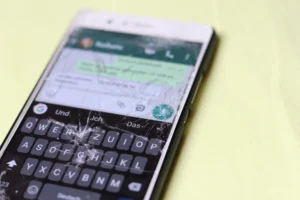
Kai users ne low brightness par screen me flickering / blinking jaisa effect notice kiya hai — especially dark backgrounds ya night mode me.
User Notes :
- Dark rooms me low brightness par display blink
- Text scrolling ke dauran flicker visible
- Eyestrain ya minor discomfort
Ye PWM dimming LCD/AMOLED ki inherent behaviour hai, lekin kuch units me ye zyada noticeable lagta hai.
Practical Solutions :
- DC Dimming (agar option ho) ON karo
- Low brightness avoid karke 35–40% par rakho
- Eye comfort / Blue light filter ON
- Dark wallpapers avoid karo
DC Dimming flicker aur eyestrain dono ko significantly reduce karta hai.
4. Viewing Angles & Panel Uniformity Problems :🚧
Kuch Vivo T4 R units me display uniformity aur side viewing angles ko lekar issues report hue hain.
Real Life Observations :
- Side se dekhne par whites greyish lagna
- Wallpaper edges me uneven brightness
- Gradient screens me colour shift
Ye panel uniformity variance ka result hota hai jo budget/mid-range panels me occasional hota hai.
Practical Solutions :
- Standard / Natural colour profile try karo
- Light wallpapers use karo
Agar extreme uniformity problem ho to Service Centre panel check / replacement
📌[Must Read] — “Vivo T4R vs iQOO Z10R Comparison“⚠ ⇒ “Vivo T4 Pro 5G Display Flicker Fix“📱
5. Touch Responsiveness & Minor Lag :
Display generally responsive hota hai, lekin fast scrolling, quick typing aur gaming gestures me kabhi minor touch lag ya skip feel hota hai.
Real User Experience :
- Fast reel swipe me minor delay
- Quick typing me taps miss
- Gaming gestures inaccurate lagte
Ye touch sampling calibration aur background load scheduling se hota hai.
Practical Solutions :
- Settings → Touch optimisation / Touch sampling rate ON
- Game Mode / High touch response ON
- Background apps clear karo memory free rakho
Phone heat hone par break lo — heat touch accuracy ko affect karta hai.
6. Display Behaviour During Heavy Use / Heat :
Long reels watching, video calls, navigation aur gaming ke dauran phone thoda warm ho jata hai, aur heat display response ko effect karta hai.
Hot Use Behaviours :
- Colours warm/muted lagna
- Quick touch responsiveness loss
- Auto brightness unpredictable behave
Heat display panel aur touch response dono ko temporarily affect kar sakta hai.
Practical Solutions :
- Charging ke time phone use na karo
- High brightness + heat avoid
- Gaming breaks lo
- Light phone case rakho
Heat reduce hoga to display stability improve hoti hai.
7. Video Playback Black Crush & Saturation Inconsistency :🎶
Quasi-premium display ke bawajood, kuch media playback scenarios me:
Video Problems :
- Dark scenes me black crush — details lost
- Colours kabhi oversaturated
- HDR content inconsistent brightness
Ye contrast curve aur processing algorithm ki wajah se hota hai.
Practical Solutions :
- App specific HDR OFF try
- Display colour mode → Standard / Natural
- Brightness 70–90% rakho
Software updates video calibration patches provide karte rehte hain.
8. Software Update After Effects on Display Behaviour :🔒
MIUI ye HyperOS updates kabhi display settings / brightness adaptation me changes la dete hain.
Common Update Effects :
- Auto brightness algorithm tweak
- Colour saturation changes
- Adaptive brightness shift
- Calibration slight difference
Practical Solutions :
- Latest update install karo
- Display settings → Reset display settings
- Auto brightness off/on toggle
- Recovery → Cache partition wipe
Why Vivo T4 R Display Problems Happen :🤔
- Panel quality limitation.
- PWM dimming behaviour.
- Auto brightness algorithm imperfect.
- Panel uniformity variation.
- Thermal impact display response.
- Software calibration gaps.
Display issues typically hardware + software combination ke results hote hain — kuch settings se fix ho jaate hain aur severe cases me service centre help karti hai.
📌[Don’t Miss] — “Vivo T4x Screen issue“📱 ⇒ “Vivo Y400 Display Issue Fix“📱
Best Practices for Better Display Experience :🚀
- Manual brightness control.
- DC dimming ON.
- Standard/Natural colour profile.
- Eye comfort + blue light filter.
- High touch sampling.
- Light wallpapers & simple themes.
- Latest MIUI/HyperOS updates install karo.
Ye daily usage me display comfort aur stability ko better banate hain.
When You Should Visit Service Centre :🕵️♂️
Agar Vivo T4 R me :
- Extreme tint (green/pink patches).
- Dead pixels / coloured lines.
- Frequent flickering at all brightness levels.
- Ghost touches repeatedly.
- Severe uneven brightness.
to service centre panel diagnostics ye replacement permanent solution hota hai. Warranty me repair ye replace options available ho sakte hain.

Conclusion :🙌
Vivo T4 R ka display daily tasks — chatting, social media, videos, browsing aur normal use me generally decent aur satisfying lagta hai, lekin kuch mid-range panel behaviours (outdoor brightness, tint variation, low brightness flicker, touch accuracy) kabhi irritating lagte hain.
Good news ye hai ki majority issues display settings + calibration steps se significantly improve kiye ja sakte hain, aur jaha hardware fault hota hai, service centre support help karta hai.
🔗
📌”Vivo ke is smartphone ki aur jaankari ke liye Vivo T4R 5G pe Click Krein”👈
“FAQ/s — Saawal Apke – Jaawab Hamare”😀
1 Q. Vivo T4 R ka display flickering ya blinking kyun hota hai?
Ans. Vivo T4 R ka display mostly software glitch, outdated update, ya adaptive brightness issue ki wajah se flicker karta hai. Kabhi-kabhi background apps bhi screen unstable bana dete hain.
2 Q. Kya Vivo T4 R me touch screen delay ya ghost touch common problem hai?
Ans. Ji haan, Vivo T4 R me kuch users ko ghost touch ya slow response milta hai. Ye zyada tar tempered glass issue, screen surface dirt, ya system lag ki wajah se hota hai.
3 Q. Vivo T4 R display color fade ya yellow tint aane ka reason kya hota hai?
Ans. Vivo T4 R me yellow tint mostly Eye Protection Mode, display calibration mismatch, ya device temperature high होने पर aata hai. Vivo T4 R me display settings reset karne se kaafi cases solve ho jate hain.
4 Q. Vivo T4 R display problem ko permanently kaise fix karein?
Ans. Vivo T4 R me display issue fix karne ke liye system update, safe mode test, display settings reset, aur cache clear sabse effective steps hain. Agar issue continue ho, to display panel ya flex cable service center me easily fix ho jata hai.