

Introduction :🧧
Realme P3 Pro Processor Issue: Har smartphone ka core hota hai uska processor, kyunki wahi device ke performance, speed, multitasking aur heating control ko handle karta hai. Lekin jab ek hi model ke users baar-baar processor se related problems report karne lagte hain, to samajh aa jata hai ki issue individual device ka nahi, balki model-specific behavior ka hissa hai.😲
Kai users ne complain kiya ki unke phone me lag, hanging, frame drops, background freezes, heating spikes aur app crashes ka pattern ek jaise hi hai—jaise processor ek point ke baad load handle nahi kar pa raha ho.⚠
Iss blog me hum Realme P3 Pro Performance Issue ko ek detailed story-like flow me samjhenge, jisse aapko pata chale ki problem ka root cause kya hota hai, symptoms kaise appear hote hain, kab problem worst phase me pahunchti hai, aur kaise uska practical solution mil sakta hai.😀
📌[Also Read] — “Realme P3 Pro 5G Honest Review“🕵️♂️

When Users First Noticed the Processor Trouble :🤔
Story shuru hoti hai Ritik se, jo daily gaming, Instagram scrolling aur office mails handle karne ke liye phone use karta tha. Shuru ke kuch mahino tak phone butter-smooth chalta raha, apps instantly open hote the, multitasking seamless thi.
Par dheere-dheere usne feel kiya ki phone load lete hi slightly warm ho jata hai, multitasking karte waqt apps reload hone lagti hain, aur heavy apps open karne me pura 3–4 seconds lag jaate hain.
Usne initially socha ki shayad phone me storage kam ho rahi hoga, ya temporary bug hoga. Par jab same model wale aur users ne exactly same symptoms bataye—lag, micro-freezes, background app closures, heating—tab pata chala ki problem widespread hai.
VERDICT: Initial signs subtle hote hain, but jab bahut saare users same problems batane lagte hain, tab ye clear indication hota hai ki processor optimization model-level par weak hai.
😲How Processor Degradation Begins in the Same Model?
Processor issues rarely ek din me appear hote hain. Ye dheere-dheere form lete hain. Jaise-jaise software updates aate hain, phone ke background tasks increase hote jaate hain aur processor load bhi badhta jata hai.
Kai baar updates me naye features add hote hain jo older or mid-range processors pe heavy padte hain. Result?
- CPU high usage
- Sudden temperature spikes
- Performance throttling
- Slow animations
Ye sab signs hain ki processor continuously pressure feel kar raha hai.
VERDICT: Realme P3 me processor degradation gradual hota hai, aur mostly software updates + background load ki wajah se processor pressure me aa jata hai.
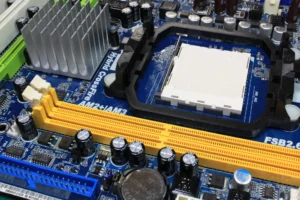
Heating – The Silent Enemy of Long-Term Processor Health :💪
Phone ka processor heat se bahut sensitive hota hai. Jab bhi user heavy tasks—gaming, video editing, long camera sessions—use karta hai, processor load badhta hai aur device heat hone lagta hai. Maker thin design aur compact internal layout heat dissipation ko mushkil bana deta hai.
Same model ke users ne mostly ek hi pattern share kiya: “Phone thodi der use karte hi garam ho jata hai aur fir slow ho jata hai.”
Ye actually CPU throttling hoti hai, jisme processor heat control karne ke liye khud apni speed kam kar deta hai. Long term me ye permanently performance drop ka reason ban sakta hai.
VERDICT : Realme P3 ka sabse bada processor killer heat + throttling ka combination hai, jo long-term performance ko irreversible damage tak le ja sakta hai.
🔒Software Updates That Push the Processor Too Hard :
Software updates improvements ke liye hote hain, lekin kabhi-kabhi optimization ke bina new features processor load increase kar dete hain.
Example :
- Background AI scanning
- Camera processing enhancements
- UI animations upgrades
- Auto sync processes
Same model users ne notice kiya ki update ke baad phone heavy feel hone laga.
Ye processor optimization bug hota hai jo ek model me consistent pattern create karta hai.
VERDICT : Updates Realme P3 ke processor ko help nahi, balki overload kar dete hain — especially jab optimization proper na ho.
📌[Must Read] — “Realme P3 Pro Display issue Fix“📱 ⇒ “Realme P3 Pro Battery issue Fix“🔋
Multitasking Limitations and RAM Pressure :⚡
Kai mid-range phones me processor aur RAM ek balanced pair nahi hote. Processor workload high ho jata hai but RAM management usko support nahi kar pati.
Result :
- Apps background me force close
- Multitasking lag
- UI stutter
- App reload
Processor ko extra pressure feel hota hai because RAM insufficient tasks ko CPU pe push kar deti hai.
VERDICT : Realme P3 ka processor RAM imbalance ki wajah se zyada pressure feel karta hai, jisse everyday multitasking slow ho jaati hai.
🤔Why Only This Model Faces Similar Processor Issues?
Jab ek hi model ke hazaaron users same problem report karte hain, uska reason kuch factors ka combination hota hai :
- Chipset throttling pattern
- Heat dissipation limitations
- Update-related optimization bugs
- Heavy UI skin
- Background scanning services
- Hardware batch variations
Yeh sab issues is model me ek predictable processor pattern janam dete hain jise users ek jaisa feel karte hain.
VERDICT : Realme P3 ka processor issue ek single reason ka result nahi — balki multiple hardware + software limitations ka combined output hai.
Sub-Heading Based Deep Breakdown :🕵️♂️
How the Processor Issue Slowly Affects Everyday Usage :
Initially sirf minor lag ya animation stutter feel hota hai. Fir heavy apps jaise Instagram, Snapchat, YouTube, BGMI jaise apps slow open hote hain.
Camera open karne me delay, keyboard freeze for a second, notification panel drop halki si stutter—ye sab daily usage me noticeable ho jata hai. Kabhi-kabhi phone calls accept karne me bhi 2–3 seconds ka delay aa jata hai.
VERDICT : Daily usage me small delays dikhte hi clear ho jata hai ki processor load handle nahi kar paa raha. Ye early warning signs hain.
When the Processor Issue Reaches Its Worst Stage :
Agar user timely steps nahi leta, processor overload serious form le leta hai :
- Phone suddenly hang ho jata hai
- Gaming me frame drops extreme ho jate hain
- Device extremely heat karta hai
- Apps crash hoti hain
- UI freeze ho jata hai
- Phone random restart karne lagta hai
Worst stage me processor throttling permanent ho sakti hai, jisse phone kabhi original performance return nahi kar pata.
VERDICT : Worst stage par Realme P3 ka processor apni peak capability return nahi kar pata — ye long-term damage point hota hai.
⚠User Realization -Something is Definitely Wrong Now :
Users mostly ye signs detect karte hi conclude kar lete hain ki problem normal nahi hai :
- Phone reboot without reason
- Google Maps ya camera open karte hi back panel heat
- 10–15 min usage me performance drop
- 20–30 seconds me keyboard lag
- Background apps instantly close
Ye sab processor overload ke clear symptoms hote hain.
VERDICT: User symptoms perfectly indicate karte hain ki processor overload ho chuka hai aur urgent optimization ki zaroorat hai.
🔥Effective & Practical Solutions for Same Model Processor Issue:
1. Heating Control is the First Step :
Processor issue mostly heat se shuru hota hai.
- Thick covers avoid karo
- Direct sunlight me phone use mat karo
- Charging ke time heavy apps na use karo
- Unnecessary apps uninstall karo
Ye steps CPU temperature stable rakhte hain.
VERDICT : Heat reduce karna Realme P3 ka processor revive karne ka sabse pehla aur sabse powerful step hai.
2. Background Activities Reduce Karo :
Processor background tasks se sabse zyada pressure feel karta hai.
- Auto-sync off karo
- Location always-on band rakho
- RAM-heavy apps disable karo
- UI animations reduce karo
Ye CPU ko breathing space deti hain.
VERDICT : Background load reduction short-term me noticeable performance improvement deta hai.
3. Software Update Optimization :
Agar update ke baad issue shuru hua hai :
- System cache clear karo
- Next patch ka wait karo
- Beta updates avoid karo
Software team usually next update me throttling fix kar deti hai.
VERDICT : Updates problem la bhi sakte hain aur solution bhi — next patch ka wait karna best move hota hai.
4. Cooling + Performance Mode Off Rakho :
- Performance mode CPU ko full power pe run karta hai jisse heat double hoti hai. Turning it off helps massively.
VERDICT : Performance mode off karne se throttling kam hoti hai aur stability instantly improve hoti hai.

5. Factory Reset if Problem Too Heavy :
- Agar lag extreme ho chuka hai, reset se background junk remove ho jaata hai aur processor fresh start milta hai.
VERDICT : Severe processor issues ka fastest fix factory reset hi hota hai.
6. Hardware Check for Rare Cases :
- Agar phone randomly restart hota hai, service center hardware-level scan recommended hota hai.
VERDICT : Agar software steps fail ho jayein, hardware check hi last and accurate solution hota hai.
📌[Don’t Miss] — “Realme P4 Pro Processor issue Fix“🔥
Conclusion :🙌
Same model processor issue ek widespread problem tab ban jata hai jab heat, software bugs, background load aur chipset limitations ek saath processor ko pressure me daal dete hain. Initially problem minor lag jaisi feel hoti hai, lekin dheere-dheere heavy stutter, freeze, crash aur overheating tak pahunch sakti hai.
Timely steps—background control, cooling habits, proper updates, animation optimization, aur occasional reset—phone ko long time tak stable rakh sakte hain. Agar processor hardware-wise stressed ho chuka hai to professional check hi final solution hota hai.
Correct usage patterns follow karne se phone fir se smoother performance de sakta hai.
🔗
📌”Realme ke is model ki aur jaanakri ke liye Realme P3 Pro 5G pe Click Krein”👈
“FAQ/s — Saawal Apke – Jaawab Hamare”😀
1 Q. Realme P3 Pro processor issue ka main reason kya hai?
Ans. Realme P3 Pro mein processor issue mostly software optimisation weak hone aur background processes heavy hone ki wajah se hota hai.
2 Q. Realme P3 Pro heating ya lag kare to kya karna chahiye?
Ans. Realme P3 Pro heating/lag fix karne ke liye latest update install karo, background apps band karo aur heavy games low settings par chalao.
3 Q. Kya Realme P3 Pro ke liye performance fix updates aaye hain?
Ans. Ji haan, Realme P3 Pro ke liye kuch OTA updates aaye hain jisme performance improvements aur bug fixes include kiye gaye hain.
4 Q. Agar Realme P3 Pro ka processor issue repeat ho to warranty lena chahiye?
Ans. Agar Realme P3 Pro ka processor issue updates ke baad bhi repeat ho, to authorised service centre mein warranty/repair check karwana best hai.