

Introduction :🧧
Oppo K13 5G Display Problem : Oppo ne apni K-series me K13 5G launch kiya, jo pehli nazar me kaafi balanced phone lagta hai — price bhi theek, specs bhi modern. Screen size 6.67-inch ke around hai aur AMOLED/FHD+ panel ka use kiya gaya hai, though kuch sources me slight variation milti hai, jisse users me thodi confusion bhi dikhi.
120 Hz refresh rate scrolling ko butter-smooth banata hai, gaming me motion clean lagta hai, matlab display overall premium vibe deta hai. Lekin jaise-jaise log use karna shuru karte hain, kuch users ko is “premium looking” screen me choti-choti dikkat notice hoti hai — aisi jo sab pe impact na karein, par jinke phone me dikh jayen to kaafi noticeable lagti hain.
Aayiye, in problems ko detail me samjhe, real user stories ke saath, aur dekhte hain kya reason ho sakte hain plus kaise isse fix ya workaround mil sakta hai.
📌[Also Read] — “Oppo K13 5G Honest Review“👈 ⇒ “Oppo F31 Pro Plus Screen issue Fix“📱

Users Jo Display Problem Ko Notice Kar Rahe Hain :📱
1. Flickering at Low Brightness :
- Reddit me users ne mention kiya hai ki jab brightness 1030% ke beech ho, to screen me “flicker” ya “line blinking” jaisa effect aata hai. ([Reddit][3])
- Ek user ne kaha ki flickering uski aankhon par asar kar raha hai — “dizziness” feel hoti hai low brightness pe. ([Reddit][4])
- Kuch log bol rahe hain ki ye har unit me nahi hai — shayad “assembly ya panel variation” problem ho sakti hai. ([Reddit][3])
2. BurnIn / AMOLED Ghosting : Ek aur complaint hai “AMOLED burnin” ka: Reddit pe kisi ne likha ki keyboard marks (WhatsApp keyboard) kuch seconds tak screen par reh jaate hain. ([Reddit][5])
Ye ghost image effect tab nazar aata hai jab koi static UI (jaise keyboard) kuch der dikhai de aur uske baad background badle. Kuch users ke liye ye “thodi der ke liye visible” rehta hai, sab ke units me permanent burnin problem nahi hai.
3. Brightness vs Sunlight Visibility : Business Today ke review me likha gaya hai ki peak brightness ka claim hai, lekin direct dhoop me screen readability utni “pop” feel nahi karti jitna flagship phones me milta hai. ([Business Today][1])
MoneyControl review me bhi mention hai ki aam use me display sharp hai, par “very harsh sunlight” me thodi mushkil ho sakti hai. ([Moneycontrol][6])
4. Touch / Display Lines Replacement Cost : Agar display ya touchscreen part damage ho jaye, to replacement ka cost local repair shops ya sparepart stores me ho sakta hai. Maxbhi jaise site pe display/touch combo replacement milta hai. ([LCD Kart][7])
Replacement part original ho ya thirdparty, dono ke option hain, lekin quality aur warranty ka dhyan dena zaroori hai.
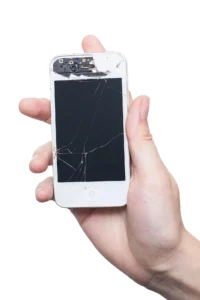
🤔Problems Ke Peeche Reason – Kya Kahin Kuch Galat Hai?
- Panel Quality & Variation: Har unit ka AMOLED panel ekhi batch ka nahi ho sakta. Kuch units me low brightness pe flicker ya ghosting ho sakta hai kyunki panel manufacturing variation ke saath aata hai.
- Color / Brightness Calibration: Display ki tuning agar aggressive ho (very bright peak ya very low dimming), to flicker ya burnin risk badh sakta hai.
- Software Driver / PWM Dimming: AMOLED panel me dimming aur brightness control typically PWM (PulseWidth Modulation) ke through hota hai. Agar phone ka display driver ya software optimization perfect nahi ho, to flicker ya lines dekhne ko mil sakti hain.
- Aging & Static UI Elements: Agar kisi app ka UI static hai (keyboard, navigation bar etc.), aur wo bahut dino tak use hota hai, to burnin ya ghosting risk ho sakta hai.
RealLife User Stories :😄
Ravi ne jab naya Oppo K13 5G liya, to starting ke kuch din sab kuch perfect laga — display bright, colors sharp, aur phone smooth. Lekin ek shaam wo kam brightness par WhatsApp scroll kar raha tha, tab usne achanak screen me halka sa blink/flicker jaisa effect notice kiya.
Pehle usne socha shayad light reflection hoga, par jab effect repeat hua to uske mann me doubt aa gaya. Ab Ravi confuse ho gaya — “ye AMOLED ka normal behaviour hai ya mere phone me hi koi issue hai?”, aur isi dilemma me wo baar-baar setting adjust karta raha, hoping ki shayad flicker khud hi theek ho jaye.

🙋♂️Neha ki Problem with Static UI :
Neha roz-roz chats karti hai, isliye uska keyboard har thodi der me open ho hi jaata hai. Pehle kuch dino tak sab normal lag raha tha, par ek din usne notice kiya ki white background par type karne ke baad keyboard ka halka sa “shadow” screen par kuch seconds tak reh jaata hai — jaise ek faint ghost image.
Pehle to usne ignore kiya, par jab ye baar-baar repeat hua to usko tension hone lagi. Neha sochne lagi, “Kya ye AMOLED burn-in ki shuruaat hai? Ya phone me koi display retention problem chal rahi hai?” Aur iss doubt ne uska poora experience thoda off kar diya.
📌[Must Read] — “Oppo K13 5G vs Oppo A5 Pro 5G Shocking Comparison“😨 ⇒ “Oppo K13 5G Overheating Fix“🔥
🤵Sunlight Pe Content Dekhne Wale Manoj :
Manoj roz-roz bahar travel karta hai—kabhi office ke liye, kabhi client sites par. Safar ke dauran uska sabse bada sahara hota hai uska phone, jisse woh maps check karta hai, YouTube videos dekh leta hai aur Insta reels scroll kar leta hai time pass ke liye.
Lekin jab dhoop tezz hoti hai, tab usse ek choti si problem mehsoos hoti hai. Screen to dikh jaati hai, par woh “pop” aur sharpness wala feel nahi aata jo indoor ya shade me milta hai. Usne bola, “Content dikh raha tha, par colors aur clarity utni punchy nahi lag rahi thi.”
Isse clear hota hai ki phone ki peak brightness ya contrast bahut harsh sunlight ko poori tarah handle nahi kar paate, jisse Manoj jaise outdoor-heavy users ko thoda compromise karna padta hai..
Possible Solutions :🔥
Agar aap bhi Oppo K13 5G use kar rahe ho aur display problem face kar rahe ho, to kuch solutions hain jo aap try kar sakte hain:
1. Low Brightness Flicker Ka Fix :
- Brightness ko bahut low na rakho — 1015% ke niche agar flicker aata hai toh thoda brightness badhao.
- Settings me “Eye Protection” ya “PWM Dimming” feature dekho (agar available ho), taaki flicker control ho sake.
2. BurnIn Risk Ko Kam Karo :
- Static UI elements (keyboard, navigation bar) ko zyada der ek hi theme me na dikhayein.
- Use “Dark Mode” agar possible ho, ya dynamic wallpapers use karo jisse content change hota rahe.
3. Sunlight Visibility Improve Karne Ke Liye :
- Autobrightness ya adaptive brightness on karo.
- Manual brightness boost karo dhoop me jaise 90100% tak, lekin zarurat ke baad wapas kum karo battery bachaane ke liye.
4. Software Updates :🔒
- Regularly check karo Settings → About → Software Update — Kabhi kabhi OPPO display calibration ya driver fix patches nikalta hai jo flicker ya brightness issue improve kar sakta hai.
- Agar bug lag raha ho, report karo OPPO Support ya unke forum me — zyada reports hone par company patch la sakti hai.
5. Service Centre Visit :
- Agar ghost image ya burnin persistent hai, ya display lines nikal rahe hain, toh authorised service centre visit karo.
- Replacement display ka option ho sakta hai — ([LCD Kart][7])
- Screen replacement cost check karo (spare part + labor) — taaki decide kar sako ki repair worthwhile hai ya nahi.
📌[Don’t Miss] — “Oppo A5 Pro 5G Full Comparison“👈

🙌Final Thoughts — Should You Worry?
Kabhi-kabhi user habits hi decide kar deti hain ki koi display issue actually matter karega ya nahi. Jaise agar koi banda hamesha low brightness pe phone chalata hai, raat ko dark room me texting karta rehta hai, ya phir keyboard aur navigation bar jaisi static cheezein baar-baar use karta hai, to uske liye concern thoda badh sakta hai. Aise log ek choti si flicker, ghosting ya UI shadow ko bhi jaldi notice kar lete hain. Unke liye ye problem thodi irritating ban sakti hai.
Lekin picture ka dusra side bhi hai. Bahut saare users woh hote hain jo mostly moderate ya high brightness pe phone chalate hain, games khelte hain, reels dekhte hain, scrolling karte hain—matlab ekdham normal daily routine. In logon ke liye ye issue utna noticeable nahi hota. Agar kabhi-kabhi thoda flicker ya ghost trace dikhe bhi, to woh usko easily ignore kar dete hain, kyunki overall experience par iska heavy impact nahi padta.
Isliye end me ye poora matter is baat par aake rukta hai ki **aap phone ka use kaise karte ho**. Sensitive eyes ya perfection-focused users ko dikkat ho sakti hai; baaki logon ke liye ye ek chota sa, ignore-ho-jaane-wala moment ban kar reh jaata hai.
🔗
📌”Oppo ke is Model ki aur jaankari ke liye Oppo K13 5G pe Click Krein”👈
Last Updated: January 2026
“FAQ/s — Saawal Apke – Jaawab Hamare”😀
1 Q. Oppo K13 5G me display flicker ka main reason kya hai?
Ans. Oppo K13 5G me flicker mostly ColorOS software bug ya display panel defect ki wajah se hota hai.
2 Q. Oppo K13 5G me screen flicker ka quick fix kya hai?
Ans. Oppo K13 5G me quick fix — restart, adaptive brightness off, brightness high, aur software update check karo.
3 Q. Oppo K13 5G ka display problem software se thik hota hai ya panel replace hota hai?
Ans. Agar Oppo K13 5G me flicker fixes se thik ho jaye to software issue hai, agar na ho to panel replace hota hai.
4 Q. Oppo K13 5G me display issue ho to India me kya karna chahiye?
Ans. Oppo K13 5G ke display issue ke liye OPPO service center jao — warranty me mostly free repair/replace mil jata hai.
5 Q. Oppo K13 5G display issue permanently kaise fix kare?
Ans. Agar software updates aur quick fixes kaam na kare, to authorized OPPO service center me panel repair/replacement hi permanent solution hai. Genuine part se hi problem fix hota hai.
1 thought on “Oppo K13 5G Display Problem – Real Issue Exposed ⚠️ | True Fix Guide”