

Introduction :🧧
OnePlus 8 Update Problems : The OnePlus 8 (EU) is the latest version of a flagship Android phone that features high-end hardware, a speedy screen, and OxygenOS, one of the cleanest Android skins. The phone received over the air updates for various Android versions and security patches, which were aimed at enhancing the performance, stability and security of the phone.
That said, as is the case with many smartphones that get a long-tail of support, some software upgrades for the OnePlus 8 have introduced new and unexpected issues for some users.
These problems are not unique to any particular area. After applying certain updates, users report that they are facing a mix of performance slowdowns, network instability, battery drain, app compatibility problems, and UI bugs. But OnePlus issues are bad for some and for others, they’re glar ing, so some users are being affected badly.
Here’s a comprehensive rundown of the most commonly reported OnePlus 8 software update issues, the causes of the problems and what users can expect in terms of fixes or work arounds.


What Software Update–Related Problems Are OnePlus 8 Users Experiencing?
1. Performance Slowdowns After Major Updates
One of the biggest gripes after upgrading to a new version of Android or a major OxygenOS update is slower performance.Users say:
- Slower app launch times
- Noticeable UI stutters or lag during multitasking
- Reduced smoothness despite the 90Hz refresh rate
- The Snapdragon 865 chip is still powerful too, but newer software layers and background services can be more demanding on
system resources. Performance regressions are often felt right after an update and can last, if not optimized with subsequent patches.
2. Increased Battery Drain After Updates
Battery-related issues are frequently reported after software updates. Symptoms include:
- Faster battery depletion during normal use
- Increased standby drain overnight
- Device becoming warm even during light tasks
In many cases, the drain is caused by background processes re-indexing data, apps behaving differently under new APIs, or changes to power management algorithms introduced in OxygenOS updates.
3. Network and Connectivity Issues
Software updates on the OnePlus 8 sometimes affect network behavior, leading to:
- Signal instability after installing updates
- Mobile data disconnecting intermittently
- 5G reverting to LTE unexpectedly
- Wi-Fi dropping or failing to reconnect automatically
These problems are often related to changes in modem firmware, carrier configuration profiles or OxygenOS network management logic within the updates.
4. UI Bugs and OxygenOS Glitches
Some users experience user interface inconsistencies after updates, such as:
- Delayed or unresponsive gestures
- Notification shade lag or glitches
- Quick settings toggles failing to respond
- Inconsistent dark mode or theme behavior
Such bugs are usually caused by changes in the UI framework or collision of new system components with the stored configuration on the users device.
5. App Compatibility and Crashes
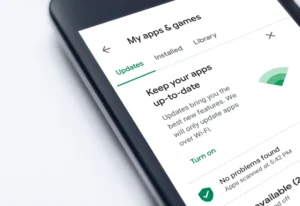
After major Android updates, some apps may not behave as expected. Users report:
- Apps crashing randomly
- Banking or payment apps failing safety checks
- Games stuttering or closing unexpectedly
This is often due to apps not being fully adapted for the new Android version at launch.
6. Heating Issues After Updates
Some OnePlus 8 users notice increased device temperature after installing updates:
- Warm back panel during browsing or messaging
- Heat buildup while charging
- Throttling during gaming sessions
Software-level changes can cause the CPU, GPU, or modem to run more aggressively, increasing thermal output.
7. Delayed Notifications and Background Task Issues
Another post-update complaint includes:
- Notifications arriving late
- Messaging apps not syncing in real time
- Background apps being closed too aggressively
This behavior is usually linked to changes in background task limits, battery optimization rules, or adaptive power features.
Why These Software Update Issues Occur :⚠
1. Android Version Upgrades Increase System Load
Each new Android version introduces:
- Additional background services
- Enhanced security layers
- More complex animations and UI logic
While these improvements bring benefits, they also demand more resources, which can expose performance or battery inefficiencies on older hardware.
2. OxygenOS Framework Changes
OxygenOS updates frequently adjust:
- System UI behavior
- Memory management
- Power optimization thresholds
Even small changes in these areas can affect how smoothly the phone operates, especially when combined with existing user settings.
[Also Read] — “OnePlus 8 Connection Error Solution“
3. Modem and Connectivity Stack Updates
Updates often include new modem firmware and network handling logic to support carriers and new standards. These changes can introduce:
- Signal instability
- Higher power consumption
- Network handover inefficiencies
Such regressions are usually software-based and vary by region and carrier.
4. Carrier-Specific Customizations
Some OnePlus 8 updates are tailored to specific regions or carriers. Differences in:
- Network bands
- VoLTE/VoWiFi requirements
- Carrier apps and services
can lead to inconsistent behavior across devices after the same update.
5. Residual Data From Previous Software Versions
After an update, old cache files, settings, or background data may conflict with the new system version. This can cause:
- Lag
- Battery drain
- App instability
Without proper cleanup, these residual files can persist and degrade performance.
🔥Practical Fixes for OnePlus 8 Software Update Issues :🔥
1. Install Follow-Up Patches :
Initial updates are often followed by bug-fix releases. Always check:
- Settings → System → System updates
These patches frequently address performance, battery, and network regressions.
2. Clear System Cache :
Clearing cached system data can resolve post-update bugs:
- Power off the phone
- Boot into recovery mode
- Clear cache partition (does not erase personal data)
This helps remove leftover data from previous versions.
3. Reset Network Settings :
If connectivity issues appear after an update:
- Settings → System → Reset options → Reset Wi-Fi, mobile & Bluetooth
This forces the system to rebuild network configurations cleanly.
4. Review Battery Optimization Settings :
After updates, power management settings may reset:
- Enable Adaptive Battery
- Restrict background activity for non-essential apps
- Disable unnecessary auto-sync options
This can significantly reduce battery drain.
5. Update All Installed Apps :
Ensure apps are optimized for the latest Android version:
- Open Google Play Store
- Update all apps
Outdated apps are a major source of crashes and excessive battery usage.
6. Monitor App and System Usage :
Check which apps consume the most resources:
- Settings → Battery → Battery usage
- Settings → Storage → Storage usage
Uninstall or restrict apps behaving abnormally.
7. Factory Reset as a Last Resort :
If severe issues persist after multiple updates:
- Back up important data
- Perform a factory reset
A clean installation often resolves deep system conflicts introduced by upgrades.
[Must Read] — “Realme 15 Lite Software issue Solution“⚠ ⇒ “Galaxy Z Flip 7 FE Latest Software Update Fix“⚠
When Software Update Behavior Is Normal vs Concerning :🚧
Normal after updates:
- Slight performance dips for a few days
- Increased battery usage during initial optimization
- Minor UI adjustments
Concerning signs:
- Persistent lag weeks after updating
- Severe battery drain with minimal use
- Frequent app crashes or system freezes
- Network issues that never stabilize
🚀Should OnePlus 8 Users Be Worried?
Most OnePlus 8 software update issues are software-related, not hardware defects. The majority of problems can be resolved through:
- Follow-up updates
- System and network resets
- App optimization and settings adjustments
But if the problems persist after you’ve tried everything, get in touch with OnePlus Support or take the phone to an authorized service center.

Conclusion :🙌
TheOnePlus 8 is certainly still a great-looking and powerful phone, but it’s struggling with long-term software support. Updates for the most part are good for maintaining security and features, but might cause a little bit of instability in performance, battery life, connectivity or just your overall user experience in the short term.
Key takeaways:
- Software updates can introduce short-term regressions.
- Performance, battery, and network issues are commonly reported post-update.
- Most problems are fixable with updates, resets, and optimization.
- Persistent issues should be escalated to official support.
OnePlus 8 can provide you with a stable and sturdy experience even after big software updates with good care and timely troubleshooting.
🔗
”Click on OnePlus 8 (EU) to see more details about this OnePlus Smartphone.” 
“FAQ/s”😄
1 Q. Why is my OnePlus 8 slow after the latest software update in Europe?
Ans. The OnePlus 8 may feel slower after a software update due to background app re-indexing, cache conflicts, or new system processes running in the background. Clearing cache and installing the latest patch usually improves performance within a few days.
2 Q. Is the OnePlus 8 battery draining faster after a software update?
Ans. Yes, some OnePlus 8 users in Europe report temporary battery drain after major updates. This typically happens because the system re-optimises apps and services. Battery performance often stabilises after a few charge cycles and minor bug-fix updates.
3 Q. Why is my OnePlus 8 facing network or Wi-Fi issues after an update?
Ans. The OnePlus 8 may experience network instability after updates due to modem firmware changes or carrier compatibility adjustments in Europe. Resetting network settings and checking for carrier-specific patches usually resolves the issue.
4 Q. How can I fix OnePlus 8 software update problems in Europe?
Ans. To fix OnePlus 8 update issues, clear system cache, update all apps, check for incremental software patches, and reset network settings if needed. If problems continue, a factory reset or contacting OnePlus support in your European country is recommended.