
Introduction :🧧
Moto G Power (2025) Battery Drain : Motorola’s Moto G Power 2025 (US) was launching with a huge promise: the battery lasts for more than one full day, even with heavy usage. Motorola have a good history of battery life in their Power range, and battery is one of the main reasons people choose this phone.
However, following hands-on use, many owners are complaining about the battery drain with Moto G Power 2025. Fast battery drop for some users, heavy drain overnight for others, heating envents for a few. For a battery champion phone, these issues feel frustrating and confusing.
This blog explains all major Moto G Power 2025 battery problems, why they happen, and how you can fix or reduce them step by step.
📌[Also Read] — “Motorola Edge – 2025 Charging Issue Find“🔋 ⇒ “Moto G06 Power Battery Solution – (EU)“🔋
Common Moto G Power 2025 Battery Problems Users Report :🔋
Most users report the following battery symptoms:
- Battery drains fast even with light use.
- Heavy overnight battery drain.
- Battery drops quickly during standby.
- Rapid drain while streaming video.
- Fast drain during gaming.
- Battery percentage jumps up and down.
- Phone heats while charging and battery drains faster.
- Battery drains on Wi-Fi or 5G even when idle.
These complaints appear across multiple user reports and forums.
🤔Why Does the Moto G Power 2025 Battery Drain So Fast?
Several factors contribute to battery drain on this device. Most are software or usage related not necessarily hardware faults.
1. New Phone Setup & Background Activity
When you first set up a phone, the system:
- syncs apps
- indexes media
- restores cloud data
- runs system services
These background processes consume extra power for several days after setup.
2. Software Update Effects
Battery problems often appear after a system update:
- apps re-optimize
- cache rebuilds
- background tasks run to finalize updates
This causes temporary battery drain that usually improves after a few days.
3. Screen Power Usage
The display drains a big portion of the battery:
- high brightness
- long screen-on time
- AMOLED or LCD backlighting
Even on moderate brightness, screen power usage remains high.
4. Always-On Features & Notifications
Features like:
- Always-On Display (AOD)
- constant notifications
- lock screen widgets
cause frequent screen wakeups and increase power usage over time.
5. Background Apps Running Unrestricted
Some apps run continuously without restrictions:
- social media apps
- messaging apps
- navigation apps
- cloud backup services
If these apps are not restricted, they drain battery in the background.
6. Network Usage & Weak Signals
If your phone constantly searches for a signal:
- weak Wi-Fi
- unstable mobile network
- switching between 5G/LTE
then the radio stays active and consumes more battery.

7. Location & GPS Services
- Apps that use GPS run power-hungry location services in the background, even if the phone is idle.
📌[Must Read] — “Moto G Power 2025 Screen Touch Lag Fix“📱
8. Thermal Stress & Heat
Heat speeds up battery drain and reduces efficiency:
- gaming
- long phone calls
- video streaming
- charging while using the phone
All generate heat that accelerates battery loss.
Detailed Moto G Power 2025 Battery Problems & Their Fixes :🔥
1. Battery Drains Fast During Normal Use :
Many users notice rapid battery drop even during light tasks.
Why It Happens :
- high screen brightness
- background syncing
- aggressive app notifications
Fix :
- Lower screen brightness
- Disable unnecessary notifications
- Turn off background syncing for unused apps
2. Heavy Overnight Battery Drain :
Your phone loses battery while idle during the night.
Why It Happens :
- background apps
- push notifications
- location services
Fix :
- Turn on Airplane Mode overnight
- Enable Battery Saver mode
- Turn off Wi-Fi and Bluetooth while sleeping
3. Battery Drains During Streaming and Browsing :
Video streaming and web browsing drain battery quicker than normal use.
Why It Happens :
- high screen usage
- network data remains active
- processor stays awake
Fix :
- Reduce screen brightness
- Download videos for offline viewing
- Use Wi-Fi instead of mobile data
4. Battery Drops Fast While Gaming :
Games usually drain battery faster than other apps.
Why It Happens :
- GPU and CPU usage
- high screen refresh rate
- network usage during games
Fix :
- Lower in-game graphics settings
- Close background apps before gaming
- Take breaks to let the phone cool down
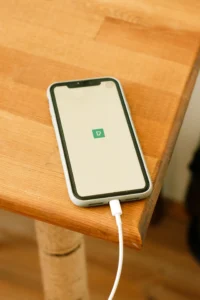
5. Battery Percentage Jumps Or Shows Incorrect Levels :
Sometimes battery percentage drops quickly or jumps up abnormally.
Why It Happens :
- battery calibration issues
- inaccurate battery estimation
Fix :
- Drain battery to 0% and charge to 100% once
- Restart the phone
- Avoid frequent shallow charging
This recalibrates the battery meter.
6. Phone Heats Up While Charging And Battery Drains :
Using the phone while charging heats the battery and increases drain.
Why It Happens :
- screen active while charging
- processor load during charging
Fix :
- Avoid using the phone while charging
- Remove the phone case during charging
- Use the original charger only
7. Battery Drains On Wi-Fi Or 5G Even With Idle Screen :
Some users report battery loss even when the phone is not used.
Why It Happens :
- unstable network signal
- background data transfers
- auto-sync and cloud backups
Fix :
- Turn off auto-sync for unnecessary apps
- Use Wi-Fi instead of 5G in weak signal areas
- Turn off mobile data when not needed
Best Settings To Improve Battery Life on Moto G Power 2025 :🚀
Enable Power Saving Mode
- Settings → Battery → Battery Saver → On
Reduce Screen Timeout
- Settings → Display → Sleep → 30 seconds or 1 minute
Turn Off Always-On Display
- Settings → Display → Always-On → Off
Limit Background App Activity
- Settings → Battery → Background Usage Limits
Use Dark Mode
- Dark mode can reduce battery usage on many Android phones.
Update Apps Regularly
- Outdated apps may cause background battery drain.
📌[Don’t Miss] — “Motorola Razr Ultra Sudden Charge Drop Fix“🔋
When Battery Issues Indicate A Hardware Problem :🚧
Contact Motorola support if you notice:
- Battery drops from 100% to 50% within a few hours even with light use.
- Phone shuts down abruptly.
- Battery swells or heats excessively.
- Battery drain persists even after reset.
These may indicate battery cell issues or a hardware fault that requires professional repair.
Conclusion :🙌
Moto G Power 2025 Battery Life issues are mainly due to software optimizations, background apps, network usage, and screen settings. The silver lining is that a lot of the problems can be addressed through a tweak to your settings, your behavior, and when software updates are released.
If your battery is still draining fast after applying all the fixes, then you should contact Motorola support or take it to service center for full diagnosis.
🔗
 ”Click on Moto G Power 2025 (US) to see more details about this Motorola Smartphone.”
“FAQ/s”😄
1 Q. Why is the Motorola Moto G Power (2025) battery draining so fast?
Ans. The Motorola Moto G Power (2025) battery may drain quickly due to background apps, high screen brightness, 5G usage, software bugs, or recent system updates. Poor signal strength in some US carrier areas (Verizon, AT&T, T-Mobile) can also increase battery consumption.
2 Q. How can I fix battery drain on the Motorola Moto G Power (2025)?
Ans. To fix battery drain on the Motorola Moto G Power (2025), update to the latest software version, enable Battery Saver mode, reduce screen refresh rate (if available), disable unused background apps, and reset network settings if signal issues are causing extra drain.
3 Q. Does a software update cause battery issues on the Motorola Moto G Power (2025)?
Ans. Yes, some Motorola Moto G Power (2025) users may notice temporary battery drain after a major Android update. This usually stabilizes within a few days as the system optimizes apps in the background.
4 Q. Is the Motorola Moto G Power (2025) battery problem covered under warranty in the US?
Ans. If the Motorola Moto G Power (2025) battery issue is caused by a manufacturing defect, it may be covered under Motorola’s limited US warranty. However, battery wear from normal usage is typically not covered.