

🧧Introduction :
iQOO Z10R Processor Problem : iQOO Z10R ek performance-oriented smartphone hai jo multitasking, gaming aur daily heavy usage ke liye design kiya gaya hai💪. Lekin kuch users ne report kiya hai ki phone me processor se related issues dekhne ko mil rahe hain jaise overheating, lagging, frame drops, slow app loading, ya sudden performance drop.😲
Agar aap bhi iQOO Z10R use karte hain aur processor issue face kar rahe hain, to yeh detailed blog post aapke liye hai🚩. Yahan hum problem ke symptoms, main reasons aur step-by-step practical solutions explain karenge.😄
📌[Also Read] — “iQOO Z10R Honest Review Test“
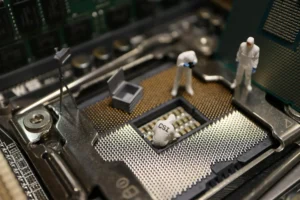
iQOO Z10R Processor Issue – Users Kya Report Kar Rahe Hain?
Kai users ne following problems notice ki hain:
- Gaming ke dauran FPS drop hona.
- Phone ka quickly heat hona.
- Normal use me bhi slow response.
- Apps open karte waqt delay.
- Multitasking me apps reload hona.
- Camera use karte waqt phone warm feel hona.
- Sudden battery drain during heavy tasks.
- Performance benchmark score ka fluctuate hona.
Ye sab signs indicate karte hain ki processor ya to overload me hai, ya thermal throttling ho rahi hai, ya software optimization issue chal raha hai.
iQOO Z10R Processor Issue – Detailed Reasons :🤯
1 Software Optimization Bug
Kabhi-kabhi system update ke baad performance unstable ho jati hai. Naya update bugs fix karta hai, lekin kuch cases me naye glitches bhi introduce ho sakte hain.
Signs:
- Update ke baad lag start hona
- Random heating
- Apps crash
2 Thermal Throttling (Overheating Protection)
Jab processor zyada heat generate karta hai, to phone automatically CPU speed kam kar deta hai taaki damage na ho. Is process ko thermal throttling kehte hain.
Iske kaaran:
- Heavy gaming
- Charging + gaming ek sath
- Garam environment me usage
- Thick phone cover
3 Excess Background Apps
Agar bahut saare apps background me run kar rahe hote hain to CPU constantly busy rehta hai.
Result:
- Lag
- Battery drain
- Heating
4 Storage Almost Full
- Jab internal storage 85–90% tak full ho jata hai, to phone slow ho sakta hai kyunki system ko temporary files ke liye space nahi milta.
5 Malware or Suspicious Apps
- Unknown sources se install ki gayi apps processor ko continuously use kar sakti hain.
 [Must Read] — “iQOO Z10R Screen Touch Lag Fix“
 ⇒ “iQOO Z10R Latest Charging Bug Find“🔋
6 High Gaming Settings
- Ultra graphics + Max FPS settings processor par heavy load daalte hain, especially long gaming sessions me.
🔥iQOO Z10R Processor Issue – Complete Step-by-Step Solutions :🔥
1. Restart Karein :
Temporary glitches restart se fix ho jate hain.
Steps:
- Power button hold karein
- Restart select karein
2. Latest Software Update Check Karein :
Performance improvements aur bug fixes ke liye update zaruri hai.
Steps:
- Settings open karein
- System Update par jayein
- Check for Updates karein
- Available update install karein
3. Background Apps Limit Karein :
Steps:
- Settings → Battery
- Background Power Consumption
- Unnecessary apps restrict karein
- Auto-start disable karein
Tip: Har 1–2 din me recent apps clear karna helpful hota hai.
4. Storage Clean Karein :
Kya karein:
- Unused apps uninstall karein
- Large videos ko cloud me shift karein
- WhatsApp media clean karein
- Cache clear karein
Minimum 20–25% storage free rakhein.
5. Gaming Settings Optimize Karein :
Heavy gaming ke time:
- Graphics ko High ya Balanced par set karein
- Ultra settings avoid karein
- 60 FPS stable rakhein
- Phone cover remove karein

6. Overheating Control Tips :
- Charging ke dauran gaming avoid karein
- Direct sunlight me use na karein
- Long gaming sessions me 10–15 min break lein
- Original charger hi use karein
7. Safe Mode Me Check Karein :
- Safe mode me third-party apps disable ho jati hain. Agar safe mode me lag nahi ho raha, to koi app problem create kar raha hai.
8. Factory Reset (Last Option) :
- Agar problem still solve na ho to factory reset karein.
- Backup zarur lein.
Steps:
- Settings → System
- Reset Options
- Erase All Data
Reset ke baad phone fresh start lega.
🕵️♂️Service Center Kab Visit Karein?
Agar:
- Phone normal use me bhi zyada heat kare.
- Sudden restart ho.
- Gaming bina kare bhi lag ho.
- Reset ke baad bhi issue solve na ho.
To hardware related problem ho sakti hai. Aise me authorized service center visit karein.
[Don’t Miss] — “Redmi Note 14 5G Processor Slow Fix“🔥 ⇒ “OnePlus 13S Gaming Speed Drop Fix“🔥
Long-Term Performance Maintain Karne Ke Tips :🚀
- Har 2–3 mahine me storage clean karein.
- Unknown apps install na karein.
- Regular updates install karein.
- Battery 0% tak drain na hone dein.
- Heavy tasks ke baad phone ko rest dein.

Conclusion :🙌
iQOO Z10R ka processor daily use aur gaming ke liye capable hai, lekin heavy load, overheating, background apps aur software bugs ki wajah se performance issues aa sakte hain. Achhi storage management, background control, optimized gaming settings aur regular updates se zyadatar problems solve ho jati hain.
Agar issue persist kare to factory reset ya service center best solution ho sakta hai.
🔗
”iQOO ke is Model ki aur jankari ke liye iQOO Z10R pe Click Krein”
“FAQ/s — Saawal Apke – Jaawab Hamare”😄
1 Q. Kya iQOO Z10R processor heavy use mein overheat hota hai?
Ans. iQOO Z10R ka processor normal daily use mein overheat nahi hota. Heavy gaming par thoda warm feel ho sakta hai, lekin serious overheating common issue nahi hai.
2 Q. Kya iQOO Z10R mein processor lag ya slow performance deta hai?
Ans. iQOO Z10R daily apps aur multitasking mein smooth perform karta hai. High graphics gaming par kabhi-kabhi minor frame drop ho sakta hai, par normal use mein lag issue nahi hai.
3 Q. Kya iQOO Z10R processor issue update ke baad badh sakta hai?
Ans. Kuch cases mein iQOO Z10R software update ke baad temporary heating ya battery drain feel ho sakta hai. Usually next patch ya reset se issue fix ho jata hai.
4 Q. iQOO Z10R ka processor gaming ke liye kaisa hai?
Ans. iQOO Z10R casual aur mid-level gaming smoothly handle karta hai. Ultra heavy games par performance stable rehti hai, lekin flagship level power expect nahi karni chahiye.