
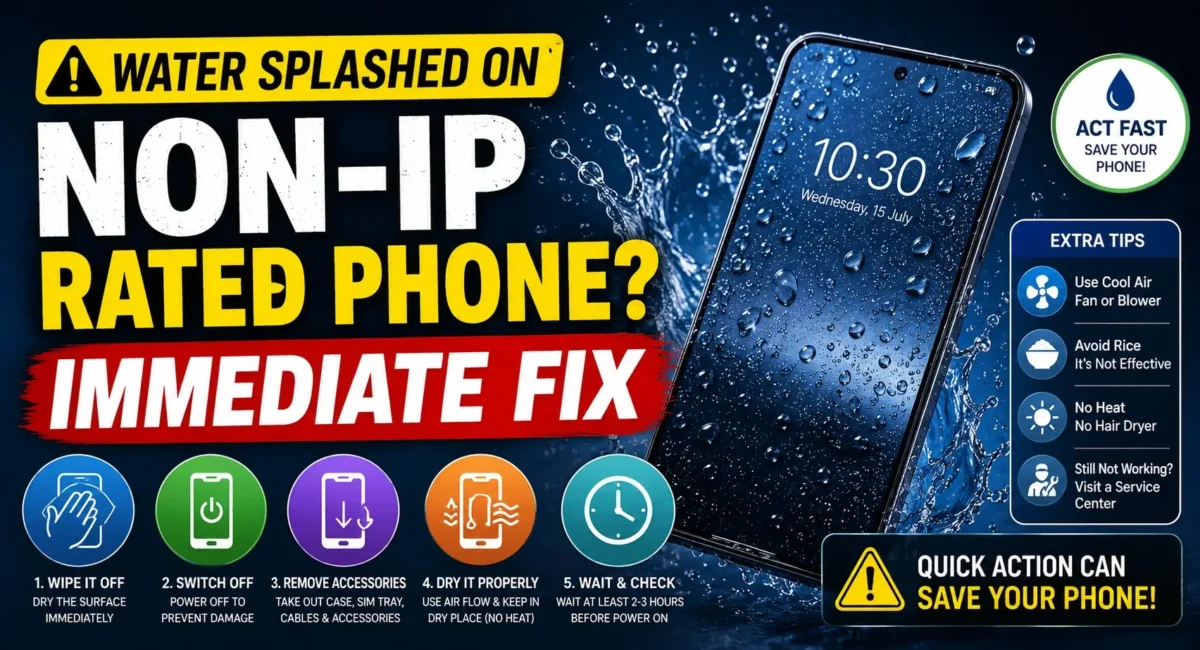
Overview :🧧
Wet Phone Water Damage : A few drops of water may not seem like a big deal, but if your phone has no IP rating for water resistance, it’s just a matter of time before they cause your wallet to cry. When rain makes your phone wet, it falls into the sink or you spill tea, coffee or water on it, in those first moments what you do can be the difference between a functioning device and one that looks like it should go in the landfill.
A lot of users panic and power on the phone immediately to check if it is still working. Unfortunately, this is also one of the worst things you can do. Water is not always the real culprit it’s an electrical short that happens when power is applied to wet internal parts.
Water Splashed on Phone : In this guide, you’ll find out what a non-IP-rated Android phone might be able to survive and what it can’t, how to avoid causing even more damage, and when it’s time to see an expert. These hacks work for Android phones from Samsung, Xiaomi, realme, vivo, OPPO, Motorola, OnePlus, POCO, Infinix, Tecno, Lava, and even some other brands that may not be officially water-resistant.
If you follow periodic honest mobile reviews and ratings of mobile phones, you will see water-resistance is an increasingly important aspect of phone durability. Similarly, a useful smartphone buying guide india must not only include aspects like performance and cameras but also build quality and protective measures.

What Does Non-IP Rated Mean?
An IP (Ingress Protection) rating indicates how well a device is protected against dust and water.
For example:
- IP67 – Protected against dust and temporary water immersion.
- IP68 – Better protection against water and dust.
- IP69 – Designed to withstand high-pressure water jets in specific conditions.
A non-IP-rated phone doesn’t officially guarantee resistance to water or dust. That doesn’t necessarily mean it will fail after a splash, but it does mean extra caution is required.
Wet Phone First Aid Steps :👇
Step 1: Turn Off the Phone Immediately
The first and most important step is to switch the phone off.
If the screen is still on:
- Hold the power button.
- Turn the phone off completely.
- Do not restart it to check if it’s okay.
Electricity flowing through wet circuits is what causes most permanent damage. If the phone has already turned off by itself, leave it switched off.
Step 2: Remove Everything You Can
Take out any removable accessories immediately, including:
- Phone case
- SIM card tray
- microSD card
- Earphones
- USB cable
- OTG accessories
Removing these parts allows trapped moisture to escape more easily and reduces the chance of corrosion.
Step 3: Dry the Exterior
Use a clean, lint-free microfiber cloth to gently wipe the phone.
Pay special attention to:
- Charging port
- Speaker grille
- Microphone holes
- SIM tray
- Camera module
- Buttons
Avoid rubbing aggressively, as this can push water further inside the device.
Step 4: Keep the Phone Upright
Put the phone on a dry surface standing up with the charging port at the bottom. Gravity moves any moisture that may be trapped away from sensitive internal components. Do not shake the phone rigorously because that could allow the water to spread further into the motherboard and follow smartphone buying guide India to keep the phone upright in future too.
Step 5: Do NOT Charge the Phone
This is one of the most critical rules.
Even if your battery is almost empty:
- Do not connect the charger.
- Do not use wireless charging.
- Do not plug the phone into a computer.
Charging a wet phone significantly increases the risk of a short circuit. Most manufacturers recommend waiting until the device is completely dry before attempting to charge it.
Step 6: Avoid the Rice Myth
One of the most common internet tips is placing a wet phone in uncooked rice.
In reality, rice has several drawbacks:
- It doesn’t remove moisture trapped inside the phone.
- Rice dust can enter the charging port and speaker.
- It may delay proper drying and professional inspection.
Instead, leave the phone in a well-ventilated, dry room. Silica gel packets (the small moisture-absorbing packets found in electronics boxes) are a much better option if available.
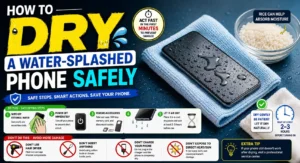
Step 7: Let It Dry Naturally
Patience is important. Leave the phone undisturbed for 24–48 hours in a cool, dry place.
Avoid placing it in direct sunlight or near excessive heat as we seen in smartphone buying guide india , as overheating can damage the battery, display, and adhesive seals.
Step 8: Never Use a Hair Dryer
Many people try to dry a wet phone using a hair dryer.
This is not recommended because:
- Hot air can damage the display.
- Heat can weaken waterproof seals and adhesives.
- Air pressure may push moisture deeper inside the phone.
Similarly, avoid placing the phone in an oven, microwave, or on a hot radiator.
Step 9: Inspect Before Turning It On
Before switching the phone back on, check for signs of remaining moisture.
Look for:
- Fog inside camera lenses
- Water in the charging port
- Damp speaker grilles
- Moisture around the SIM tray
If any moisture is still visible, continue drying the phone before attempting to power it on.
What If the Phone Fell into Salt Water?
Salt water is much more dangerous than clean tap water. It causes faster corrosion and leaves conductive residue inside the phone.
If your device fell into seawater:
1. Turn it off immediately.
2. Do not charge it.
3. Wipe the exterior.
4. Visit an authorised service centre as soon as possible.
Even if the phone appears to work normally, internal corrosion may develop over the following days or weeks.
Signs That Internal Damage Has Already Started :😲
Watch for these warning signs after the phone dries:
- Screen flickering
- Random restarts
- Charging problems
- No sound from speakers
- Microphone not working
- Camera fogging
- Touchscreen becoming unresponsive
- Battery draining unusually fast
If any of these symptoms appear, professional inspection is recommended.
Common Mistakes to Avoid :✋
Avoid these actions at all costs:
- Turning the phone on repeatedly
- Charging immediately
- Using a hair dryer
- Shaking the phone aggressively
- Pressing every button to test it
- Opening the phone without proper tools or experience
- Keeping the phone in rice for several days instead of allowing proper drying
These mistakes often cause more damage than the water itself.
When Should You Visit a Service Centre?
Seek professional help if:
- The phone won’t turn on after drying.
- The display remains black.
- Charging doesn’t work.
- The touchscreen becomes erratic.
- Audio or microphones stop functioning.
- Water entered after exposure to rain, a sink, or a swimming pool.
- The device contains important business or personal data.
An authorised technician can inspect the motherboard for hidden corrosion before it becomes irreversible.
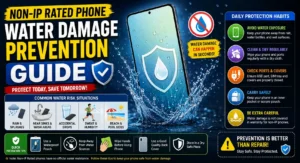
Tips to Protect Your Phone from Water Damage :🚀
Simple precautions can save expensive repair costs:
- Use a high-quality protective case.
- Avoid using the phone in heavy rain.
- Keep it away from swimming pools and beaches.
- Never place drinks near your phone while working.
- Store the phone in a waterproof pouch when travelling.
- Back up important data regularly to the cloud.
Final Verdict :🙌
Misusing water on non-IP-rated phones doesn’t always equal death for them. This comes down to how fast and what kind of response you have. Power down immediately, remove peripherals, dry the outside, don’t charge it, and give it ample time to dry, and you can really up your chances of avoiding a damage-inducing short circuit.
At the same time, steer clear of common misconceptions, like burying them in rice or using a hair dryer–those methods more often harm phones than help them. If your phone has an inside damage indicator to turn red after drying, don’t wait and head to a service centre (only authorized ones) before corrosion takes hold.
These days the best android phones have good battery life Durability was rated Approximately just as still very completely useful in many honest mobile ratings and reviews. Similarly, a decent smartphone buying guide india should include factors like water resistance, sturdy build, and good after sales support along with the performance specs. A bit of foresight today can save you from losing both your smartphone and your precious data tomorrow.
🔗
📌”Xiaomi India — Official Product Page”👈
Frequently Asked Questions — FAQ/s
Can a non-IP-rated phone survive water?
Yes. Many phones survive minor splashes if powered off immediately and dried correctly. However, survival depends on how much water entered the device and how quickly you act.
Should I charge the phone after drying for a few hours?
No. It’s safer to wait at least 24–48 hours and ensure there is no visible moisture before charging.
Is the rice method effective?
Not really. Rice has limited moisture-absorbing ability and can introduce dust into ports. Air drying in a ventilated area, or using silica gel packets, is generally more effective.
Can water damage appear days later?
Yes. Internal corrosion can develop gradually, leading to charging issues, display problems, or motherboard failure even if the phone initially seems fine.

I have read some just right stuff here. Certainly price bookmarking for revisiting. I wonder how much effort you set to create this kind of great informative web site.
Thanks, We Appriciate..