
Overview :🧧
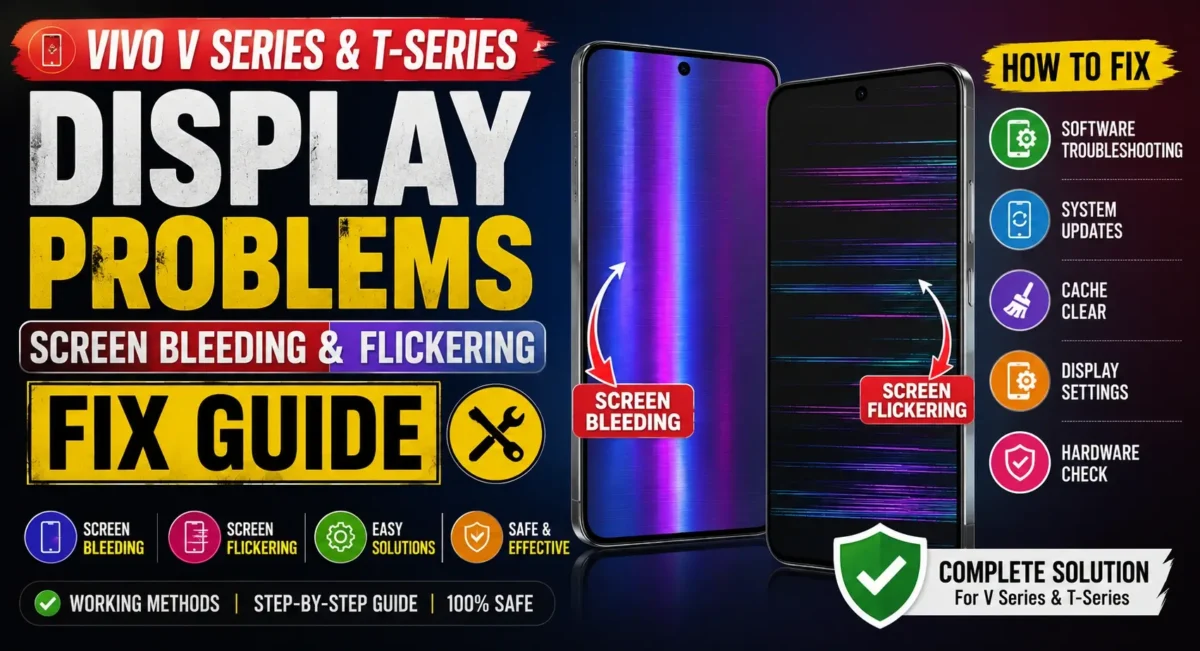
Has your Vivo V Series or T Series phone been affected by screen bleeding, display flickering or brightness anomaly recently? You are not alone. There have been multiple reports of Vivo display problem issues, from light flickering to severe screen bleeding at the edges of the display.
The good thing is that not every screen problem means your phone’s screen is damaged. Many of the same symptoms may be caused by a software bug, display configuration, app conflicts, or transient system issues.
In this guide, we’ll tell you about the typical Vivo screen issues, what causes them and effective solutions that can fix flickering screen and screen bleeding problems so far, preventing you from wasting money on a screen replacement.

Common Display Problems in Vivo V Series & T Series Phones :
Several Vivo smartphones, including popular V Series and T Series models, may occasionally experience display-related issues.
Most Reported Problems :
- Screen flickering while using apps
- Brightness automatically changing
- Green tint on display
- White patches near screen edges
- Screen bleeding in dark environments
- Black spots on display
- Ghost touch issues
- Screen flashing during charging
- AMOLED flickering at low brightness
These issues can appear on devices such as:
- Vivo V50
- Vivo V40
- Vivo V30
- Vivo V29
- Vivo T4
- Vivo T3
- Vivo T3 Pro
- Vivo T2 Pro
- Vivo T1 Series
📌[Don’t Miss] — “Vivo T4 5G Display Problem Fix“📱
What Is Screen Bleeding?
Screen bleeding occurs when light leaks from the edges of the display, especially when viewing dark backgrounds.
Signs of Screen Bleeding :
- Bright patches around corners
- Uneven black colors
- Light leakage near display edges
- More visible in dark rooms
Screen bleeding is more commonly seen in LCD panels, although AMOLED displays can sometimes show uneven brightness that users mistake for bleeding.

What Causes Screen Flickering?
Display flickering can happen due to both software and hardware issues.
Common Causes :
1. Software Bugs
- System updates occasionally introduce display-related glitches.
Symptoms include:
- Random flashing
- Flickering after software update
- Brightness instability
2. Faulty Apps
- Some third-party applications can interfere with display refresh rates and brightness settings.
3. Refresh Rate Issues
Modern Vivo smartphones support:
- 90Hz displays
- 120Hz displays
- Adaptive refresh rates
Incorrect refresh-rate switching can sometimes cause flickering.
4. Display Hardware Problems
- In some cases, physical screen damage or defective display components may be responsible.
How to Fix Vivo Screen Flickering Fix :
Try these solutions before visiting a service center.
- Restart Your Phone
A simple restart can resolve temporary display glitches.
Steps
1. Press and hold the power button.
2. Tap Restart.
3. Wait for the phone to reboot.
This often fixes minor software-related flickering issues.
Update Your Vivo Smartphone :
Software updates frequently contain bug fixes for display-related problems.
Steps
1. Open Settings.
2. Tap System Update.
3. Check for updates.
4. Install the latest version.
Keeping your device updated helps improve display stability.

Disable Auto Brightness
Automatic brightness adjustment can sometimes create a flickering effect.
Steps
1. Open Settings.
2. Go to Display & Brightness.
3. Turn off Auto Brightness.
Monitor the display for a few hours and check whether the issue disappears.
Change Refresh Rate Settings
Some Vivo devices allow manual refresh-rate selection.
Steps
1. Open Settings.
2. Select Display.
3. Tap Refresh Rate.
4. Switch between:
- Auto
- 60Hz
- 120Hz
Many users report reduced vivo screen flickering fix after changing the refresh-rate setting.
📌[Must Read] — “Vivo V60 5G Screen Flickering Solution“📱
Boot Into Safe Mode
- Safe Mode disables third-party applications.
Why It Helps
- If flickering disappears in Safe Mode, a recently installed app may be causing the problem.
Clear Cache Partition
- Corrupted system cache files can sometimes affect display behavior.
Benefits
- Improves stability
- Fixes software glitches
- Reduces display anomalies
How to Check if Screen Bleeding Is Hardware Related :
You can perform a simple test at home.
Test Method
1. Open a completely black image.
2. Increase brightness to maximum.
3. Move to a dark room.
4. Observe the display carefully.
If you notice bright patches consistently appearing in the same locations, the issue may be related to the display hardware.
AMOLED Flickering: Why It Happens
AMOLED displays are widely employed by many Vivo V Series & T Series devices.
PMW (Pulse Width Modulation) is usually used for brightness control in AMOLED panels.
Symptoms :
- Flickering at low brightness
- Eye strain
- Visible flashing in slow-motion camera recordings
This is normal behavior on many AMOLED displays and is not always a defect.
Green Line and Green Tint Issues :
Green line problems have affected smartphones across multiple brands in recent years.
Possible Causes :
- Physical damage
- Manufacturing defects
- Display connector issues
- Failed software updates
If a green line suddenly appears and does not disappear after restarting the device, professional inspection may be required.
When Should You Visit a Service Center?
Seek professional assistance if:
- Flickering continues after software troubleshooting
- Green lines appear permanently
- Display shows dead pixels
- Touch response stops working
- Screen bleeding becomes severe
- Display was recently exposed to water or impact
Tips to Prevent Future Display Problems :
Following a few simple practices can extend your display’s lifespan.
Best Practices :
- Avoid overheating
- Use original chargers
- Install software updates regularly
- Avoid dropping the phone
- Use certified screen protectors
- Do not expose the device to moisture
These habits reduce the risk of long-term display damage.

Conclusion :🙌
The rolling or flickering black screen on Vivo V Series & T Series is annoying, but it does not imply that your phone is damaged. It is usually software misbehavior, backlight settings, refresh-rate conflicts or third-party apps.
Before you go and replace your display, try the above troubleshooting methods. Software updates, refresh-rate adjustments, turning off auto-brightness, and a Safe Mode test can occasionally help fix the problem.
If the issue persists, or if you notice any permanent damage to screen like green lines, dead pixels or excessive bleeding, your best option is to visit a Vivo service centre.
🔗
📌”Vivo India — Official Page”👈
Frequently Asked Questions — FAQ/s
Is screen bleeding normal on Vivo phones?
Minor light leakage can occur on some LCD displays. Severe bleeding that affects daily usage may require service-center inspection.
Can software updates fix screen flickering?
Yes. Many flickering issues are software-related and can be resolved through updates.
Does screen replacement fix screen bleeding?
If the cause of the issue is a faulty display panel, the screen replacement usually fixes the problem.
Why does my Vivo display flicker at low brightness?
A Lot of AMOLED Screens Employ PWM Dimming, Which May Cause Flickering Which Is sometimes noticeable.
Can overheating cause screen flickering?
Yes. High temperature may affect the performance of the display temporarily, and cause brightness instability.

1 thought on “Vivo V Series & T-Series Display Problems: Screen Bleeding & Flickering Fix Guide”