

Introduction :🧧
Redmi Note 14 Pro Processor Issue : Redmi Note 14 Pro ko mid-range category me ek strong performance smartphone ke taur par launch kiya gaya tha💪. Company ne is phone ko fast processor, smooth UI aur reliable daily performance ke saath promote kiya. Paper specs aur launch time experience dekh kar lagta bhi hai ki phone normal use, multitasking aur light gaming ke liye perfect rahega.🚀
Lekin real-life daily usage me kaafi users ne processor-related issues notice kiye hain😲. Ye problems har phone me equally nahi hoti, lekin kaafi users ke liye clearly visible aur irritating ban jati hain.🙄
Is blog me hum Redmi Note 14 Pro ke processor issues ko simple, detailed aur practical way me samjhenge — real user experience, reasons aur complete solutions ke saath.😀

 ⇒ “Redmi 15 5G OverHeat Fix“🔥
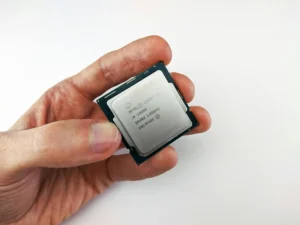
Start Kaise Hoti Hain Problems :⚠
1. Shuruat Me Performance Smooth — Phir Dheere-Dheere Lag Aana
Naya phone lene ke baad Redmi Note 14 Pro:
- Fast aur smooth feel hota hai
- Apps quickly open hoti hain
- UI responsive lagta hai
Lekin 2–3 weeks ke use ke baad users notice karte hain:
- Apps open hone me thoda delay
- Scrolling me halki stutter
- Phone kabhi smooth, kabhi laggy feel karta hai
Ye lag ekdum se nahi aata, balki gradually build hota hai, jo processor ki long-term stability par doubt create karta hai.
2. UI Lag & Stutter — Software Load Ka Effect
Processor issue ka sabse pehla sign UI lag hota hai. Redmi Note 14 Pro me heavy UI skin hone ki wajah se processor par constant load rehta hai.
Common issues:
- Notification panel pull karte waqt delay
- App drawer open hone me stutter
- Recent apps switch karte time reload
Jaise-jaise phone me apps aur background services badhti jati hain, UI smoothness kam hoti chali jati hai.
3. Multitasking Me Processor Weak Feel Karna
Agar aap ek saath multiple apps use karte ho jaise WhatsApp, Instagram, Chrome aur YouTube to Redmi Note 14 Pro thoda struggle karta hai.
Users ne notice kiya:
- Background apps close ho jana
- App wapas open karne par refresh
- Multitasking smooth nahi lagti
Ye dikhata hai ki processor aur RAM management perfectly tuned nahi hai.
4. Gaming Performance – Frame Drop & Lag
Gaming ke time processor ki limitation sabse zyada dikhti hai. Casual games theek chalte hain, lekin heavy games me issues aate hain.
Common gaming problems:
- Frame drops
- 20–30 min ke baad lag
- Phone heat hone ke baad performance girna
- Touch response slow lagna
Ye mostly thermal throttling ki wajah se hota hai, jahan heat badhne par processor apni speed kam kar deta hai.
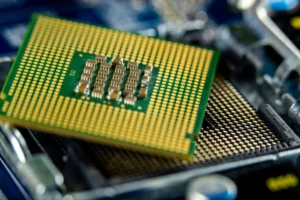
5. Heating Ke Saath Performance Sudden Drop
Heavy usage jaise:
- Gaming
- Camera video recording
- Long social media scrolling
Phone warm ho jata hai. Heat badhne ke baad:
- Apps slow open hoti hain
- Animations smooth nahi lagti
- Phone overall sluggish feel karta hai
Heat processor ki efficiency ko temporarily reduce kar deti hai.
6. Camera Use Me Processor Delay
Camera open karte waqt bhi processor pressure me aa jata hai:
- Camera app open hone me delay
- Photo click ke baad processing slow
- HDR shots me zyada time lagna
Video recording ke dauran heat badhne par frame stability bhi affect hoti hai.
[Must Read] — “Redmi Note 14 Pro Display Problem Solve”📱 ⇒ “Redmi Note 14 Pro Charging issue Fix“🔋
7. Background Apps & System Load
Redmi Note 14 Pro me kaafi system apps aur background services processor par unnecessary load daalte rehte hain.
Iska result:
- Notifications late milna
- Background sync slow hona
- Phone idle hone par bhi processor active rehna
Ye long-term me performance ko affect karta hai.
🤔Redmi Note 14 Pro Processor Issue – Kyon Hote Hain Ye Problems?
In issues ke main reasons hote hain:
- Heavy UI skin.
- Background apps & auto-start services.
- Heating aur thermal throttling.
- Gaming & camera ka continuous load.
- Software optimization inconsistency.
Processor hardware weak nahi hai, lekin software aur usage pattern performance ko impact karta hai.
🔥Redmi Note 14 Pro Processor Issue – Complete Solutions :🔥
1. Software Update Install Karein :
- Latest updates me performance optimization aati rehti hai.
- Settings → Software Update → Latest version install karein.
2. Background Apps Control Karein :
Steps:
- Settings → Apps → Auto-start
- Non-essential apps disable karein
- Background activity restrict karein
Isse processor par load kam hota hai.

3. Gaming Settings Optimize Karein :
- Graphics medium rakhein
- High FPS continuous use avoid karein
- Gaming ke beech breaks lein
Isse heating aur lag dono control hote hain.
4. Phone Ko Overheat Hone Se Bachayein :
- Charging ke time gaming avoid karein
- Direct sunlight me use na karein
- Heat feel ho to phone ko rest dein.
5. Storage & Cache Clean Rakhein :
- Kam se kam 20–25% storage free rakhein
- Cache data time-time par clear karein
Full storage processor ko slow kar deti hai.
6. Factory Reset :
Agar performance abhi bhi weak lage:
- Data backup lein
- Factory reset karein
Fresh setup bina backup restore ke karein.
[Don’t Miss] — “Redmi Note 14 5G Processor Problem Fix“🔥 ⇒ “Redmi 14C Speed Lag Solve“🔥
🕵️♂️Kab Service Centre Jana Chahiye?
Agar :
- Light use me bhi extreme lag.
- Phone bina reason overheat ho.
- Apps baar-baar crash karein.
To service centre visit karein. Hardware issue rare hota hai, lekin check zaroor karwana chahiye.

Conclusion :🙌
Redmi Note 14 Pro ka processor normal daily use ke liye theek hai, jaise calls, social media aur videos. Lekin heavy multitasking, gaming aur heat ke saath performance thodi weak lagne lagti hai aur lag ya stutter notice ho sakta hai.
Ye issues zyada tar software optimization aur usage pattern ki wajah se hote hain, hardware fault kam cases me hota hai. Thodi settings optimization aur smart use se overall performance kaafi better banayi ja sakti hai.
🔗
”Xiaomi ke ye model ki aur janakri ke liye Xiaomi Redmi Note 14 Pro pe Click Krein”
“FAQ/s — Saawal Apke – Jaawab Hamare”😄
1 Q. Redmi Note 14 Pro mein processor heating issue kyun aa raha hai?
Ans. Redmi Note 14 Pro mein processor heating zyada tar background apps, heavy camera use, gaming aur recent software updates ke baad hoti hai. Poor app optimization bhi heating ka common reason hai.
2 Q. Kya Redmi Note 14 Pro ka processor daily use mein slow lagta hai?
Ans. Normal use mein Redmi Note 14 Pro smooth perform karta hai, lekin multitasking, long gaming sessions ya storage almost full hone par processor thoda lag show kar sakta hai.
3 Q. Redmi Note 14 Pro processor lag aur heating ka permanent fix kya hai?
Ans. Redmi Note 14 Pro mein background app control, auto-start apps off karna, system update ke baad cache clear karna aur heavy gaming avoid karna processor issues ko kaafi had tak fix kar deta hai.
4 Q. Kya Redmi Note 14 Pro processor issue software update se fix ho sakta hai?
Ans. Ji haan, Redmi Note 14 Pro ke processor-related lag aur heating issues kai cases mein upcoming MIUI/HyperOS updates se improve ho jaate hain, kyunki updates performance optimization laate hain.
