

Introduction :🧧
iPhone 17 Pro Max Overheating issue : The iPhone 17 Pro Max (US) is among the most formidable Apple smartphones ever made. It features a large Super Retina screen, a fast processor, advanced cameras, and lots of AI-enabled features. Apple built this phone to be fast, to do many things at once, and to last.
But many people have said the iPhone 17 Pro Max gets hot too quickly in everyday usage. Some say the device is warming up as they browse or scroll through social media, some say it is heating up during video calls, gaming, charging or even camera usage. Getting too warm not only feels uncomfortable, it can also affect battery life and performance.
If your iPhone 17 Pro Max is hot to the touch frequently, then this post will let you know why it is overheating, what scenarios cause it, and how to cool it down in an effective way.
📌[Also Read] — “iPhone Air Processor issue Fix“🔥 ⇒ “iPhone 17 Pro Max Battery issue Fix“🔋
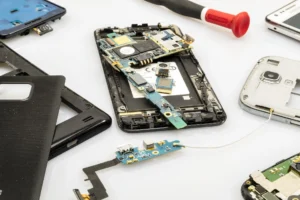
Common iPhone 17 Pro Max Overheating Complaints :🤔
Users report overheating in these situations :
- Phone Heats Up During Normal Browsing.
- Device Gets Hot While Charging.
- Overheating During Video Calls Or FaceTime.
- Phone Heats Up While Using Camera Or Recording Video.
- Gaming Causes Strong Heat Near Camera Area.
- Phone Feels Warm Even On Standby.
- Overheating After iOS Updates.
- Performance Drops Due To Thermal Throttling.
These problems are more noticeable on large, high-performance phones.
📌[Don’t Miss] — “iPhone 17 Processor Heat Solution“🔥 ⇒ “iPhone 15 Chip Overheat Fix“🔥
Why iPhone 17 Pro Max Heats Up Easily :🤔
Several factors contribute to overheating. Most are related to software, performance demand, and design limitations.
1. Powerful Processor Generating Heat
The iPhone 17 Pro Max uses a very powerful processor designed for heavy tasks.
- Gaming
- AI processing
- Photo and video editing
- Background system intelligence
High performance means more power usage, which naturally produces heat.
2. Large HighBrightness Display
The display consumes a lot of power.
- Large screen size
- High peak brightness
- Adaptive refresh rate
- HDR video playback
When brightness stays high for long periods, heat increases quickly.
3. Camera and Video Processing Load
Camera usage is one of the biggest heat triggers.
- HDR photo processing
- Video stabilization
- 4K or highframerate recording
- Live Photos and cinematic modes
Even short camera sessions can raise temperature.
4. Charging While Using the Phone
Charging already creates heat. Using the phone at the same time makes it worse.
- Watching videos while charging
- Gaming during charging
- Video calls while charging
This combination often causes noticeable overheating.

5. 5G Network Usage
5G connectivity increases power consumption.
- Weak signal areas
- Constant network switching
- Highspeed data transfer
In poor coverage areas, the phone works harder and heats up faster.
6. iOS Software Bugs or Background Activity
Some iOS versions introduce bugs that cause background processes to run continuously.
- System services stuck active
- Background app refresh loops
- Location services not stopping
These issues often appear after updates.
7. AlwaysOn Display and Live Activities
AlwaysOn Display and live widgets keep parts of the screen and system active.
- Lock screen widgets
- Live activities
- Notifications refreshing
Over time, this adds to heat generation.
8. Environmental Temperature
External heat plays a big role.
- Direct sunlight
- Hot rooms
- Using the phone in a car
High ambient temperature makes internal cooling less effective.
📌[Must Read] — “iPhone 17 Display issue Fix“📱 ⇒ “iPhone 17 Pro Max Display issue Fix“🚧
🔥How to Fix iPhone 17 Pro Max Overheating :🚀
Try these proven solutions to reduce heat safely.
1. Avoid Heavy Usage While Charging :
Let the phone charge without use
- Avoid gaming or video calls during charging
- Remove thick cases while charging
This reduces combined heat buildup.
2. Lower Screen Brightness :
- Use AutoBrightness
- Avoid maximum brightness indoors
- Reduce HDR usage
Display management helps control heat quickly.

3. Limit Camera Usage in One Session :
- Take breaks between video recordings
- Avoid long 4K recording sessions
Let the phone cool before using camera again
4. Manage Background App Activity :
- Check battery usage
- Close apps you don’t need
- Turn off background refresh for unused apps
5. Control 5G Usage :
- Switch to LTE in weak signal areas
- Use WiFi when available
This reduces network related heating.
6. Restart the Phone Regularly :
- Restarting clears stuck processes and improves thermal behavior.
7. Keep iOS Updated :
Apple often releases thermal optimization fixes.
- Settings → General → Software Update
- Install all available updates.
8. Disable Unnecessary Location Services :
- Set apps to “While Using”
- Turn off “Always” location access
Disable precise location for nonessential apps
9. Remove Thick or NonBreathable Cases :
Some cases trap heat.
- Avoid rubber or leather cases during heavy use.
- Use wellventilated or slim cases.
What to Avoid to Prevent Overheating :🚧
- Do not leave phone in direct sunlight.
- Avoid using phone in hot cars.
- Avoid cheap chargers.
- Do not place phone under pillows or blankets.
- Avoid long gaming sessions without breaks.
🤔Is Overheating Dangerous?
Mild warmth is normal. Overheating becomes a concern if :
- Phone becomes too hot to touch.
- Performance drops suddenly.
- Screen dims frequently.
- Battery drains rapidly.
- Phone shuts down automatically.
These are safety measures to protect internal components.
When to Contact Apple Support :🕵️♂️
Contact Apple if you notice :
- Heating during very light usage.
- Overheating even when idle.
- Phone heating after factory reset.
- Temperature warning messages.
Apple can diagnose and repair hardware issues under warranty if needed.
📌[Don’t Miss] — “iPhone 17 Pro Battery Problem Fix“🔋 ⇒ “iPhone 17 Battery Drain issue Fix“🔋
LongTerm Tips to Keep iPhone 17 Pro Max Cool :😀
- Use certified chargers.
- Keep battery between 20% and 80% when possible.
- Avoid constant max brightness.
- Update iOS regularly.
- Take breaks during heavy usage.

Final Words :🙌
The iPhone 17 Pro Max offers flagship power and that power means heat — especially when gaming, using the camera, charging, and engaging in heavy multitasking. Most heating issues are caused by software activity, screen usage, or network conditions rather than faulty hardware.
The good news is that overheating tends to be transient and manageable. By employing good usage habits, the right settings, and regular software updates, you can keep your iPhone 17 Pro Max running cool and stable, and comfortable to use.
If the device still overheats after applying all of the fixes, Apple support is able to look at the device and offer a proper solution in-warranty.
🔗
 ”Check the official Apple iPhone 17 Pro Max product page (U.S.) here.”
Last Updated: February 2026.
“FAQ/s”😄
1 Q. Why does the iPhone 17 Pro Max overheat during normal use?
Ans. The iPhone 17 Pro Max can overheat due to heavy background apps, iOS bugs, poor network signals, or prolonged camera and 5G usage, especially in warm environments.
2 Q. Is overheating a common problem in the iPhone 17 Pro Max?
Ans. Overheating is not common for all users, but some iPhone 17 Pro Max units may heat up temporarily during gaming, video recording, or right after a major iOS update.
3 Q. How can I quickly fix overheating on the iPhone 17 Pro Max?
Ans. To fix overheating on the iPhone 17 Pro Max, close unused apps, disable unnecessary background refresh, update iOS, remove the case, and avoid using the phone while charging.
4 Q. Can iPhone 17 Pro Max overheating damage the battery long-term?
Ans. Yes, frequent overheating on the iPhone 17 Pro Max can reduce battery health over time, which is why Apple recommends keeping the device within safe temperature limits.
5 Q. Should I worry if my iPhone 17 Pro Max shows a temperature warning message?
Ans. If the iPhone 17 Pro Max shows a temperature warning, stop using it and let it cool down. Remove it from heat, close heavy apps, and avoid charging until it returns to normal. This safety feature protects the iPhone 17 Pro Max from internal damage.
