

Introduction :🧧
Galaxy S25 Ultra Processor Issue : The Samsung Galaxy S25 Ultra (US) comes with one of the most powerful processors ever used in an Android phone. Samsung markets this device as a performance beast that can handle gaming, multitasking, AI features, and heavy camera processing with ease. On paper, the processor looks flawless.
However, real users report processor-related issues after daily use. These problems do not mean the processor is weak or defective. Most issues come from thermal management, software optimization, background processes, and aggressive performance tuning.
In this blog, we explain all major Galaxy S25 Ultra processor issues, why they happen, how they affect performance, and what you can do to fix or reduce them.
📌[Also Read] — “Galaxy S25 Ultra Heat up issue Fix“🔥 ⇒ “Galaxy S25 Edge Heating Fix“🔥

Common Processor Issues Reported By Galaxy S25 Ultra Users :😲
Many users experience one or more of the following problems :
- Phone Heats Up During Normal Use.
- Performance Drops After Long Usage.
- Lag While Switching Apps.
- Frame Drops During Gaming.
- Camera App Slows Down After Extended Use.
- Stuttering While Scrolling.
- Apps Reload Frequently.
- CPU Throttling During Heavy Tasks.
- Inconsistent Performance After Updates.
- Battery Drain Linked To High CPU Usage.
These issues vary based on usage patterns and environment.
Why Processor Issues Occur In Galaxy S25 Ultra :🤔
Even a powerful processor can face issues if multiple factors push it beyond optimal limits.
1. High-Performance Processor Generates Heat
The Galaxy S25 Ultra processor focuses on:
- high clock speeds
- AI-based processing
- advanced GPU performance
This level of power naturally creates heat, especially during gaming, video recording, or multitasking.When heat increases, the system reduces processor speed to protect hardware.
2. Thermal Throttling To Protect The Device
Thermal throttling is not a defect. It is a safety mechanism.
- When temperature rises:
- CPU reduces performance
- GPU lowers frame output
- system limits background tasks
This leads to temporary lag or slower response.
3. Software Optimization Plays A Big Role
After major updates, users often report:
- lag
- stutters
- slower app launches
This happens because the system :
- re-indexes apps
- recalibrates performance profiles
- runs background optimization
These tasks increase CPU load.
4. Background Apps Consume Processor Power
Some apps keep running in the background and use:
- CPU cycles
- network resources
- system memory
Social media apps, navigation apps, and cloud services are common culprits.
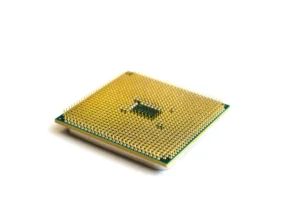
5. Heavy Camera And AI Processing
The S25 Ultra camera uses:
- AI image processing
- real-time HDR
- high-resolution video encoding
These tasks push the processor hard, especially during long camera sessions.
📌[Must Read] — “Galaxy S25 Ultra (Re-Newed) Display issue Fix“📱 ⇒ “Galaxy S25 Ultra Charging issue Fix“🔋
🔥Detailed Galaxy S25 Ultra Processor Issues Explained :🔥
1. Phone Heats Up During Normal Use :
Users notice warmth while browsing or watching videos.
Why It Happens :
- background syncing
- adaptive refresh rate
- AI services running constantly
Fix :
- Limit background apps
- Turn off unused AI features
- Avoid high brightness for long periods
2. Lag And Stutter After Extended Use :
Performance feels smooth at first, then drops.
Why It Happens :
- thermal buildup
- CPU throttling
- memory pressure
Fix :
- Take short breaks between heavy tasks
- Remove thick phone cases
- Restart phone once daily
3. Gaming Performance Drops Over Time :
Games start smooth but lose frames.
Why It Happens :
- sustained CPU and GPU load
- heat buildup
- performance throttling
Fix :
- Lower game graphics settings
- Play in a cool environment
- Enable Game Booster performance limits
4. Camera App Slows Down Or Lags :
Camera preview stutters after long recording.
Why It Happens :
- heavy AI image processing
- high-resolution video encoding
- thermal throttling
Fix :
- Close camera after long sessions
- Avoid recording long 4K or 8K videos continuously
- Allow phone to cool

5. Apps Reload Frequently :
Apps refresh when switching back.
Why It Happens :
- system frees memory to protect performance
- background apps removed
Fix :
- Limit background apps
- Disable unused services
- Avoid running too many apps at once
6. Performance Drops After Software Updates :
Phone feels slower after updates.
Why It Happens :
- system optimization
- background indexing
- cache rebuilding
Fix :
- Wait a few days after update
- Restart device
- Clear cache partition
7. CPU Usage Spikes Without Heavy Use :
Battery drains faster with high CPU usage.
Why It Happens :
- rogue background apps
- syncing errors
- software bugs
Fix :
- Check battery usage stats
- Restrict problematic apps
- Update all apps
Best Settings To Reduce Processor Load :🚧
Reduce Refresh Rate
- Settings → Display → Motion Smoothness → Standard
Disable Unused AI Features
- Turn off features you do not actively use.
Limit Background Activity
- Put unused apps into deep sleep.
Use Light Performance Profile
- Reduces CPU stress without affecting daily use.
Keep Software Updated
- Samsung often improves performance with patches.
📌[Don’t Miss] — “Galaxy Z Fold 6 Overheating Real Fix“🔥 ⇒ “Galaxy Z Flip 6 Processor Problem Fix“🔥
Processor Care Tips For Long-Term Stability :🚀
- Avoid heavy gaming while charging.
- Keep phone cool.
- Remove thick cases during gaming.
- Restart phone weekly.
- Close unused apps.
Avoid overheating environments.
🤔Is This A Hardware Problem?
In most cases, NO.
The Galaxy S25 Ultra processor issues are usually :
- thermal behavior.
- software optimization.
- usage-related.
Hardware failure is rare.

When To Contact Samsung Support :🕵️♂️
Contact Samsung if :
- phone overheats excessively.
- performance stays poor even after reset.
- phone shuts down during tasks.
- system apps crash repeatedly.
Samsung can check :
- thermal sensors
- CPU behavior
- system stability
Conclusion :🙌
The Samsung Galaxy S25 Ultra processor issue is not about weak performance. It is about balancing extreme power with heat and software optimization. The processor delivers excellent speed, but sustained heavy usage can trigger thermal limits that temporarily reduce performance.
With proper settings, controlled usage, and regular updates, the Galaxy S25 Ultra performs smoothly and reliably for daily tasks and gaming.
🔗
 ”Click on Samsung Galaxy S25 Ultra (US) to see more details about this Samsung Smartphone.”
“FAQ/s”😄
1 Q. Does the Samsung Galaxy S25 Ultra have real processor lag issues?
Ans. Yes, the Galaxy S25 Ultra can show minor lag during heavy multitasking, long gaming sessions, or when background AI features overload the CPU. Most users face it after prolonged usage or when storage gets near full.
2 Q. Why does the Galaxy S25 Ultra heat up during normal use?
Ans. The S25 Ultra heats up mainly due to background AI processing, 5G modem load, camera use, or high screen brightness. Using it while charging also increases heat.
3 Q. Why do apps freeze or respond slowly on the Galaxy S25 Ultra?
Ans. Slow or frozen apps usually happen due to outdated software, corrupted cache, or CPU throttling triggered by heat. Clearing the cache and updating the firmware fixes it for most users.
4 Q. How can I fix the processor issues on the Samsung Galaxy S25 Ultra quickly?
Ans. Quick fixes include clearing app cache, disabling unused background apps, updating One UI, lowering refresh rate temporarily, and giving the device a short cooldown restart.